TWS connection spec:
When you are playing a speaker (host) under USB/Micro SD/AUX/BT mode, at this
time you want another speaker to share this song. You can turn on a new speaker,
Long press “Play/pause” button, the LED display will show “SLAU” and keep blinking,
now it is searching for the host. Once host found, this new speaker will connect
automatically to the host, and “SLAU” will not blink. At this time 2pcs speakers are
playing the same song.
The new joining speaker can operate: play/pause - previous song-next song- volume
control
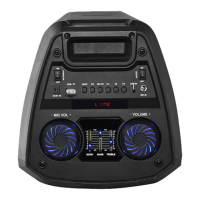
9 Next song: short press for next song, long press for fast forward.
10 Volume control: long press volume+/- to increase/decrease the LED light
11 MENU (control BASS/Treble/MIC Volume), long press this button to restore
factory settings
12 Microphone volume control
13 Mode switch
14 Microphone Echo +
15 Microphone Echo –
16 REPEAT one song, Loop Playback.
17 Press to get super bass effect
18 Microphone priority (when playing USB/Micro SD, press this button, and the
microphone volume will override songs in USB/Micro SD)
19 Short press to record songs from microphone to USB/Micro SD,;long press to
play recordings, and long press again to delete recordings
20 EQ effect switch
21 Press to get various LED light effects, short press for color changing, long press
and hold this button to change light modes. Or turn off the light. Press it again to
turn on LED light.


 To Next Page