NOTE:If the headphone is not used within 5 minutes.the headphones will automatically
turn off to save battery.
Play
Touch Function
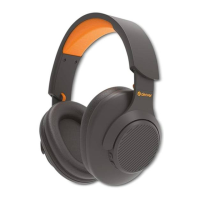
• Press + area(refer to product Diagram) to nex track.
• Press - area(refer to product Diagram) to previous track.
• Press & Hold + area(refer to product Diagram) to turn up the volume.
• Press & Hold - area(refer to product Diagram) to turn down the volume.
• Press button (refer to product Diagram) to voice assistant.
ENG 2
Troubleshooting
• No power
- Recharge your wireless bluetooth headphone using the Type-C cable.
• Music is not playing over Bluetooth
- Make sure your Bluetooth device has A2DP profile. Check if both devices are paired and
connected over Bluetooth.Restart the headphone to reconnect your Bluetooth device.
• Bluetooth device will not reconnect with the headphone
- Navigate to your Bluetooth settings menu on your Bluetooth device,tap “DENVER
BTH-270” , and select "Forget" .
- Now follow the steps to pair your device again.Or, press & hold the power button on the
headphone (while powered on) to disconnect the headphones from any connected
devices. Then follow the steps to reconnect your device.
• For safety reasons,please do not charge the headphones while using them.
• Connect your device to the headphone via Bluetooth(refer to the” Pair & Connect" section)
• Open your favorite music app and press play.
• Control the music,track & volume from your device,or control the music & volume.Press the
Power button once to play/pause music & answer caIIs,press it twice to redial the last
number called on your phone,and press & hold it to reject an incoming call.
• All audio,incIuding music,games,videos,and notifications will be routed through the
headphone.
• On your Bluetooth-enabled smartphone,tabIet or media player,navigate to the Bluetooth
settings menu,turn on the Bluetooth feature,and search for new devices After a few
seconds you will see “DENVER BTH-270” listed.
• Tap this modei to select it.Solid blue LED light indicate your device has successfully paired.
• With your previously paired device’s Bluetooth turned on and in range,The headphone will
automatically reconnect to the last Bluetooth device it was connected to.
3 / 6 2 / 4 3 / 6


 To Next Page