Need help?
Do you have a question about the Denver BTM-610 and is the answer not in the manual?
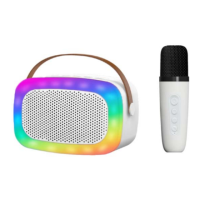
This document provides a comprehensive overview of the Bluetooth Speaker with RGB Lighting, detailing its functions, usage, and maintenance. Designed for ease of use and portability, this device combines audio playback with dynamic lighting effects and a karaoke microphone, making it suitable for various entertainment scenarios.
The core function of this device is to serve as a Bluetooth speaker, allowing wireless audio streaming from compatible devices such as smartphones, tablets, or computers. It supports Bluetooth version V5.3, ensuring a stable and efficient connection within a typical range of up to 10 meters in open spaces. The speaker is equipped with a single 10W speaker, providing clear audio output for music playback.
Beyond Bluetooth connectivity, the speaker offers multiple input options to cater to diverse user preferences. It includes a USB port and a Micro SD (TF) card slot, enabling direct playback of MP3 files stored on external memory devices. An AUX-in port further expands its versatility, allowing wired connection to audio sources that may not have Bluetooth capabilities. Users can easily switch between these input modes (Bluetooth, Aux-in, USB, TF) using the dedicated MODE button on the speaker.
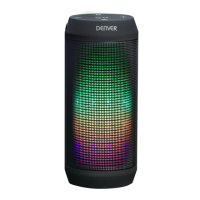
A distinctive feature of this product is its integrated RGB lighting, which adds a visual dimension to the audio experience. The lighting mode can be activated or changed via a dedicated button on the speaker, offering various dynamic light patterns that synchronize with the music or create an ambient atmosphere.
The inclusion of a karaoke microphone transforms the speaker into a portable karaoke system. The microphone connects wirelessly to the speaker, allowing users to sing along to their favorite tracks. The microphone itself features controls for power, volume adjustment, and voice effects, enhancing the karaoke experience. It also includes a function to cancel the accompaniment song, allowing users to isolate their vocals or practice singing without background music. Both the speaker and the microphone are powered by rechargeable lithium polymer batteries, ensuring portability and extended use without constant access to a power outlet.
Operating the Bluetooth speaker and microphone is designed to be intuitive. For initial setup, users simply need to turn on the speaker, and it will enter pairing mode. On their external device, they can then search for "Denver BTM-610" in their Bluetooth settings to establish a connection. Once paired, the speaker will emit an alert tone, confirming the successful connection. Subsequent connections with the same device are automatic, as the system remembers the last connected device.
The speaker features a set of clearly labeled buttons for controlling audio playback and lighting. These include:
For playing MP3 files from a USB drive or Micro SD card, users simply insert the respective storage device into the designated port or slot. The speaker will automatically detect the media and begin playback. Playback controls (play, pause, skip) are then managed using the speaker's buttons.
The karaoke microphone also has its own set of controls for ease of use:
Both the speaker and the microphone are rechargeable via a Type-C charging port. Users are instructed to use the provided Type-C cable, connecting one end to the device and the other to a USB port on a PC, a wall charger, or any other 5V charger. This universal charging solution ensures convenience.
To ensure the longevity and optimal performance of the Bluetooth speaker and microphone, several maintenance guidelines are provided:
By adhering to these guidelines, users can ensure a safe and enjoyable experience with their Bluetooth Speaker with RGB Lighting and Microphone, preserving its functionality and extending its lifespan.
 General
| Brand | Denver |
|---|---|
| Model | BTM-610 |
| Type | Portable Bluetooth Speaker |
| Bluetooth Version | 5.0 |
| Bluetooth Range | Up to 10 meters |
| Output Power | 5 W |
| Impedance | 4 Ω |
| Battery Capacity | 1200 mAh |
| Play Time | Up to 6 hours |
| Built-in microphone | Yes |
| Hands-free function | Yes |
| FM radio | Yes |
| USB port | Yes |
| MicroSD card slot | Yes |
| AUX input | Yes |
| TF card support | Yes |
| Connectivity | Bluetooth |
| Battery | Lithium-ion |
| Charging Time | 3 hours |

 To Next Page