5
3. USB/MP3: input connecting port
4. Line in input
5. DC jack in
6. Wall mounting position
7. Desk - top placement
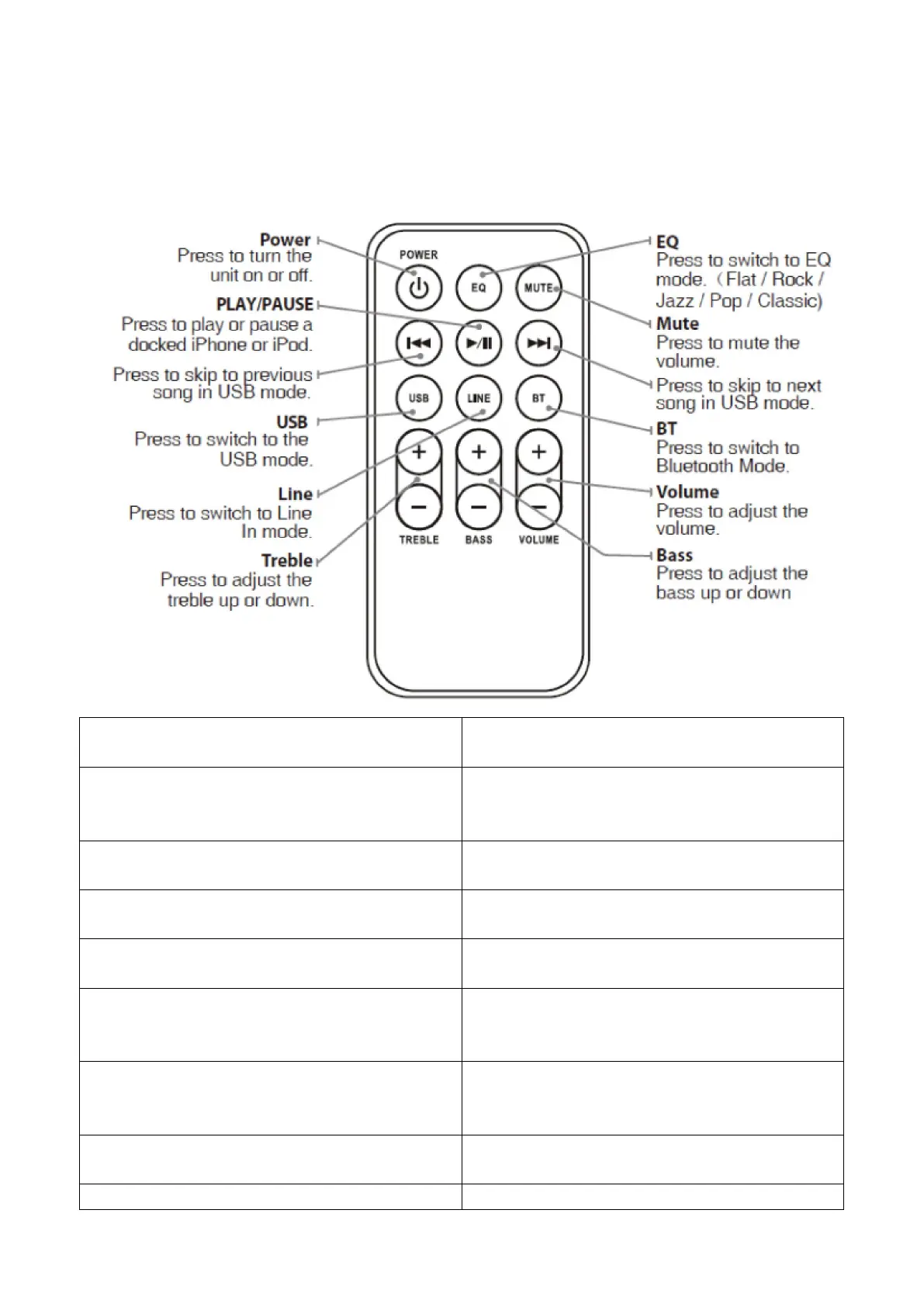
Power
Press to turn the unit on or off.
PLAY/PAUSE
Press to play or pause a docked iPhone or iPod.
Press to skip to previous song in USB mode.
USB
Press to switch to the USB mode.
Line
Press to switch to Line In mode.
Treble
Press to adjust the treble up or down.
EQ
Press to switch to EQ mode.
(Flat/Rock/Jazz/Pop/Classic)
Mute
Press to mute the volume.
Press to skip to next song in USB mode.
BT
Press to switch to Bluetooth Mode.
Volume



 To Next Page