6
Press to adjust the volume.
Bass
Press to adjust the bass up or down
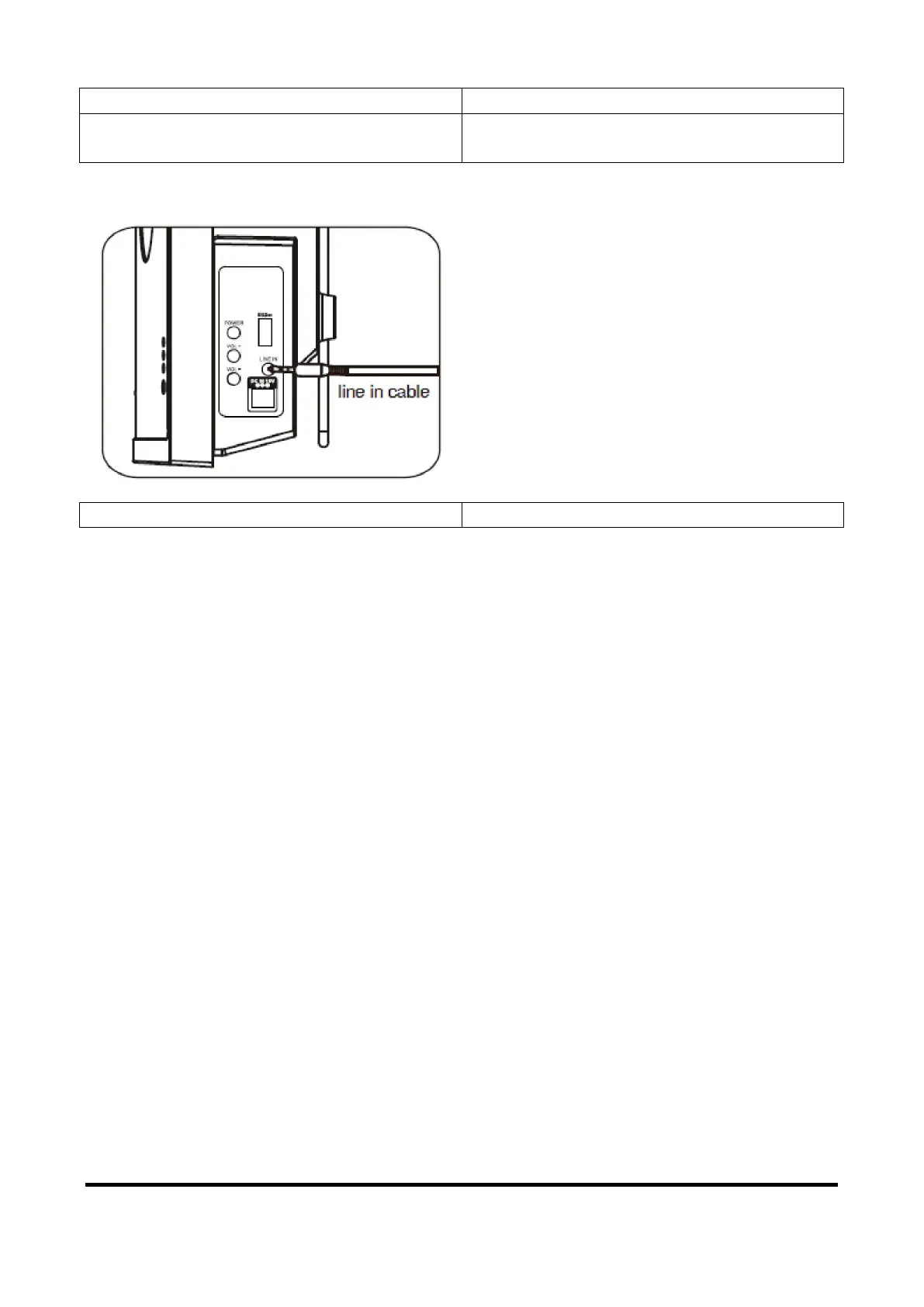
LISTENING FROM LINE IN JACKS:
line in cable
1. Connect the Headphone/Earphone; Line out jacks from the external audio player such like MP3 player;
Discman … etc) to the LINE IN jacks on the size of Speaker by the supplied Line In connection cable as
the figure.
2. Connect the Sound Bar to the power as previous procedures.
3. Press the POWER button on the Speaker or Remote Control to power on the Speaker.
4. Press the LINE button on the Remote Control to turn to LINE mode.
5. Power on the connected external player and start playback as usual.
BT PAIRING AND PLAYBACK:
1. Power on the Sound Bar as previous procedures.
2. Press the BT (Bluetooth) button on the Remote Control to turn to BT mode.
3. Turn on the BT function in the external BT player and wait a few seconds until the external BT player and
the speaker were paired. Please be sure the distance between both devices within l metter when pairing.
Play the music in the external BT Player as usual.
NOTES:
In first time use, connect the external BT Player as below:
1. Turn the Sound Bar to BT mode as previous procedures, the BT indicator will turn on and blink.
2. Power on the external BT player and enter to BT searching mode. Start pairing as the screen instructions
on the external BT Player (For details pairing procedures, please refer to the user's manual of your BT
player.).
3. When the external BT player searched the Sound Bar, our model number "BTS-650" will appear on the
display of external BT player.
4. Pairing code "0000" may need to enter.
Mounting on the dry wall/wooden wall



 To Next Page