ENG
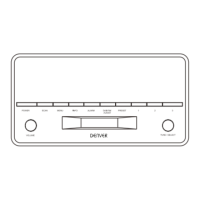
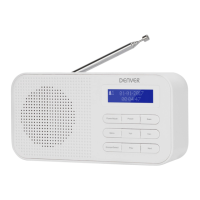
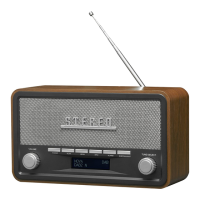
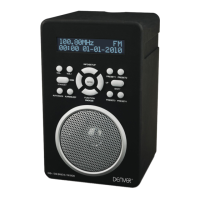
1. SPEAKER
2. STANDBY BUTTON
3. TUN/CH BUTTON
4. LCD DISPLAY
5. VOL+ BUTTON
6. MENU/INFO BUTTON
7. PRESET BUTTON
8. SELECT BUTTON
9. TUN/CH BUTTON
10. MODE BUTTON
11. VOL- BUTTON
12. HEADPHONE JACK
13. DC INPUT SOCKET
14. ANTENNA
15. BATTERY DOOR
SWITCHING YOUR RADIO ON FOR THE FIRST TIME
AC Operation
1. Insert the DC power jack of AC/DC adaptor to the DC input socket located at the right of the radio.
2. Plug the AC/DC Adaptor to the AC mains outlet.
3. Press the STANDBY to turn the radio on.
Remarks: If the AC Adaptor voltage is over than 6V, it will possible make the line damage.
DC (battery) operation
1. Ensure the AC/DC adaptor is disconnected from the radio and AC mains.
2. Installed the batteries (4×1.5V UM3/AA battery) into the battery compartment.
3. Press the STANDBY to turn the radio on.
Remarks: To obtain the best performance in DC operation, the use of alkaline batteries is highly
recommended.
Display backlight
When the radio is in AC mode, the display backlight will be full brightness all the time.
When the radio is in DC battery operation, the display backlight will be turned on to full brightness for
around 10 seconds and then go to dim, it will then be turned on to full brightness again for 10 seconds
on every key press. In STANDY mode, the radio and display backlight will be turn off.
DAB mode
Press the STANDY button to turn the unit on, it will automatically enter into the DAB mode and perform
auto scan function, During the scan the display show “Scanning…” together with a slide bar that
indicates the progress of the scan and the amount of stations that have been found so far.(F.1) (F.2)
Once the scan has finished, the radio will select the first alphanumerically found station. You can now
press the TUN/CH or TUN/CH button to explore the found stations followed by pressing the
SELECT button to select listening to the stations.
Note: If there is no stations found after auto scan, the radio will then enter into the Tune Select Menu,
you can now press the TUN/CH or TUN/CH button to select “Manual tune” or “Full scan” for stations.
F.1 F.2
DAB Auto Scan
The auto scan will search for the entire DAB Band III channels, after the scan has finished, the first
alphanumerically found stations will be automatically selected.
1. To activate auto scan, press and hold the MENU/INFO button for longer than 2 seconds to enter into
the Menu and then press the TUN/CH or TUN/CH button to select “Full scan”, finally press the



 To Next Page