ENG
SELECT button to confirm, the display will show “Scanning…” and a pressing slide bar.(F.3)
2. All the stations that have been found will be stored automatically, to explore the stations that have
been found, press the TUN/CH or TUN/CH button and when you find a station that you would
like to listen to, press the SELECT button.
FM radio
1. To select FM, press the MODE button, the display will show FM and the frequency.
2. To activate auto search, press SELECT or press and hold the TUN/CH
or TUN/CH button until it
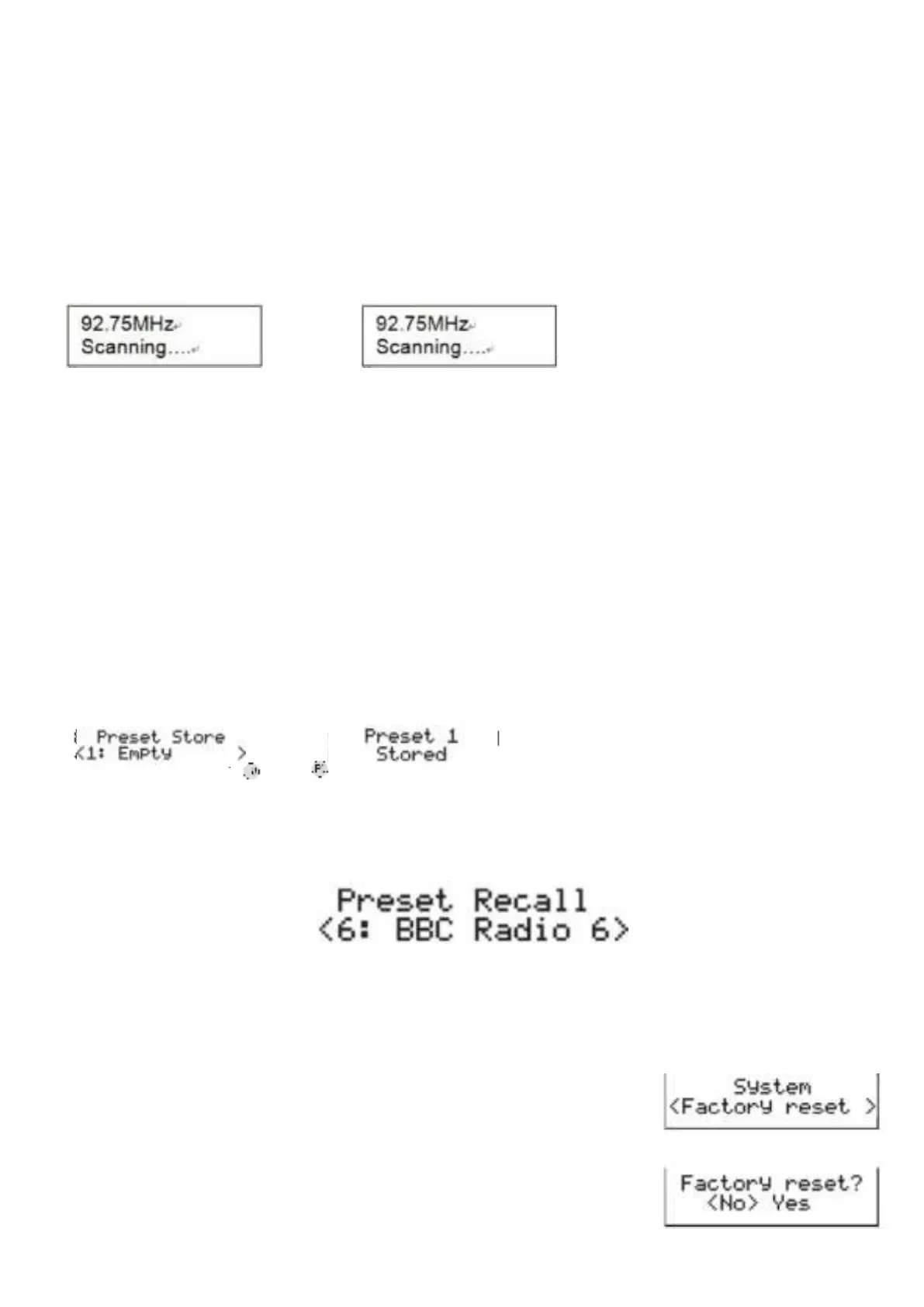
stars to scan up or down the frequency band. The display will show ”Scanning…”, and it will stop
automatically once a station has been found.(F.6) (F.7).
F.6
F.7
3. To search manually, press the TUN/CH or TUN/CH button to increment the frequency by
0.05MHz.
Scan setting
1. To activate Scan setting, press and hold the MENU/INFO button for longer than 2 seconds to enter
into the Menu and then press the TUN/CH or TUN/CH button to select “scan setting”, finally
press the SELECT button to confirm, Press the TUN/CH or TUN/CH button to select “All
stations/strong stations”. Press the SELECT button to confirm the setting.
STORING AND RECALLING STORED STATIONS
This function allows up to 10 stations to be programmed into the memory and stored in both DAB and
FM mode
1. To store a preset, first tune to your desired station, then press and hold the PRESET for longer than 2
seconds, the display will show the flashing “Preset Store number” (F8).
2. Press the TUN/CH or TUN/CH button to select your desired station preset number.
3. Press the SELECT to confirm your selection, the station now broadcasting has now been stored in
the selected location (F9).
4. To listen to the preset stations, first press the PRESET button once and then then press the
TUN/CH or TUN/CH button to scroll up or down the presets that you have stored, and press the
SELECT button to confirm. The station name or frequency and preset location number will be
displayed in the lower half of the display (F10). If the preset has not been allocated ‘Preset Recall #:
(Empty)’, “Preset empty” will be shown in the display.
#10
FACTORY RESET
If moving the radio to another location in the country the pre-tuned and stored DAB stations may no
longer be available and it will be necessary to reset the radio back to the factory settings.
1. Connect the radio to AC mains (via AC/DC adaptor), then press STANDBY to turn the radio on
2. Press and hold the MENU/INFO button for longer than 2 seconds, then
press MENU/INFO button, press the TUN/CH or TUN/CH button to
until the display show “system”, then press the SELECT button
3. Continue press the TUN/CH
or TUN/CH button until the display
shows “<Factory Reset>” and then press the SELECT button to confirm.
4. The display is now showing “Factory Reset <No> Yes’ and Rotate press
the TUN/CH
or TUN/CH button to confirm “<Yes>” and press the
SELECT button again.


 To Next Page
 Loading...