H
1
2
3
HOLD
ON
OFF
1
2
3
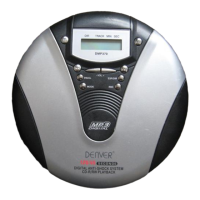
PLAYBACK
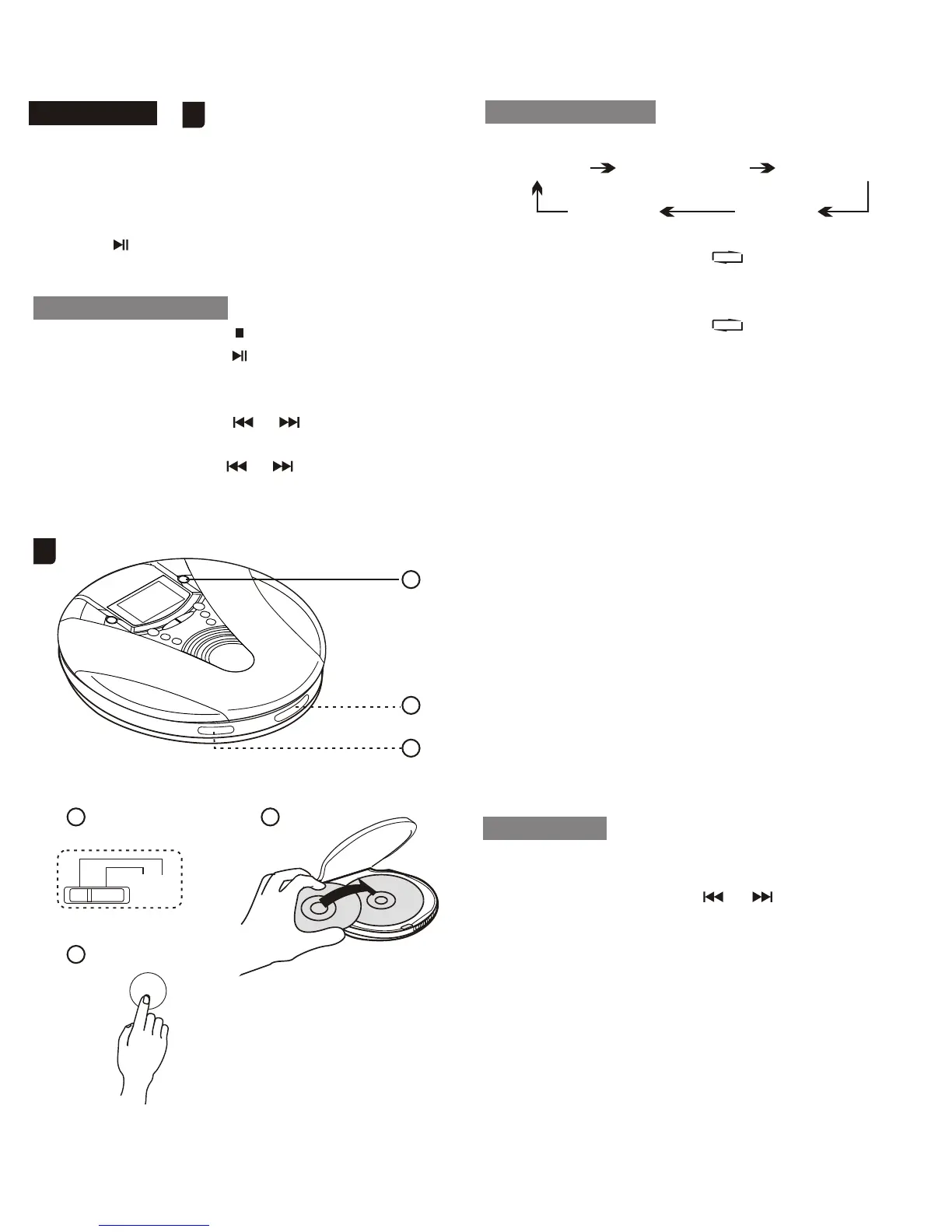
BASIC OPERATION
Connect the supplied headphone to the
PHONE jack.
1.Release HOLD to OFF position.
2.Place a disc with label side facing up.
3.Press PLAY/PAUSE
Playback starts from the first track.
To stop: press STOP
To pause: press PLAY/PAUSE
To resume, press it again.
To search for the beginning of a track:
Press or
To locate a desired passage:
Keep or Pressed.
Release the button until the
start of desired passage.
REPEAT ONE: " " light on display
and will repeat the
track you selected
REPEAT ALL: " ALL"light on
display and will repeat
entire tracks
INTRO: At STOP state, press
MODE button until
"INTRO"light on
display and will play
the first 10 seconds of
each track.
RND: "RND"light on display,
Plays every tracks in
random order
ANTI SHOCK: "ESP"light on display,
and will anti-shock 45
seconds.
Press ESP/DIR key
again then change to
normal play without
anti-shock function.
DISC: If no"diSC, then"no
diSC" is display.
CD-RW: "CD-RW"light on
display
1.At stop state,Press "PROG" KEY, Then
"PROG 00" display
2.Press skip/searched or key to search
the track Number.
3.When desired track is display, press
PROGRAM key to register. Then track no
display to "00" display to "00" again.
4.Repeat 2-3 (up to 64 tracks) after register
64 tracks. display shows the first registered
track.
5.Registered tracks can be check by
press"PROG"key, and it can be changed by
repeat 2-3.
PROGRAM:
NORMAL REPEAT ONE REPEAT ALL
RAND INTRO
FUNCTION KEY:
Press mode key
H
6


 To Next Page