Need help?
Do you have a question about the Denver HSM-5003 and is the answer not in the manual?
Describes three modes: photo only, video only, or photo then video.
Explains manual capture via remote and automatic capture upon movement detection.
Details how to navigate and play media using the remote control.
Informs that heavy rain or fog may result in white photos without motive.
Lists requirements like SIM card, microSD, computer, and provider data.
Step-by-step guide to configure MMS settings using the MMSCONFIG program.
Details configuration for GPRS settings, including APN, Account, and Password.
Provides a list of SMS commands for controlling camera functions like taking pictures.
Guidance on proper disposal of electric/electronic equipment and batteries.
States compliance with EU Directive 2014/53/EU for radio equipment type HSM-5003.
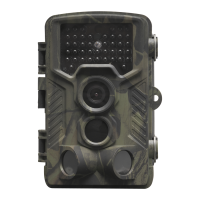
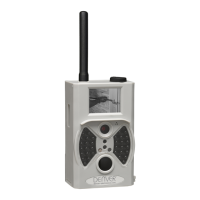
The DENVER HSM-5003 is a surveillance camera designed for various monitoring applications. It features a compact design with several integrated components for capturing images and videos, as well as communication capabilities.
The primary function of the DENVER HSM-5003 is to capture photos and videos, either manually or automatically upon detecting movement. It supports sending captured images via 2G/GSM/MMS/GPRS networks, making it suitable for remote surveillance. The camera operates in three basic modes: OFF, ON, and TEST. The OFF mode is a safe mode for maintenance tasks like replacing the microSD card or batteries and for transporting the camera. The ON mode enables automatic photo and video capture when movement is detected, indicated by a 15-second LED blink before activation. The TEST mode allows for manual operation using a remote control and provides access to system settings and viewing captured media.
The camera includes a 2-inch color LCD display for viewing and configuration. It supports microSD cards for storage, with a recommendation to format 2GB+ microSD cards. Connectivity options include a USB connector for PC connection, a TV Out connector, and a SIM card slot for 2G/GSM/MMS/GPRS network access. The device requires 6V power, which can be supplied by 4 or 8 AA batteries or an external 6V input power supply. It features a PIR (Passive Infrared) sensor for motion detection and an Infrared Flash for low-light conditions. A GSM antenna is integrated for network communication. The operating frequency range for radio equipment is 850-1900MHz, with a maximum output power of 2W. The device is compliant with Directive 2014/53/EU.
The DENVER HSM-5003 offers flexible usage options. Users can choose between three system settings for capturing media: "Camera" (photos only), "Video" (videos only), or "Camera & Video" (takes a photo first, then a video). Photos and videos can be captured manually using the remote control in TEST mode by pressing the "Shot (Right)" button. Automatic capture is enabled in ON mode, where the camera records upon detecting movement.
Viewing captured media is done in TEST mode by pressing the "OK" key on the remote control. For photos, users can navigate using the up or down buttons. For videos, the left button starts and stops playback. The camera also supports remote control via SMS commands. For instance, sending "500" will trigger the camera to take a picture, while "505" will take a picture and send it to the mobile number that sent the SMS. The "520" command allows checking the picture quantity and battery status. Commands "530" and "531" are used to turn the sensor on and off, respectively.
MMS and GPRS settings are crucial for enabling remote image transmission. The setup involves inserting a microSD card and a SIM card (without PIN lock), connecting the camera to a PC via USB, and using the provided MMSCONFIG software. Users need to configure GPRS and Server settings, including APN, account, password, MMSC+IP+PORT, and sender email server information. These settings are then saved to the microSD card as "Parameter.dat" and applied to the camera.
The camera is designed for user-friendly maintenance. The OFF mode serves as a safe state for replacing the microSD card or batteries. The device's components, including electric and electronic equipment and batteries, are marked with a crossed-out trash can symbol, indicating that they should not be disposed of with general household waste. Instead, they should be disposed of separately at designated collection points or recycling stations. This ensures proper recycling and minimizes environmental impact. Users are encouraged to submit used batteries to appropriate facilities. The manual also notes that heavy rain, fog, and drizzle in the dark may result in white photos without a clear motive, which is not an error with the camera but a limitation under specific environmental conditions.
 General
| Brand | Denver |
|---|---|
| Model | HSM-5003 |
| Category | Security Camera |
| Language | English |

 To Next Page