14. Auto Snap & Video Mark
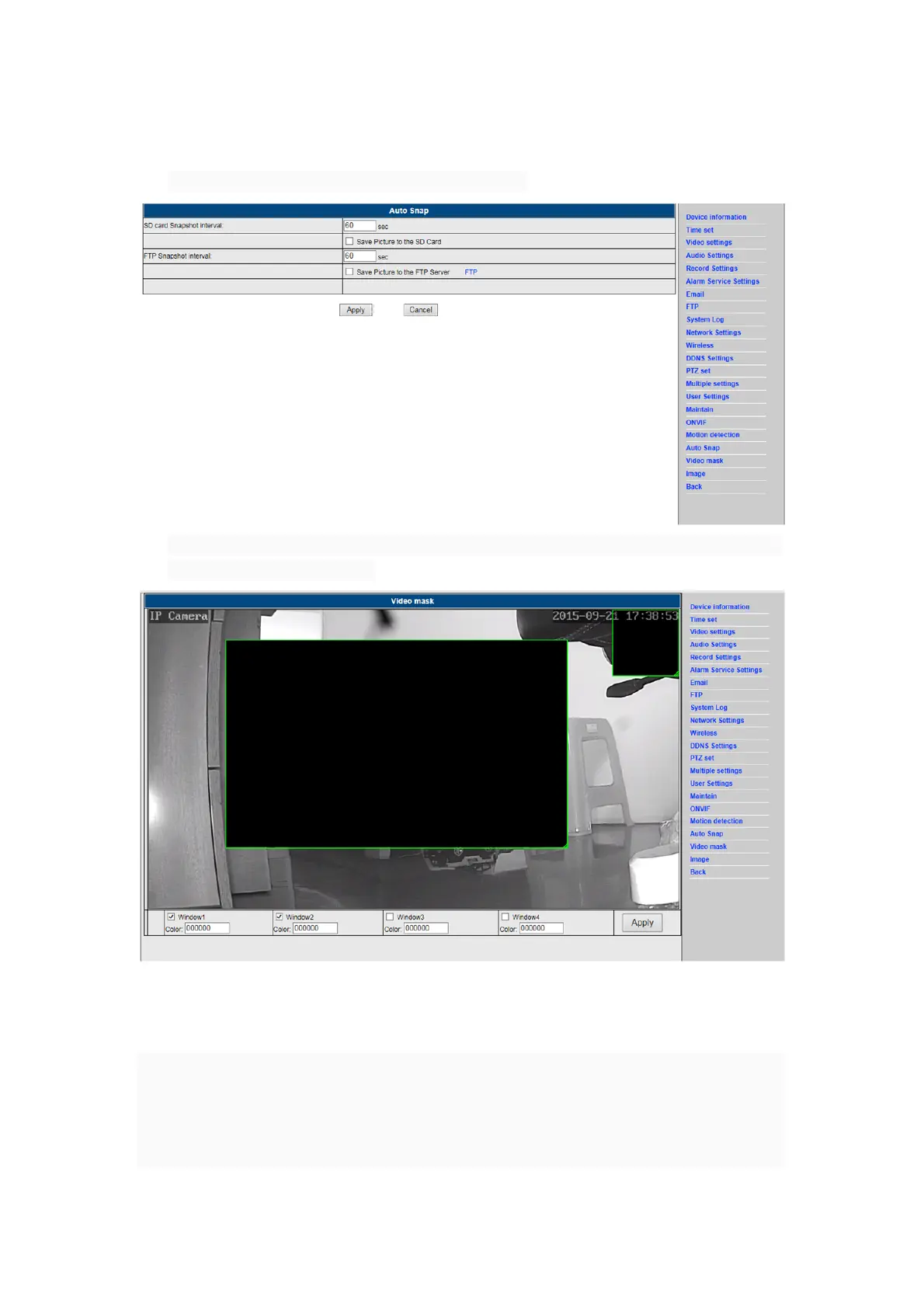
1) Capturing of images to the SD card and FTP upload
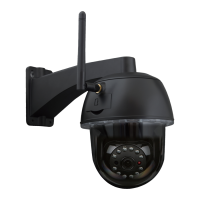
2) Select the screen detail (you can change the size of the window), click on "Apply" and an
obscured screen area appears
15. Image setting
1) Click on apply to modify the brightness, saturation, sharpness, exposure, contrast
2) Click on the application to modify the exposure mode, infrared lamp,
3) Click on applications to change the value of the IR-cut
4) If you click on “Default” all image settings will restored to the default value


 To Next Page