Need help?
Do you have a question about the Denver SW-170 and is the answer not in the manual?
Scan the QR code to download and install the companion application for the smartwatch.
Connect the smartwatch to the companion app by following the setup and device selection steps.
Monitor steps, calories burned, and distance traveled. Data syncs automatically with the app.
Track sleep time and quality by wearing the watch during rest. Data syncs with the app.
Measure heart rate by long-pressing the screen. View recent measurement history on the watch.
Record new training sessions with 8 available sport modes. Displays the last recorded training data.
Measure blood pressure by long-pressing the screen. View recent measurement history on the watch.
Measure blood oxygen levels by long-pressing the screen. View recent measurement history on the watch.
View current and next-day weather information. Data syncs from the app when connected.
Receive notifications from social media and messaging apps. Stores the latest 3 messages.
Control your phone's camera remotely from the watch after establishing a connection with the app.
Control music playback on your mobile phone from the smartwatch when connected to the app.
Start and stop timing by long-pressing the stopwatch screen. Measures elapsed time.
Set and activate alarms via the app. The watch vibrates when the alarm time is reached.
The watch vibrates to remind you to move after a period of inactivity. Feature can be enabled/disabled in the app.
The watch is rain/splash-proof. Avoid swimming or showering with it. Dry thoroughly if wet.
Single tap to wake/switch pages; long press to access sub-options on function pages.
Turn your wrist to activate the screen for time/message checks. Screen turns off automatically.
Contains hazardous materials. Dispose of batteries and electronics separately from household waste.
States compliance with Directive 2014/53/EU. Details operating frequency and max output power.
 General
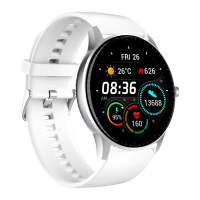
| Shape | Round |
|---|---|
| Band size | One Size |
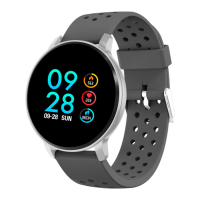
| Band color | Gray |
| Closure type | Single prong strap buckle |
| Band material | - |
| Buckle material | Metal |
| Suggested gender | Unisex |
| Watch case color | Silver |
| Market positioning | Smartwatch |
| Protection features | Dust resistant, Waterproof |
| Watch case material | Metal, Plastic |
| International Protection (IP) code | IP67 |
| Display type | Digital |
| Display diagonal | 1.3 \ |
| Display resolution | - pixels |
| Display technology | IPS |
| Built-in camera | No |
| Compatible memory cards | Not supported |
| Mobile operating systems supported | Android 4.4, Android 5.0, Android 5.1, Android 6.0, Android 7.1, Android 7.1.2, iOS 8.0, iOS 8.1, iOS 8.2, iOS 8.3, iOS 8.4, iOS 9.0, iOS 9.1, iOS 9.2, iOS 9.3 |
| Country of origin | China |
| Power plug type | Type C |
| Battery capacity | 150 mAh |
| Battery life (max) | - h |
| Package type | Box |
| Package depth | 50 mm |
| Package width | 150 mm |
| Package height | 80 mm |
| Package weight | Weight of the packaged product in gram. |
| Quantity per shipping (inner) case | 20 pc(s) |
| Quantity per intermodal container (20ft) | 40000 pc(s) |
| Quantity per intermodal container (40ft, HC) | 100000 pc(s) |
| Number of shipping (inner) cases per master (outer) case | 1 pc(s) |
| Manufacturer | Denver |
| Number of packages | 1 |
 Weight and Dimensions
| Depth | 250 mm |
|---|---|
| Width | 45 mm |
| Weight | 65 g |
| Thickness | 12 mm |

 To Next Page