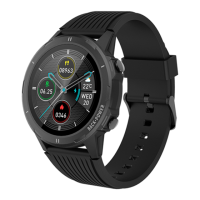
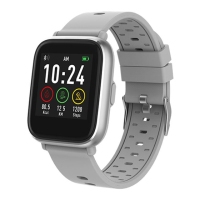
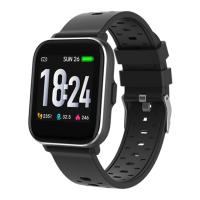
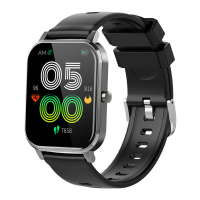
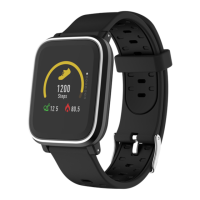
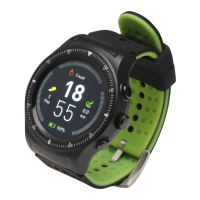
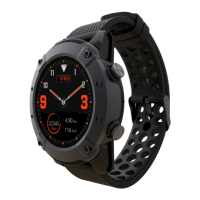
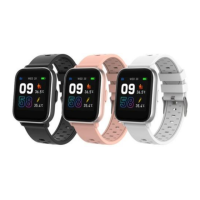
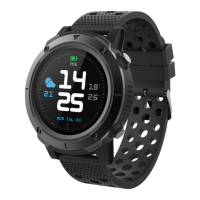
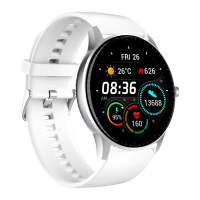
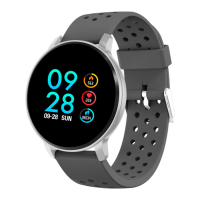
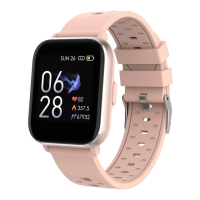
The Smart Watch is a versatile wearable device designed to track various health and fitness metrics, provide notifications, and offer several utility functions. It operates in conjunction with a smartphone app, "Denver Fit 1," to enhance its capabilities and provide a comprehensive user experience.
Function Description:
The primary function of the Smart Watch is to monitor and record daily activities and health data. This includes tracking steps, calories burned, and distance covered. It also features continuous heart rate detection, which is crucial for monitoring exercise intensity and overall cardiovascular health. The watch supports multiple sports modes, allowing users to activate and track specific activities like outdoor and indoor running, providing real-time data during workouts.
Beyond fitness tracking, the Smart Watch serves as a notification hub, displaying incoming calls, messages, and other smart reminders from a connected smartphone. It includes a stopwatch and timer for various timing needs, and an alarm function to help users stay on schedule. Weather information can also be displayed, keeping users informed about local conditions.
The device is designed for ease of use, with intuitive controls for navigation and interaction. It automatically turns on after charging, simplifying the initial setup process. The watch's interface allows for quick access to health data, sports modes, and control center settings, including DND mode and brightness adjustment.
Important Technical Specifications:
- App Compatibility: "Denver Fit 1" app, available on App Store and Google Play.
- System Requirements:
- iOS 9.0 and above
- Android 4.4 and above
- Connectivity: Bluetooth 4.2
- Power: Requires original power adapter for charging and activation.
- Notification Storage: Stores up to 12 recent notifications, with older ones automatically deleted upon receiving new ones.
- Heart Rate Detection: Continuous monitoring during sports, with user-defined maximum heart rate alerts.
- Operating Frequency Range: (Not specified in the provided manual, but mentioned as a required declaration).
- Max Output Power: (Not specified in the provided manual, but mentioned as a required declaration).
Usage Features:
- Getting Started:
- Turn On: Automatic turn-on after charging.
- App Download: Install "Denver Fit 1" from App Store or Google Play.
- Connection: Pair the Watch with the "Denver Fit 1" app, not directly via phone's Bluetooth settings, for correct functionality.
- Binding: Slide down on the app's home screen to display the binding request, select the product model, and tap "Confirm Binding."
- Sports Tracking:
- Activate Sports: Enter the Sports interface, slide up or down to select a sport (e.g., Outdoor Running, Indoor Running), and tap the icon to start.
- Start Sports: After activation, the watch displays a countdown before starting the activity.
- Heart Rate Reminder: During sports, the watch continuously detects heart rate. If it exceeds a user-defined maximum, it vibrates and alarms to prompt reduced intensity or cessation of activity. This setting is configured in the mobile app under More > Heart rate zone > User defined max. heart rate.
- Pause Sports: In the screen unlocking state, press and hold the UP button. Tap the Continue icon to resume.
- Stop Sports: In the pause state, select the stop icon.
- View Sports Data: After sports, details are saved in sports records. During a paused state, slide the screen up to view current sports data.
- Health Data: Access the Health data interface to view accumulated steps, calories, and distances for the day.
- Notifications:
- Smart Reminder: Enable "Smart Reminder" in the app and select desired notification types. Requires continuous connection between watch and smartphone.
- View Messages: Watch vibrates upon receiving messages. Slide the screen down to view unread messages.
- Delete Messages: Slide left on a single message box to reveal the Delete icon. The watch stores up to 12 notifications; older ones are automatically deleted when new ones arrive.
- Heart Rate Detection: Slide to the heart rate interface, hold for two seconds to initiate automatic detection. Remain still for accurate readings.
- Weather: Displays weather information for your city, requiring a mobile phone network connection and watch-phone connection for timely updates.
- Stopwatch: Records multiple times.
- Timer: Sets count-down timers, with watch vibration as a reminder when the time is over.
- Alarm: Set alarms via the mobile app. The watch vibrates for 20 seconds; if not switched off, it reminds again after 5 minutes. Press UP/DOWN button to pause or turn off the alarm reminder.
- Call Reminder: Enable in the mobile app. Watch vibrates for incoming calls. Press UP/DOWN button to close the pop-up or reject the call.
- Control Center: Slide up on the dial interface to access:
- DND Mode: Tap the DND icon to toggle on/off.
- Brightness Adjustment: Tap the brightness icon to cycle through Level 1, Level 2 (default), and Level 3.
- System Settings: Slide up on the dial interface and tap the System Setting icon to access:
- Dial Settings: Switch between different dialing ways.
- Pressing and Holding UP Button: Configure sports style activation.
- Factory Data Reset: Initiate factory reset procedure.
- Firmware Information: View firmware details and Bluetooth address.
Maintenance Features:
- Charging: The watch must be charged and activated before first use using the original power adapter.
- Accuracy of Heart Rate Detection: Wear the watch tightly and ensure the part in contact with your skin is clean to improve accuracy.
- Disposal: The product contains electric and electronic equipment and batteries. It should not be disposed of with household waste. Instead, it must be disposed of separately at designated collection points or recycling stations, in accordance with local regulations, to prevent harm to health and the environment. This is indicated by the crossed-out trash can symbol.

 Need help?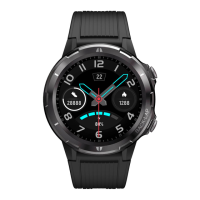

 To Next Page
 General