Need help?
Do you have a question about the Denver SMARTWATCH SW-163 and is the answer not in the manual?
Details the physical components of the smartwatch, including the touch screen, function button, sensors, and charging plate.
Guide to downloading and installing the 'Denver Smart Life' mobile application from app stores.
Step-by-step instructions for pairing the SW-163 smartwatch with your smartphone via Bluetooth.
Procedures for disconnecting the smartwatch from the mobile phone and removing the pairing.
Explains how to turn on the screen, navigate menus, select functions, confirm actions, and return to the watch face.
Details how to access and navigate through different menu screens and sub-menus.
Instructions for accessing message notifications, other shortcut screens, and the main functions.
Details how to use shortcut features like screen brightness, find phone, system info, and shut down.
Details on using the smartwatch to track various sports activities like walking, running, and cycling.
Instructions for using the body temperature and heart rate monitors on the smartwatch.
Information on the sleep monitoring feature and setting alarms via the companion app.
How to view messages, check weather forecasts, and use the remote camera capture feature.
Control music playback and set sedentary reminders through the smartwatch and companion app.
Guide to accessing and using the smartwatch settings for customization and management.
Important notices regarding product changes, reservations for errors, and copyright information.
Guidelines for the safe disposal of electronic equipment and batteries to protect health and the environment.
Details the radio equipment compliance with EU directives and provides technical specifications.
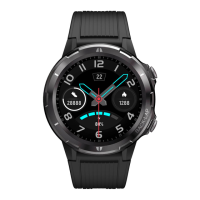
The DENVER SW-163 Smartwatch is a versatile wearable device designed to track various health metrics and provide convenient access to notifications and controls. It features a touch screen and a function button for navigation. Key sensors include a heart rate sensor and a temperature sensor, along with charging plates on the back for easy power replenishment.
To begin, the smartwatch needs to be charged using the provided USB cable and charging clip. The clip connects to the charging plate on the back of the watch, and a charging icon will appear on the screen upon successful connection. For full functionality, the "Denver Smart Life" app must be installed on a smartphone. This app is available on both Google Play for Android devices and the App Store for iOS devices, and can also be downloaded by scanning a QR code provided in the manual.
The smartwatch can be activated by raising your hand or pressing the function button. To change the watch face, press and hold the current watch face for 3 seconds, then slide left or right to browse options. When powered off, pressing and holding the function button will turn the smartwatch on.
After turning on, the watch face is displayed.
The watch face displays time, date, and other information. Users can quickly access the watch face by pressing the function button. To change the watch face, press and hold the current watch face for 3 seconds, then slide left or right to select a new one.
The smartwatch offers 6 sports modes: walking, running, cycling, indoor run, hiking, and swimming. To enter multi-sport mode, tap the corresponding icon. Select a sport mode, and the smartwatch will record exercise data. To end a workout, slide the screen to the right and tap the "√" icon to save data. Exercise data can also be viewed in the "Denver Smart Life" app if connected via Bluetooth. Note: Data for exercises less than 5 minutes will not be saved.
Tap the body temperature icon to measure current surface and body temperature. Slide right to exit. It's important to note that this is not a medical-grade device; for accurate measurements, a standard thermometer should be used. The measurement tolerance is 0.4 degrees Celsius.
Tap the heart rate icon to monitor your current heart rate. Slide right to exit. If connected to the "Denver Smart Life" app with "Healthy detection" enabled in advanced settings, heart rate data can be viewed in the app.
The smartwatch automatically monitors sleep between 9:30 p.m. and 11 a.m. The next day, it displays a sleep report including total sleep, light sleep, and deep sleep. More detailed sleep reports are available in the "Denver Smart Life" app.
Alarms can be set in the "Denver Smart Life" app. When an alarm goes off, the alarm icon animates, and the smartwatch vibrates.
Slide up from the watch face to view notifications for phone calls, SMS, QQ, WeChat, Whatsapp, Facebook, and Twitter. Messages are automatically deleted by tapping the screen.
If connected to the "Denver Smart Life" app via Bluetooth, the smartwatch displays the weather forecast. The city can be set manually or automatically within the app.
To use this feature, enable "Shake and take photo" in the advanced settings of the app. Shake your hand 3 times to take a photo remotely from the smartwatch.
Tap the music icon to access music controls, allowing you to select previous/next songs and play/pause music. Slide left to right to exit.
Set time intervals, start, and end times for sedentary reminders in the "Advanced settings" under "Settings" in the "Denver Smart Life" app. Slide right to exit.
Tap the settings icon to access:
All DENVER products are subject to change without notice, and the company reserves the right for errors and omissions in the manual. The device and its batteries contain materials that can be hazardous to health and the environment if not handled correctly. They are marked with a crossed-out trash can symbol, indicating they should not be disposed of with household waste but separately. Users are encouraged to submit used batteries to appropriate recycling facilities to ensure proper disposal and environmental protection. Collection points for electronic equipment and batteries are established in cities for free submission.
Inter Sales A/S declares that the SW-163 radio equipment complies with Directive 2014/53/EU. The full text of the EU declaration of conformity is available on the denver-electronics.com website by searching for model number SW-163.

 To Next Page
 General