Need help?
Do you have a question about the Denver SW-181 and is the answer not in the manual?
Covers crucial safety instructions for product use, including warnings about children, batteries, and operating conditions.
Instructions on scanning the QR code to download and install the companion application.
Steps to pair the smart watch with the mobile application via Bluetooth scanning.
Instructions for powering on the device and charging it using the magnetic USB cable.
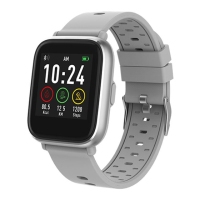
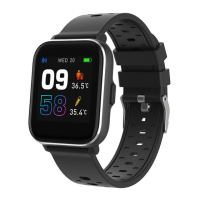
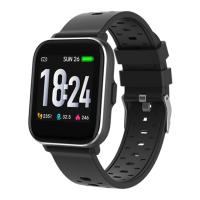
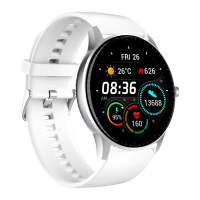
How to select from 5 available main watch dials by long-pressing the touch panel.
Initiating new training measures and viewing the last training data.
Automatic tracking of steps, calories, and distance, synchronized with the app.
Instructions to start measuring heart rate by touching the heart rate page.
Initiating measurements for blood pressure and blood oxygen levels.
How the device measures and synchronizes sleep time and quality data with the app.
Displaying current and next-day weather information synchronized from the app.
Controlling music playback on the mobile app directly from the watch.
Receiving and storing incoming notifications from various social media and messaging apps.
Accessing functions like flashlight and 'Find Me' via the 'More' menu.
Adjusting watch face, brightness, info, performing resets, and accessing the QR code.
Guidelines for using the water-resistant watch in rain, sweat, and splash conditions.
How to turn the device on/off, wake the screen, and navigate menus using buttons and touch.
Notice regarding product changes without prior notice and reservation for errors.
Information on the proper disposal of electronic equipment and batteries to protect health and environment.
Statement of compliance with EU Directive 2014/53/EU for radio equipment type SW-181.
 General
| Display Size | 1.3 inches |
|---|---|
| Resolution | 240 x 240 pixels |
| Water Resistance | IP67 |
| Heart Rate Sensor | Yes |
| Operating Time | Up to 7 days |
| Strap Material | Silicone |
| Display Type | LCD |
| Bluetooth | Bluetooth 4.0 |
| Compatibility | Android & iOS |
| Battery Life | Up to 7 days |
| Connectivity | Bluetooth |
| Functions | Heart rate monitor, step counter, sleep monitor, notifications |
| Weight | 38 g |

 To Next Page