EasyManua.ls Logo

Denver SWC-363 - User Manual

Denver SWC-363
17 pages
Print Icon
To Next Page IconTo Next Page
Loading...
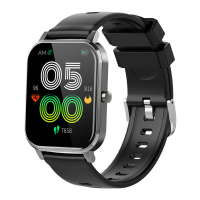
SWC-363
denver.eu
À DÉPOSER
EN MAGASIN
À DÉPOSER
EN DÉCHÈTERIE
OU
FRFR
Cet appareil et
ses accessoires
sont recyclables
06/22
Question and Answer IconNeed help?

Do you have a question about the Denver SWC-363 and is the answer not in the manual?

Summary

Getting Started

Safety Precautions

General safety guidelines including handling, temperature, fire, battery, and waterproofing (IP67).

Product Overview

Power-on

Instructions on how to turn on the smart watch by pressing the side button or charging.

Download and connect with smart watch App

Download and install App

Steps to download the 'Da Fit' app via QR code or app stores for iOS and Android.

Connect smart watch with App

Add Device and Find Smart Watch

Initiating the device search process within the app to find the smart watch.

Select Scanned Device

Selecting the identified smart watch from the list of scanned devices to establish connection.

Bluetooth Call Connection

Android Phone Call Connection

Steps for enabling Bluetooth calls on Android phones after app connection.

iOS Phone Call Connection

Steps for enabling Bluetooth calls on iOS phones by pairing via Bluetooth settings.

Remove Bluetooth Call Connection

Smart watch functions

Remove the device

Android Phone Device Removal

Instructions for disconnecting the smart watch from the phone via the app.

iOS Phone Device Removal

Instructions for unpairing the smart watch from the phone via iOS Bluetooth settings.
Frequently Asked Questions (FAQs)

Summary

Getting Started

Safety Precautions

General safety guidelines including handling, temperature, fire, battery, and waterproofing (IP67).

Product Overview

Power-on

Instructions on how to turn on the smart watch by pressing the side button or charging.

Download and connect with smart watch App

Download and install App

Steps to download the 'Da Fit' app via QR code or app stores for iOS and Android.

Connect smart watch with App

Add Device and Find Smart Watch

Initiating the device search process within the app to find the smart watch.

Select Scanned Device

Selecting the identified smart watch from the list of scanned devices to establish connection.

Bluetooth Call Connection

Android Phone Call Connection

Steps for enabling Bluetooth calls on Android phones after app connection.

iOS Phone Call Connection

Steps for enabling Bluetooth calls on iOS phones by pairing via Bluetooth settings.

Remove Bluetooth Call Connection

Smart watch functions

Remove the device

Android Phone Device Removal

Instructions for disconnecting the smart watch from the phone via the app.

iOS Phone Device Removal

Instructions for unpairing the smart watch from the phone via iOS Bluetooth settings.

Frequently Asked Questions (FAQs)

Denver SWC-363 Specifications

General IconGeneral
BrandDenver
ModelSWC-363
CategoryWatch
LanguageEnglish

Related product manuals