EasyManua.ls Logo

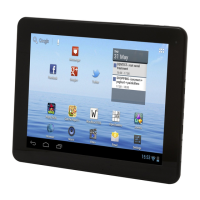
Denver TAC-7028 - User Manual

Denver TAC-7028
13 pages
Print Icon
To Next Page IconTo Next Page
Loading...
USER'S MANUAL
TAC-7028
MID-7509CM ROCKCHIPE N G L I S H M A N U A L
70g纸,135x102mm,钉
www.facebook.com/denverelectronics
Before connecting, operating or adjusting this product,
please read this user's manual carefully and completely.
Question and Answer IconNeed help?

Do you have a question about the Denver TAC-7028 and is the answer not in the manual?

Summary

Unit Overview

Reset Button

Button to reset system when device is halted.

Power Button

Button to turn unit on/off or screen on/off.

Getting Started

Powering Device On;Off

Instructions for powering the device on and off.

Internet Connectivity

Connecting to Wireless Internet

Step-by-step guide to connect to Wi-Fi networks.

Troubleshooting and Specifications

Troubleshooting Common Issues

Solutions for device problems like connectivity, power, heat, etc.

Device Specifications

Technical details and hardware information about the device.
Summary

Unit Overview

Reset Button

Button to reset system when device is halted.

Power Button

Button to turn unit on/off or screen on/off.

Getting Started

Powering Device On;Off

Instructions for powering the device on and off.

Internet Connectivity

Connecting to Wireless Internet

Step-by-step guide to connect to Wi-Fi networks.

Troubleshooting and Specifications

Troubleshooting Common Issues

Solutions for device problems like connectivity, power, heat, etc.

Device Specifications

Technical details and hardware information about the device.

Denver TAC-7028 Specifications

General IconGeneral
BrandDenver
ModelTAC-7028
CategoryTablet
LanguageEnglish

Related product manuals