12
Temporal
artery
Dermis
Epidermis
Hypodermis
Heat transfer from TA to the Sensor Unit
Figure5
5. How does Temple Touch Pro™ work
Coretemperature isdenedas the temperatureof the blood
owinthepulmonaryartery.Underknownparametersonecan
ulizeTemporalArterybloodowcharacteriscstoderivethe
core temperature.
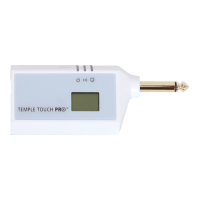
The SU is aached to the skin above the Temporal Artery
and measures heat ux and the skin temperature above the
TemporalArtery.TheMCUacquiresthedatafromtheSUand
accuratelycalculatesthepaent’scoretemperature.
13
6. Seng up Temple Touch Pro™
Note!
Setup of the TTP system shall follow the sequence below:
1. Make sure the VSM is turned on and fully operative
according to the instructions provided by the VSM
manufacturer.
2. ConnectthepowersupplytotheMCU’spowersupplyinlet.
(DisplayMCUallsegmentswillappear for 2 seconds).
3. Connect the MCU to the VSM.
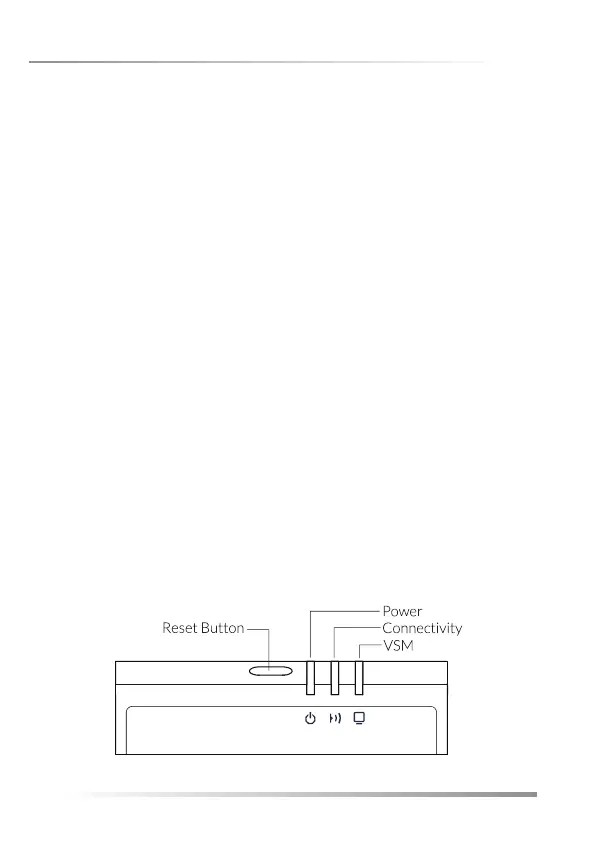
4. RestarttheMCUbypressingandholdingtheRESETbutton
for3secondsinthefollowingcases:
• AfterplacingtheSUonthepatientforthefirsttime(Referto
section7:“InstructionforUse”).
• IftheSUwasseparatedfromthepatient’sskinatanypoint
aftertheinitialplacement.
• AfteranycomponentoftheTTPSystem(MCU/SCU/SU)was
disconnectedfromarunningTTPsetup.
• If any abnormal outcome is displayed on the Vital Signs
Monitor.
12
Temporal
artery
Dermis
Epidermis
Hypodermis
Heat transfer from TA to the Sensor Unit
Figure5
5. How does Temple Touch Pro™ work
Coretemperature isdenedas the temperatureof the blood
owinthepulmonaryartery.Underknownparametersonecan
ulizeTemporalArterybloodowcharacteriscstoderivethe
core temperature.
The SU is aached to the skin above the Temporal Artery
and measures heat ux and the skin temperature above the
TemporalArtery.TheMCUacquiresthedatafromtheSUand
accuratelycalculatesthepaent’scoretemperature.
13
6. Seng up Temple Touch Pro™
Note!
Setup of the TTP system shall follow the sequence below:
1. Make sure the VSM is turned on and fully operative
according to the instructions provided by the VSM
manufacturer.
2. ConnectthepowersupplytotheMCU’spowersupplyinlet.
(DisplayMCUallsegmentswillappear for 2 seconds).
3. Connect the MCU to the VSM.
4. RestarttheMCUbypressingandholdingtheRESETbutton
for3secondsinthefollowingcases:
• AfterplacingtheSUonthepatientforthefirsttime(Referto
section7:“InstructionforUse”).
• IftheSUwasseparatedfromthepatient’sskinatanypoint
aftertheinitialplacement.
• AfteranycomponentoftheTTPSystem(MCU/SCU/SU)was
disconnectedfromarunningTTPsetup.
• If any abnormal outcome is displayed on the Vital Signs
Monitor.


 To Next Page
 Loading...