14
Temple
3. Connect the SU to the SCU.
Upper side
Figure6
Figure7
7. Instrucons for Use
1. EnsuretheMCUisconnectedtotheVSMandtothePower
Supply(seesecon6above).
2. Ensure the paent’s temple is intact and use an alcohol
wipetocleananddisinfectthepaent ’stemple.Allowthe
temple to completely dry (at least 2 minutes).
Note: The temple is located between the end of the hairline and
the eyebrow.
15
4. PeelthelinerotheSUtoexposetheadhesive(Thegure
showstheboompartoftheSU).
LimituseoftheSUto24hoursinordertoreducetheriskofskin
irritaons.
6. ConnecttheSCUtotheMCU.TheCONNECTIVITYLEDwill
startblinking,indicangtheMCUcommunicaonacvity.
At the same me, the SCU LED will turn on and stay on
constantly. The VSM will display temperature within less
than 3 minutes.
7. Supportthe SCUcablewiththeprovidedclip. Make sure
the SCU cable is placed loosely next to the paent to
ensuretheSUiskeptinplaceproperlyduringthemedical
procedures.
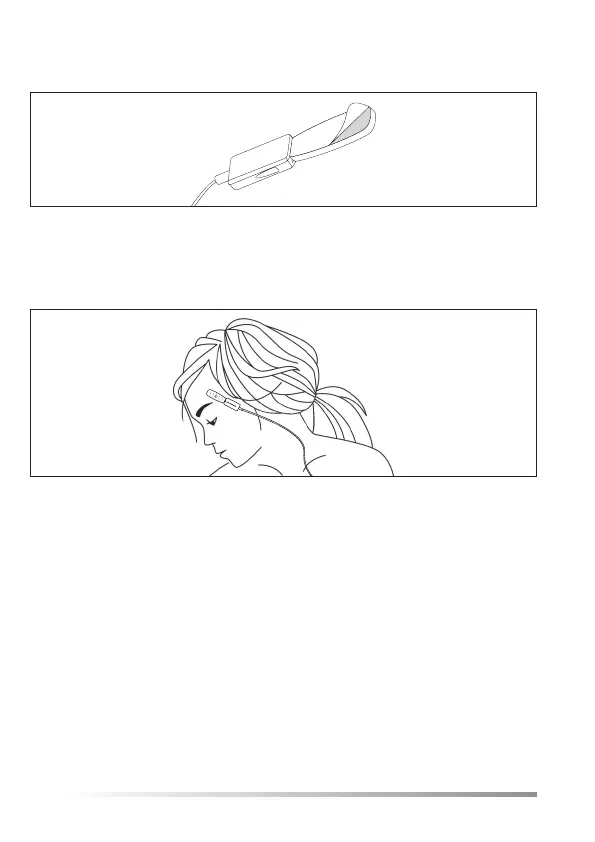
5. PlacethecenteroftheSUonthepaent ’stemple.Gently
press the surrounding edge of the SU to ensure good
adhesiontotheskin.
Boom side
Figure8
Figure9
14
Temple
3. Connect the SU to the SCU.
Upper side
Figure6
Figure7
7. Instrucons for Use
1. EnsuretheMCUisconnectedtotheVSMandtothePower
Supply(seesecon6above).
2. Ensure the paent’s temple is intact and use an alcohol
wipetocleananddisinfectthepaent ’stemple.Allowthe
temple to completely dry (at least 2 minutes).
Note: The temple is located between the end of the hairline and
the eyebrow.
15
4. PeelthelinerotheSUtoexposetheadhesive(Thegure
showstheboompartoftheSU).
LimituseoftheSUto24hoursinordertoreducetheriskofskin
irritaons.
6. ConnecttheSCUtotheMCU.TheCONNECTIVITYLEDwill
startblinking,indicangtheMCUcommunicaonacvity.
At the same me, the SCU LED will turn on and stay on
constantly. The VSM will display temperature within less
than 3 minutes.
7. Supportthe SCUcablewiththeprovidedclip. Make sure
the SCU cable is placed loosely next to the paent to
ensuretheSUiskeptinplaceproperlyduringthemedical
procedures.
5. PlacethecenteroftheSUonthepaent ’stemple.Gently
press the surrounding edge of the SU to ensure good
adhesiontotheskin.
Boom side
Figure8
Figure9


 To Next Page
 Loading...