18
Whenanerroroccurs,thefollowingindicaonwarningswillappear:
8. Troubleshoong - Errors
TheTTP™systemisdesignedtodisplaysystemrelatedfeedback
warningsthroughits LEDs array,pleaserefertotableA.1.For
LEDindicaonsatnormalfunconality.
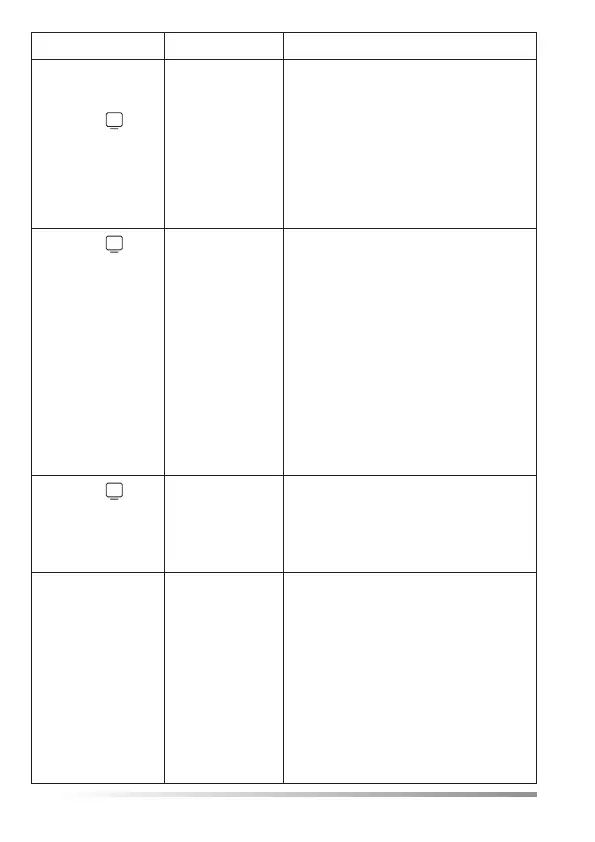
Error Indicaon Possible Cause Instrucons
POWERLED
is OFF
The MCU is
not powered
properly.
1. Ensurethepowersupplyis
properly connected to a wall
outlet, and that the power
supply is properly connected to
the MCU.
2. IfPOWERLEDissllOFF,
replace power supply. Refer to
IFUsecon3.3-warningand
safetynoces.
3. IfPOWERLEDissllOFF,
replace MCU.
4. IfPOWERLEDissllOFF,
contact service.
ConnecvityLED
is OFF
VSMLED
is OFF
ERR4message
on LCD
Theconnecon
between the
SCU and the
MCU is lost.
1. EnsuretheSCUisproperly
connected to the MCU.
2. IfCONNECTIVITYLEDissllOFF,
replace SCU.
3. IfCONNECTIVITYLEDissllOFF,
replace MCU.
4. IfCONNECTIVITYLEDissllOFF,
contact service.
Power Connecvity VSM
SU Led
19
Error Indicaon Possible Cause Instrucons
SCULEDis
blinking
VSMLED
is OFF
ERR3message
on LCD
The SU is
not properly
connected
ordamaged
or the SCU is
damaged.
1. EnsuretheSUisproperly
connected to the SCU.
2. IfSCULEDissllblinking,
replace SU.
3. IfSCULEDissllblinking,
replace SCU.
4. IfSCULEDissllblinking,
contact service.
VSMLED
is constantly OFF
ERR5message
on LCD
TheMCU’s
ambient
temperature
reading
exceeds the
speciedrange
(15°C-40°C).
1. Ensurethattheambient
temperature is within the
speciedrange.
2. Assure that the MCU is not located
near extreme temperature heat
source.
3. Press andhold theRESET buon
for 3 seconds. Then wait 10
seconds.
4. IfVSMLEDissllo,replaceMCU.
5. If VSM LED is sll o, contact
service.
VSMLED
is constantly OFF
ERR1message
on LCD
There is a
problem with
theMCU’s
ambient sensor.
1. Replace MCU.
2. IfVSMLEDissllo,contact
service.
The VSM
reads 25°C or
45°C
ERR6message
on LCD
The measured
temperature
is outside of
thespecied
measuring
range.
POSSIBILITY OF
EXTREMEAND
DANGEROUS
PATIENT
TEMPERATURE
1. Ensure that the SU is properly
aachedtothetemple.
2. Checkambientcondionsaround
the paent, as well as paents
warmingorcoolingsystem.
3. Wait3 minutes and check again
the LEDs on MCU and the VSM
reading.
18
Whenanerroroccurs,thefollowingindicaonwarningswillappear:
8. Troubleshoong - Errors
TheTTP™systemisdesignedtodisplaysystemrelatedfeedback
warningsthroughits LEDs array,pleaserefertotableA.1.For
LEDindicaonsatnormalfunconality.
Error Indicaon Possible Cause Instrucons
POWERLED
is OFF
The MCU is
not powered
properly.
1. Ensurethepowersupplyis
properly connected to a wall
outlet, and that the power
supply is properly connected to
the MCU.
2. IfPOWERLEDissllOFF,
replace power supply. Refer to
IFUsecon3.3-warningand
safetynoces.
3. IfPOWERLEDissllOFF,
replace MCU.
4. IfPOWERLEDissllOFF,
contact service.
ConnecvityLED
is OFF
VSMLED
is OFF
ERR4message
on LCD
Theconnecon
between the
SCU and the
MCU is lost.
1. EnsuretheSCUisproperly
connected to the MCU.
2. IfCONNECTIVITYLEDissllOFF,
replace SCU.
3. IfCONNECTIVITYLEDissllOFF,
replace MCU.
4. IfCONNECTIVITYLEDissllOFF,
contact service.
Power Connecvity VSM
SU Led
19
Error Indicaon Possible Cause Instrucons
SCULEDis
blinking
VSMLED
is OFF
ERR3message
on LCD
The SU is
not properly
connected
ordamaged
or the SCU is
damaged.
1. EnsuretheSUisproperly
connected to the SCU.
2. IfSCULEDissllblinking,
replace SU.
3. IfSCULEDissllblinking,
replace SCU.
4. IfSCULEDissllblinking,
contact service.
VSMLED
is constantly OFF
ERR5message
on LCD
TheMCU’s
ambient
temperature
reading
exceeds the
speciedrange
(15°C-40°C).
1. Ensurethattheambient
temperature is within the
speciedrange.
2. Assure that the MCU is not located
near extreme temperature heat
source.
3. Press andhold theRESET buon
for 3 seconds. Then wait 10
seconds.
4. IfVSMLEDissllo,replaceMCU.
5. If VSM LED is sll o, contact
service.
VSMLED
is constantly OFF
ERR1message
on LCD
There is a
problem with
theMCU’s
ambient sensor.
1. Replace MCU.
2. IfVSMLEDissllo,contact
service.
The VSM
reads 25°C or
45°C
ERR6message
on LCD
The measured
temperature
is outside of
thespecied
measuring
range.
POSSIBILITY OF
EXTREMEAND
DANGEROUS
PATIENT
TEMPERATURE
1. Ensure that the SU is properly
aachedtothetemple.
2. Checkambientcondionsaround
the paent, as well as paents
warmingorcoolingsystem.
3. Wait3 minutes and check again
the LEDs on MCU and the VSM
reading.


 To Next Page
 Loading...