#Pizza Hut Make Table operating and service manual
14
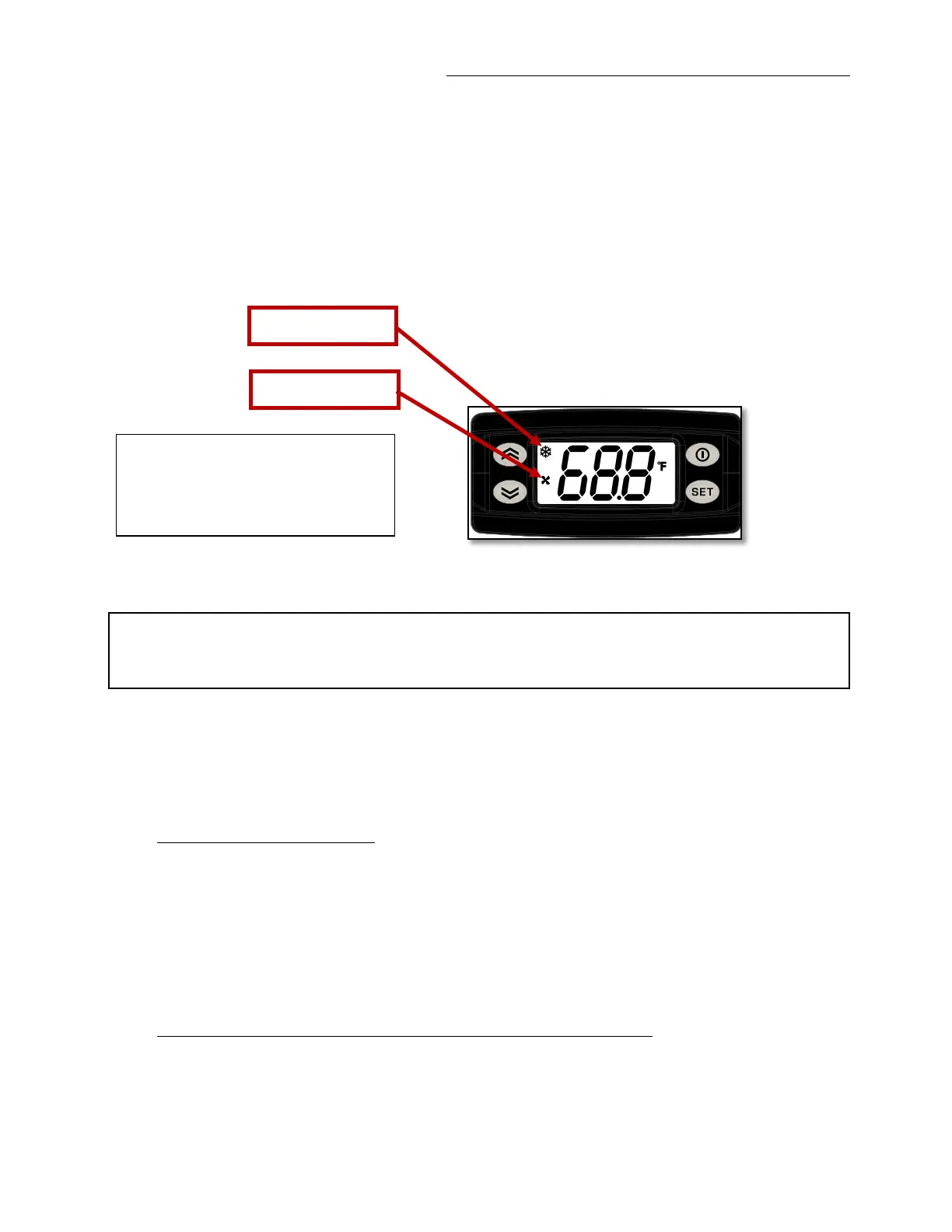
The temperature values shown in the above displays are only an example. In a real situation
at the start up the controllers will show the ambient temperature, if the unit has been not
operating previously. However, both temperatures should start decreasing in order to reach
the Set point target temperature (whose typical value is 37/39°F [2-3°C]). The COOLING
LED will notify whether the units is requiring cooling (led ON) or it is satisfied (led OFF).
At a certain point the controller will turn on a FAN LED as well, meaning that the
evaporator (internal) fan is running.
7. Switch On/Off
This procedure should be performed only if the display do not light up after connecting the
power cord, or to shut off the equipment for mainteinance or other purpose. In the following
instruction the power cord is meant to be already connected. See previous paragraph for
details.
After connecting the power cord the following situation can occur:
1) Both displays will light up, showing the interior temperature.
Wait until the unit cools down both compartments, follow sequence described at paragraph
6“POWER ON”.


 To Next Page