EasyManua.ls Logo

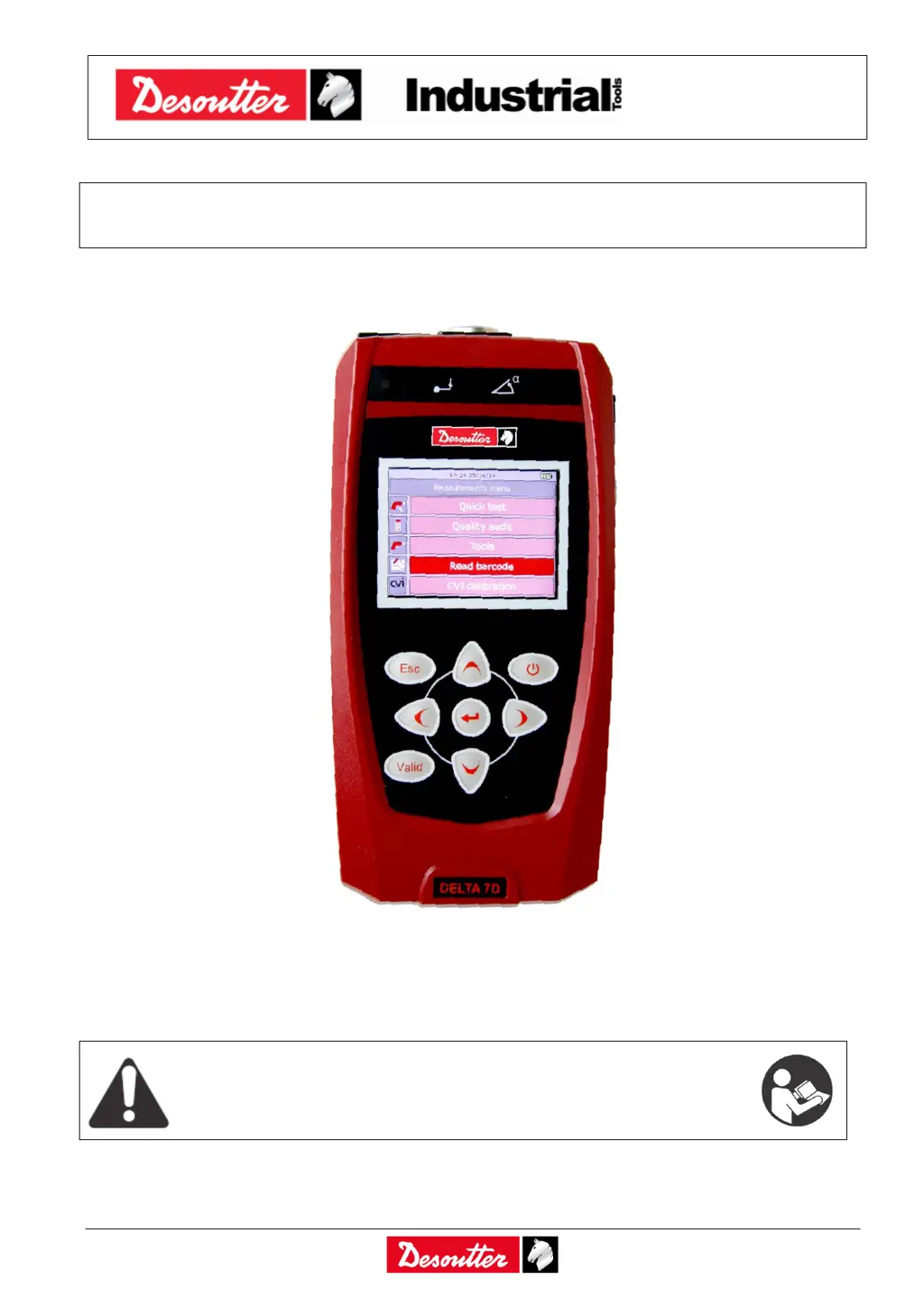
Desoutter Delta 6D - User Manual

Desoutter Delta 6D
249 pages
Print Icon
To Next Page IconTo Next Page
Loading...
Part Number
Issue
Date
Page
6159938880
13
01/2018
1 / 249
1 (249) 01/2018
DELTA User Guide
WARNING
To reduce the risk of injury, before using or servicing tool, read and understand
the following information.
The features and descriptions of our products are subject to change without
prior notice.

Table of Contents

Questions and Answers

  • R
    Robert OliverAug 15, 2025
    What to do if “No tool” appears on Desoutter Delta 6D Delta display?
    • G
      Gregory PearsonAug 15, 2025
      If the Delta display shows “No tool” when you access the Tools menu, it means that no tool has been defined. To resolve this, create at least one tool with a Pset associated to start a test.
  • E
    Elizabeth MillsAug 18, 2025
    What to do if “No Pset available” appears on Desoutter Delta 6D Delta display?
    • M
      Mr. Jeffrey BarryAug 18, 2025
      If the Delta display shows “No Pset available” when selecting a tool, it means that the tool has no Pset associated with it. To fix this, associate at least one Pset to the tool.
  • M
    Mrs. Regina FitzpatrickAug 22, 2025
    What does “Capacity error” mean on Desoutter Delta 6D Delta display?
    • S
      srodriguezAug 22, 2025
      A “Capacity error” on the Delta display during a test indicates that the transducer's capacity is not adequate for the test. The solution is to use a transducer with a higher capacity.
  • C
    calderonchristopherAug 26, 2025
    What to do if “No more Psets available” appears on Desoutter Delta 6D Delta display?
    • M
      melanie64Aug 26, 2025
      If the Delta display shows “No more Psets available” when starting a test, it means the tool has been deleted. To solve this, exit the test menu and create a tool with at least a linked Pset.
  • A
    Allison CampbellAug 29, 2025
    What does “Transducer not suitable” mean on Desoutter Measuring Instruments Delta display?
    • L
      Lauren McclainAug 29, 2025
      If the Delta display shows “Transducer not suitable”, it means an incompatible transducer is being used for the test, such as a static transducer for a test requiring angle measurement. To resolve this, connect a compatible transducer for the test.
  • B
    bethrobertsAug 31, 2025
    What does “Min Load Error” mean on Desoutter Delta 6D Delta display?
    • J
      Javier OdonnellSep 1, 2025
      If a “Min Load Error” appears on the Delta display when starting a test, it means that the Pset and transducer data are not matching. To fix this, check both the transducer and the Pset data to ensure they are compatible to start the test.
  • D
    Donald WebbSep 4, 2025
    What to do if test result is always Not OK when testing a tool on Desoutter Delta 6D?
    • W
      Wendy AndersonSep 4, 2025
      If the test result is always Not OK or the click-point of a wrench is never detected when testing a tool with Desoutter Measuring Instruments, ensure you are using the proper setup. Check and, if necessary, modify the test setup parameters; the thresholds are the most critical parameters.
  • A
    Amanda MitchellSep 7, 2025
    Why can't I connect the DeltaQC to the Desoutter Measuring Instruments Delta?
    • M
      michael88Sep 8, 2025
      If you cannot connect the DeltaQC to the Delta, it might be due to a wrong connection type. When clicking on the Connect icon, make sure that the USB or Network is selected. To select the connection method, click on the arrow on the right side of the icon.
  • J
    johnsonjamesSep 12, 2025
    How to fix cannot enter the test menu on Desoutter Measuring Instruments?
    • D
      Dr. Scott FrankSep 12, 2025
      If you cannot enter the test menu on your Desoutter Measuring Instruments, it may be because the transducer is not connected. Connect a valid transducer to the Delta, ensuring that the cable is also the correct one.

Summary

User Interfaces

Display and Keyboard

Details the Delta's display functions and keyboard controls for navigation.

Communication Ports

Covers Ethernet, Mini USB, and Serial ports for connectivity and programming.

DeltaQC Software Operation

Software Installation

Step-by-step guide for installing the DeltaQC management software.

Connecting with the Delta

Guides on establishing USB or Ethernet connections between Delta and PC.

Getting Started and Model Specifics

Executing a Demo Test

Guides on performing a simple demonstration test on the Delta device.

Executing a Quick Test

Details quick tests for Delta 6D/7D on various tools.

Safety and Battery Information

SAFETY INFORMATION

Crucial safety warnings and instructions to read before use.

PSET Configuration for Tests

Tool Testing Procedures

Delta Settings

Maintenance and Troubleshooting

TROUBLESHOOTING GUIDE

Offers solutions for common issues encountered with the Delta device.

Desoutter Delta 6D Specifications

General IconGeneral
BrandDesoutter
ModelDelta 6D
CategoryMeasuring Instruments
LanguageEnglish

Related product manuals