- 15 -
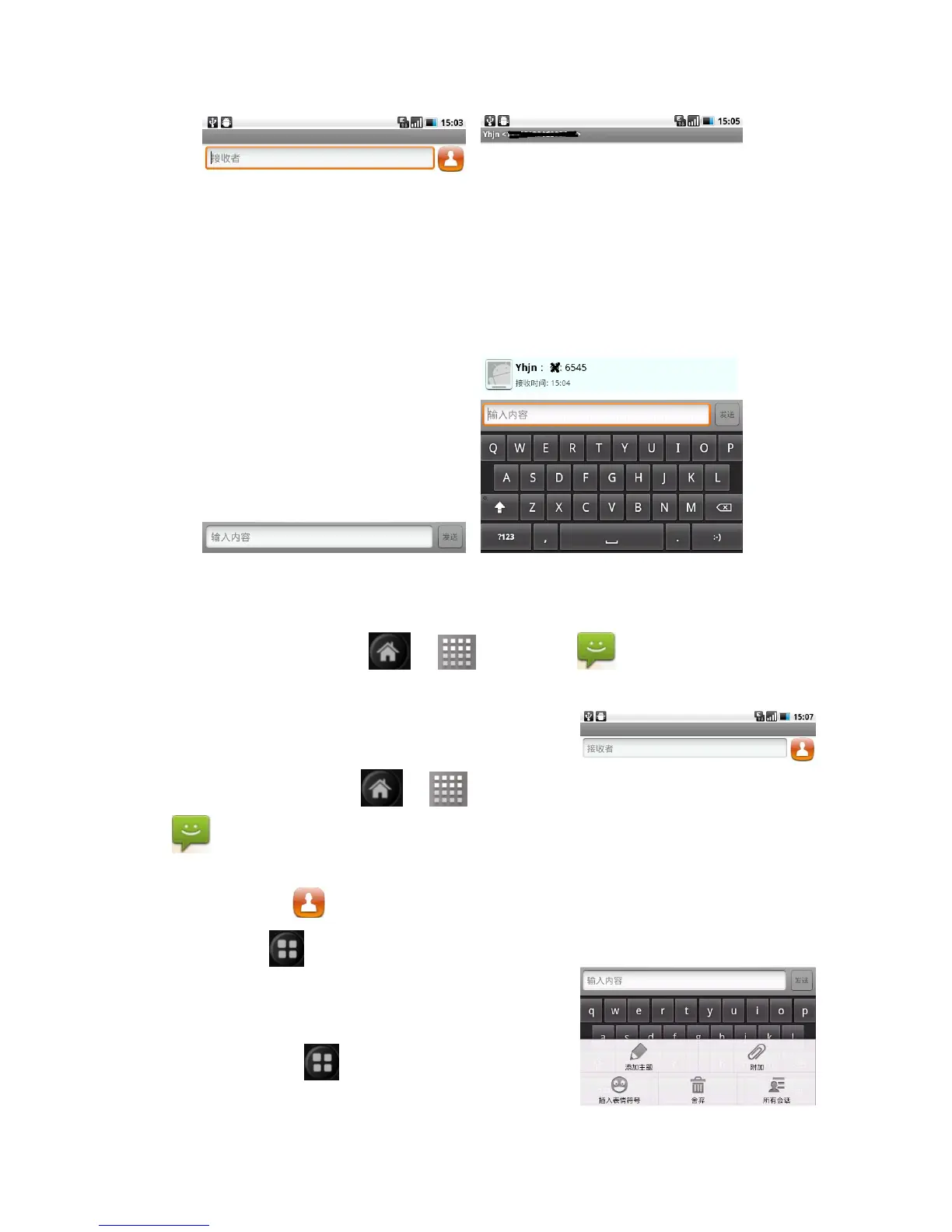
Reply the messages
When receive new messages,the top status bar displays and send the
attention
Search the function:
> > messages
click the relevant messages:
1.Click the text input area
2.Edit replying content,click send.
Establish MMS
Search the function:
> > messages
>new messages
1.click the receiver,input the messgaes
receiver,or click
to add from the contacts.
2.click
> add the subject,click
subject,input the MMS subject.
3.click input content,edit MMS content,click
send.
Noted : click
, add the insert the
emotions,additional,etc.


 To Next Page