- 16 -
4. BLUETOOTH EQUIPMENT USAGE
4.1 Bluetooth Wireless Connection
Equipment support bluetooth wireless connection,You can set up a wireless
connection between device and buletooth headset accessories,Hands-free car
call equipment,computer or other device to realize data exchange.
Open/close bluetooth
Search this function:
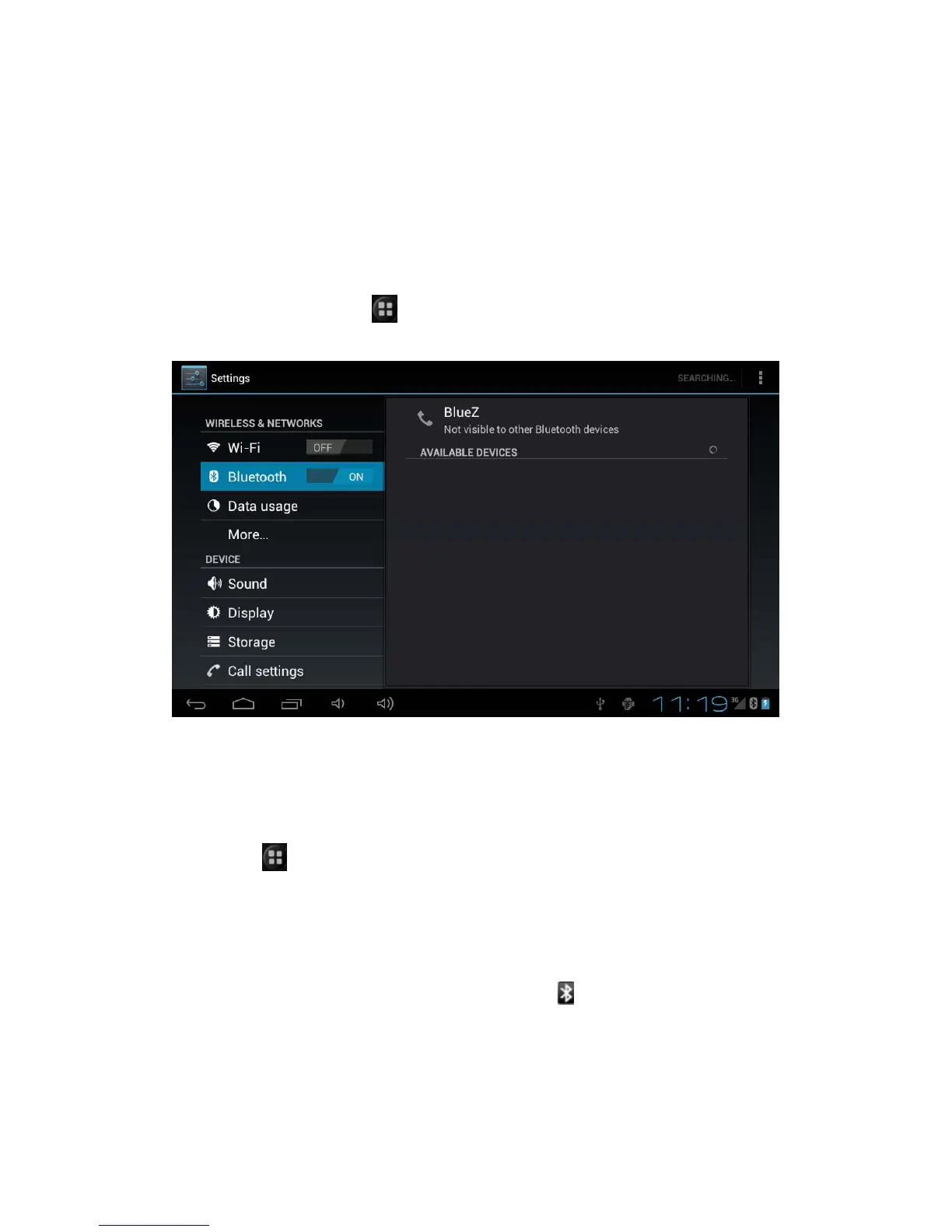
> set> wireless and internet >buletooth
Click tick box to open bluetooth,click again to close bluetooth.
Connect Device to The New Device
1. Make sure you want the pairing of equipment bluetooth connection
already open and visible.
2.Click
> set> wireless and internet > Bluetooth Settings
3. Click bluetooth, click scanning bluetooth devices after opening
4. The device displays the list of locating device,then click the one you need
to match.
5.Typing PIN code(For example 0000)click the ok button connect devices.
After opening bluetooth, Bluetooth indicator
will show in the status bar.
Prompt:
1. Related bluetooth device are specific functions, please refer to the
corresponding instructions.


 To Next Page