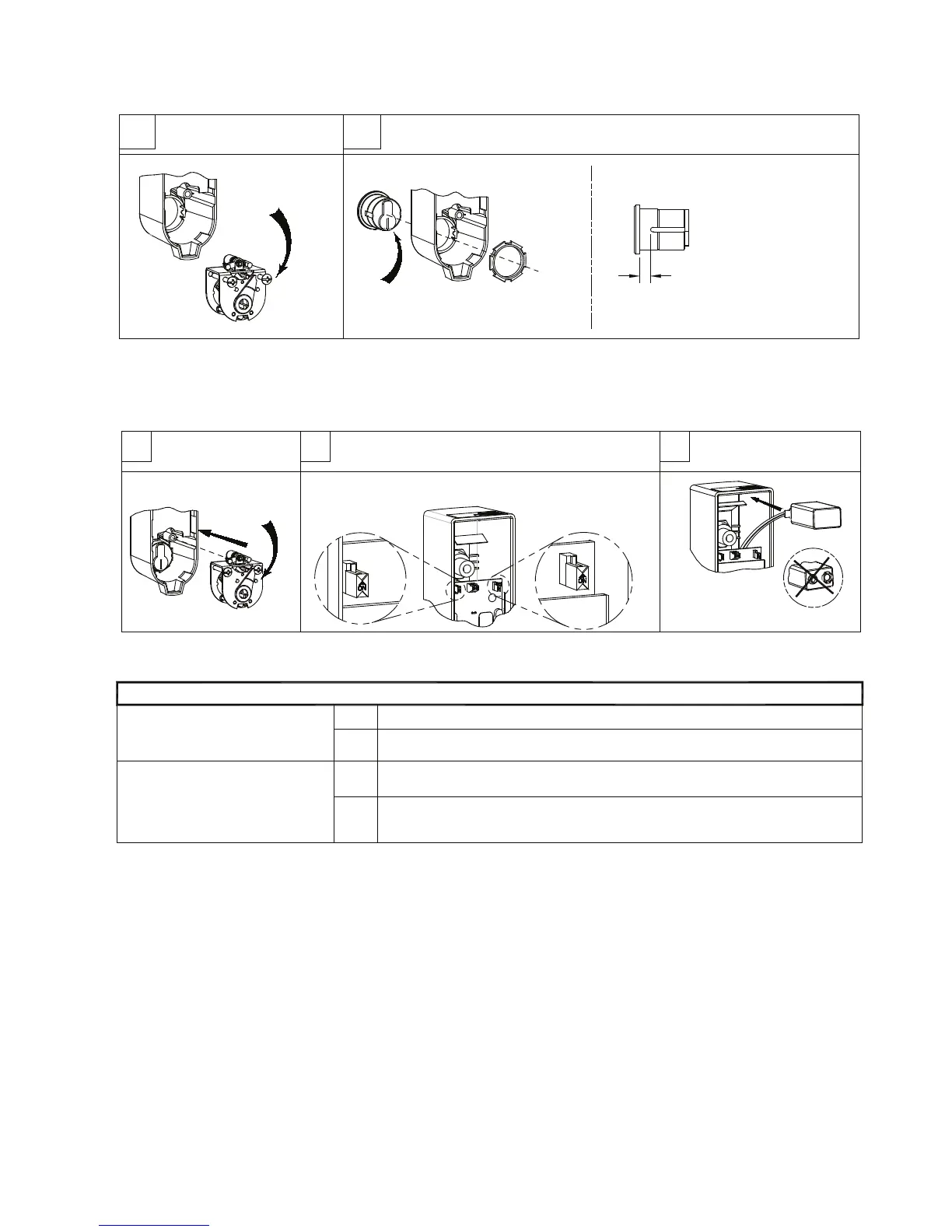
STEPS 1-5: PREP DEVICE
Remove cam assembly
from cover
1
Install mortise cylinder with cylinder nut provided
Cam orientation as shown
with key removed
2
Mortise cylinder
NOTE: For "Key Stop", See Step 9
Unfasten
(2) screws
Set OKC cam
as shown
3 4
AUTO
REARM
(OFF)
Set selector switch functions (See Table A)
Re-install
cam assembly
CORRECT
WRONG
Connect 9-volt battery
and install as shown
5
Table A: Selector Switch Functions
STATUS
INDICATOR
OFF*
No indication that device is armed or disarmed.
ON
AUTO
REARM
OFF*
Alarm will automatically rearm 2 minutes after alarm has been activated and door closed.
Custom settings can be programmed by DETEX.
Non-Extended (Timed) Bypass (see OPERATIONS page)
ON
Key required to reset the alarm after it has been activated.
Extended Bypass (see OPERATIONS page)
( *Default settings; **Will shorten battery life)
ARMED - red LED blinks approximately every 3 seconds.**
DISARMED - green LED blinks approximately every 3 seconds.**
(Default settings shown)
Collar required if distance
is greater than 5/16".
Optional collar can be ordered
from Detex (p/n: ECL-1595)
If 7-pin cylinder is used -
OBSERVE
STATUS
INDICATOR
(OFF)
101321 Page 2


 To Next Page