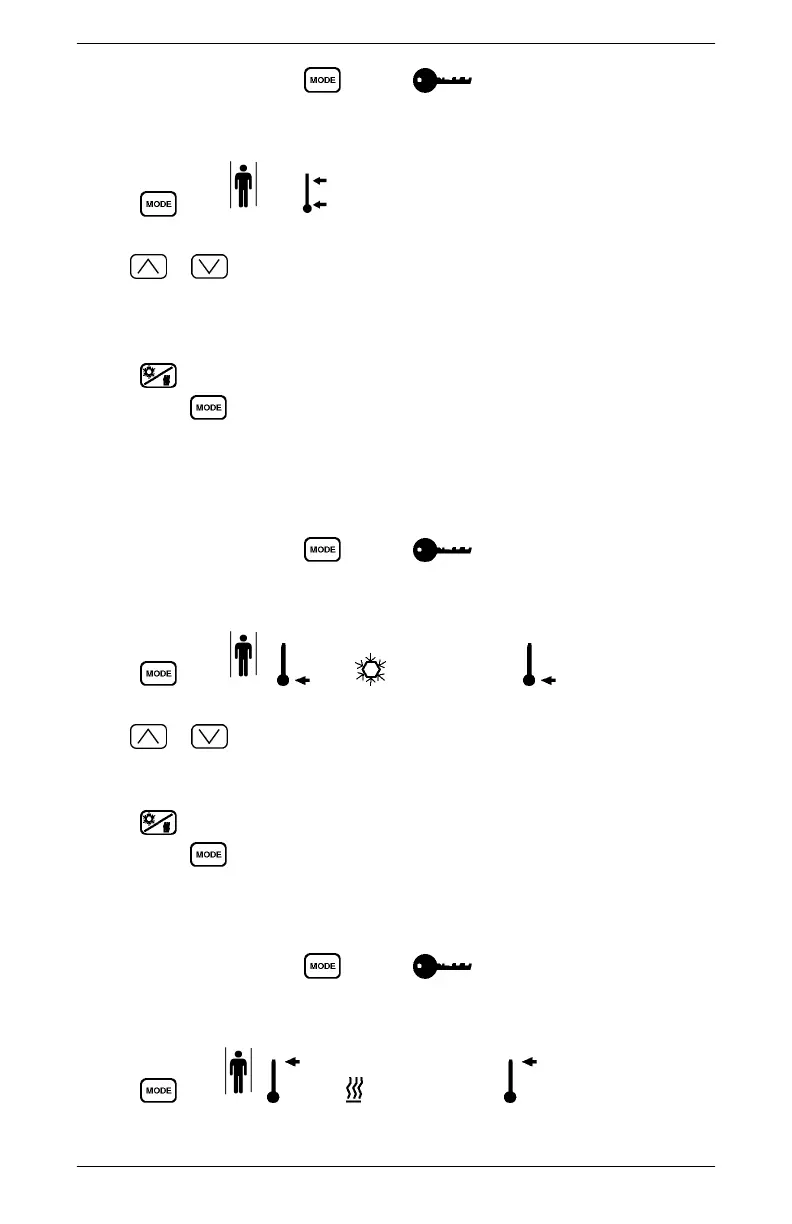
1. At the Main Display, press until the icon is displayed and enter the
correct password. Entering the wrong password will flash a password code back to
the user or return the user to the Main Display. Refer to section "Password Entry".
2. Press until and are displayed and the arrows, and number are
flashing.
3. Use
or to change the minimum Comfort Zone. The minimum limit can
be set to 4 - 7 - 10. If the limit is set to 4, the driver can choose 4 - 7 - 10. If the
minimum is set to 7, the driver can choose 7 or 10. If the minimum is set to 10, the
driver is left with 10 as the only choice.
4. Press
to save your changes for Continuous Run and return to the Main
Display. Press to continue to change other limits.
Setting the Minimum Cool Mode Temperature Limit
Set the temperature limit as follows:
1. At the Main Display, press until the icon is displayed and enter the
correct password. Entering the wrong password will flash a password code back to
the user or return the user to the Main Display. Refer to section "Password Entry".
2. Press until , , and are displayed and , and the number
are flashing.
3. Use
or to change the minimum Cool Mode temperature limit. Any
temperature above this limit can be used by the driver to set the thermostat for Cool
Mode. The range for this setting is 15 - 23°C (60 - 75°F).
4. Press to save your changes for Continuous Run and return to the Main
Display. Press to continue to change other limits.
Setting the Maximum Heat Mode Temperature Limit
1. At the Main Display, press until the icon is displayed and enter the
correct password. Entering the wrong password will flash a password code back to
the user or return the user to the Main Display. Refer to section "Password Entry".
2. Press until , , and are displayed and and the number are
flashing.
OPERATING INFORMATION
22 All information subject to change without notice.
Copyright © 2016 DETROIT DIESEL CORPORATION DDC-SVC-MAN-0019



 To Next Page