2
2
QUICK SETUP
Simple startup using communicating thermostat
1. Turn off the breaker of the outdoor unit and the furnace
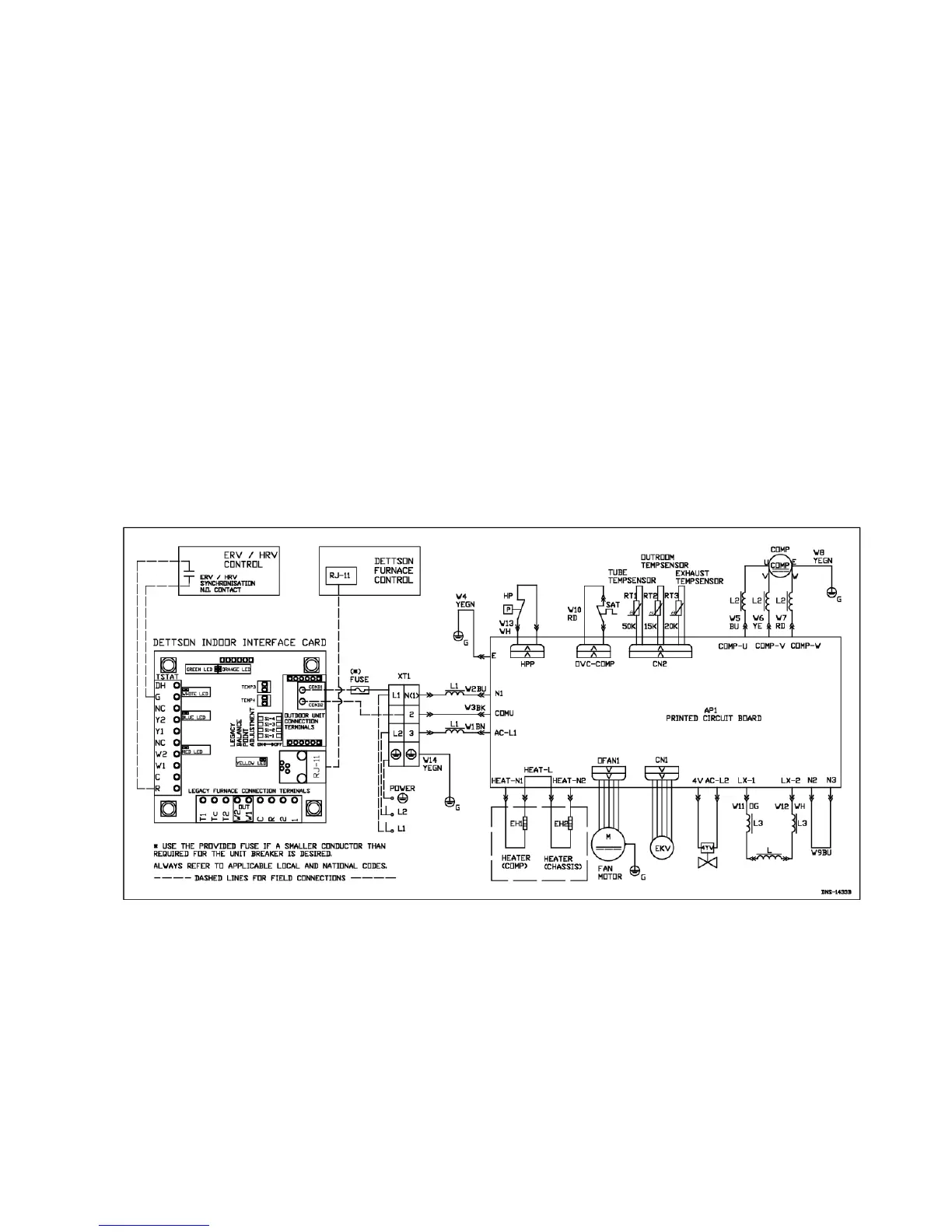
2. Connect COND1 and COND2 on the interface board to N(1) and 2 at the outdoor unit (See Figure 13 to Figure 15)
3. Connect the RJ-11 wire between the interface and the furnace control board (See Figure 13 to Figure 15)
4. Turn the outdoor unit “ON”
5. Turn the furnace “ON”
Make sure the unit is working properly
1. The Green LED on the interface board should be blinking once every two seconds
2. The Orange LED on the interface board should be blinking once every two seconds
3. The communicating thermostat will display “Heat_Pump_Found”
4. Set the thermostat to “COOL” mode and adjust the set point to a lower value than the actual room temperature
5. The furnace and the outdoor unit should start within 5 minutes
Modulating furnace
1. Connect the RJ-11 wire between the interface and the furnace control board
2. Connect the two wire coming from the outdoor unit
In this configuration, the interface board will gather information from both the outdoor unit and the furnace in order to adjust the fan
speed to the capacity of the outdoor unit
Legacy connection
1. Connect all the thermostat control wires to the interface board and the air handler control board (See Figure 27)
2. Make sure to connect the auxiliary heat outputs (W1 out and W2 out to the W1 and W2 inputs of the furnace)
3. Connect 1 and 2 on the interface board to N(1) and 2 at the outdoor unit (See Figure 27)
4. Set the dipswitches to the desired balance point (See Table 2)


 To Next Page