Basic box operation (registering user boxes)
2
2-20 ineo 223/283/363/423
2.5
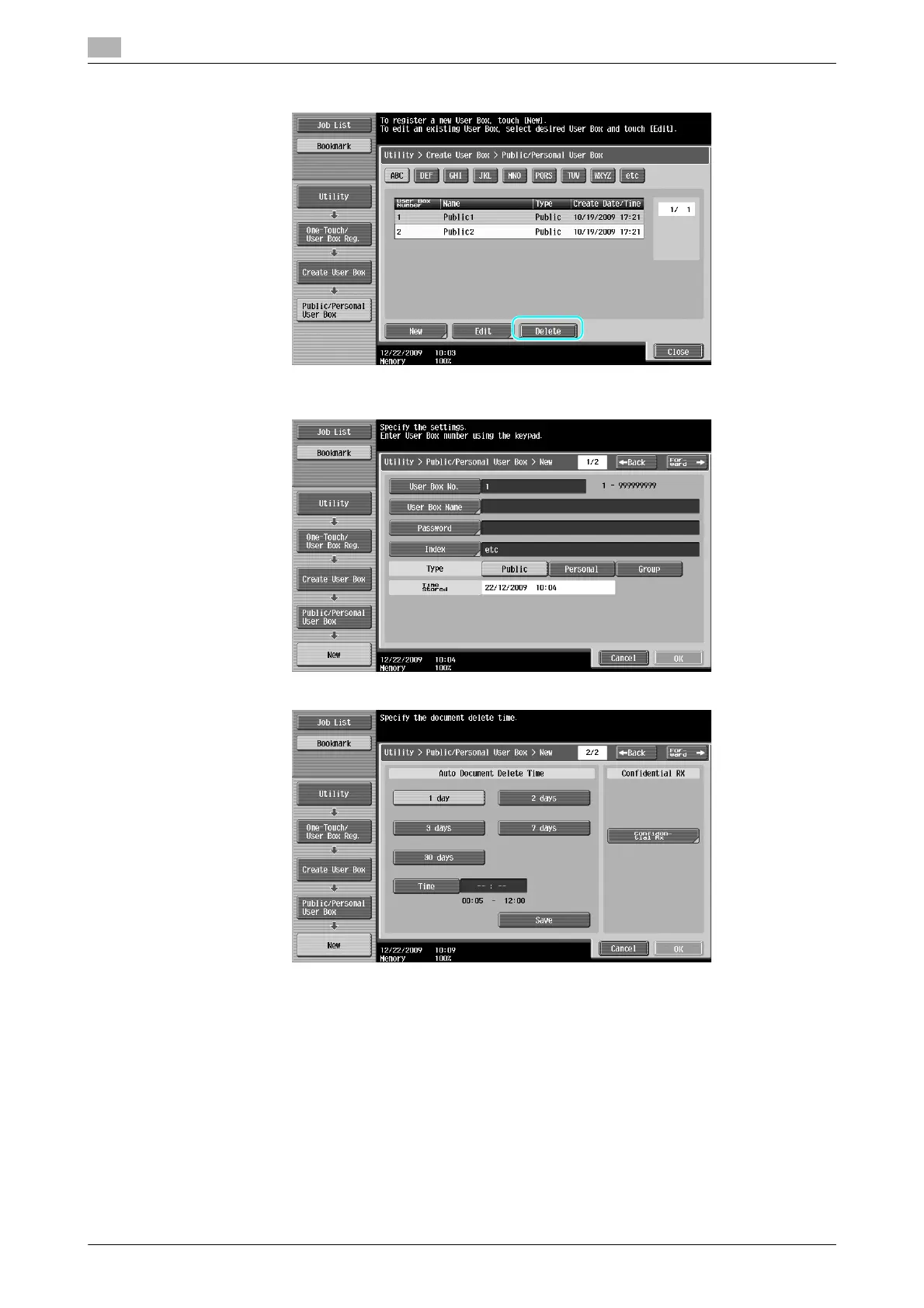
% To delete a registered user box, select the user box to be deleted, and then press [Delete].
3 Specify the desired settings.
% User Box No.: Specify the user box number. Press [User Box No.], and then use the keypad to type
in the user box number.
% User Box Name: Specify the user box name. Press [User Box Name], and then use the keyboard
that appears in the touch panel to type in the user box name.
% Password: Specify a password to protect the registered user box. Press [Password], and then use
the keyboard that appears in the touch panel to type in the password.
% Index: Select the index characters used for organizing the registered user boxes. By selecting
appropriate index characters (for example, "TUV" for a user box with the name "Tokyo office"), the
user box can easily be found. Press [Index], and then select the appropriate index characters from
those that are displayed.



 To Next Page