Basic box operation (using saved documents)
2
2-32 ineo 223/283/363/423
2.7
Printing saved documents
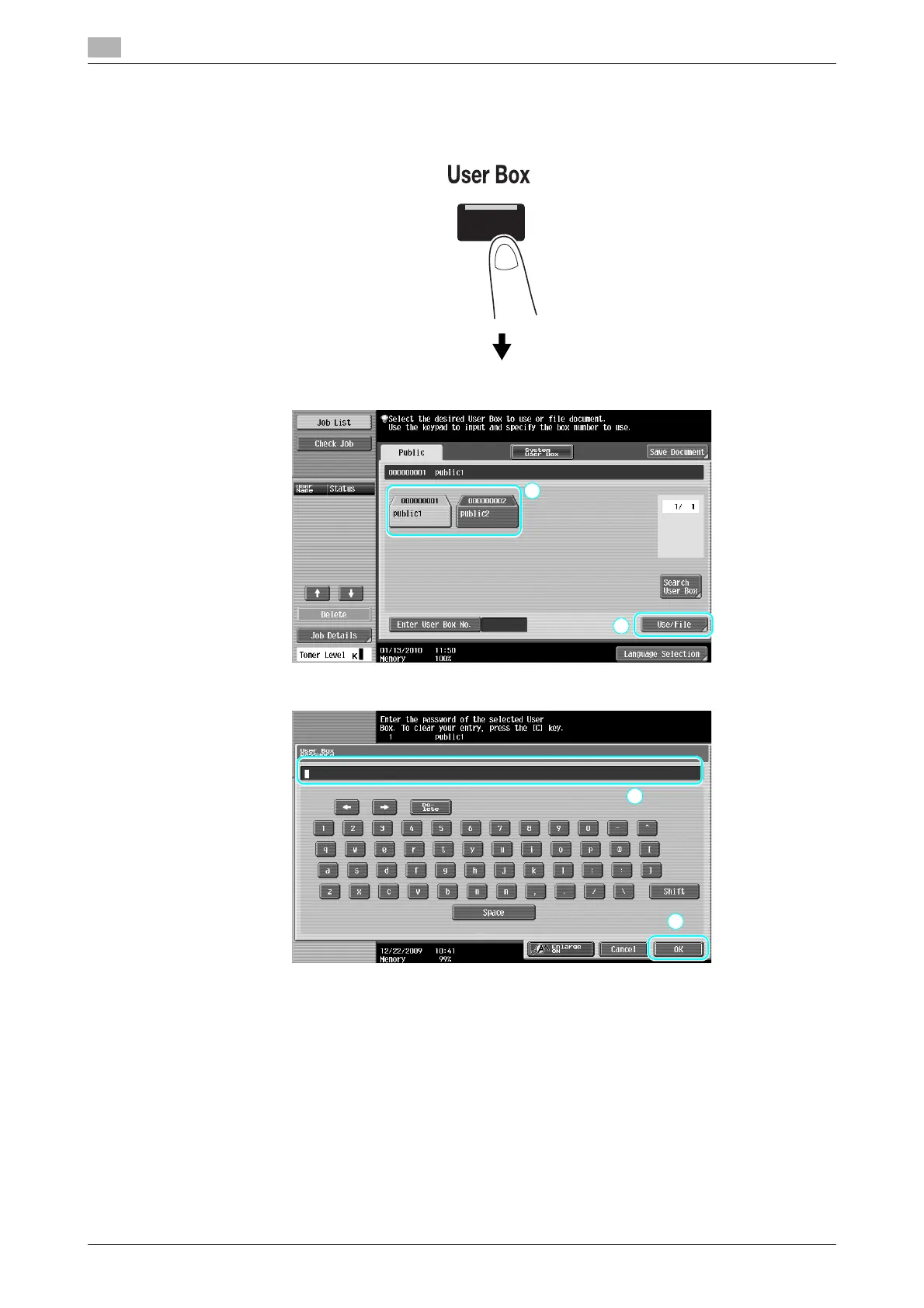
1 Select the user box containing the document to be printed, and then press [Use/File].
% If a password has been specified for the user box, type in the password, and then press [OK].
% An external memory can be connected to this machine to output data contained in memory. Using
the wireless connection, you can also output data in a cellular phone or PDA.
% For details on functions using an external memory, refer to page 2-37 of this manual.
% For details on using a document in a cellular phone or PDA, refer to page 2-44 of this manual.



 To Next Page