ineo 223/283/363/423 1-35
1.15 Guidance function
1
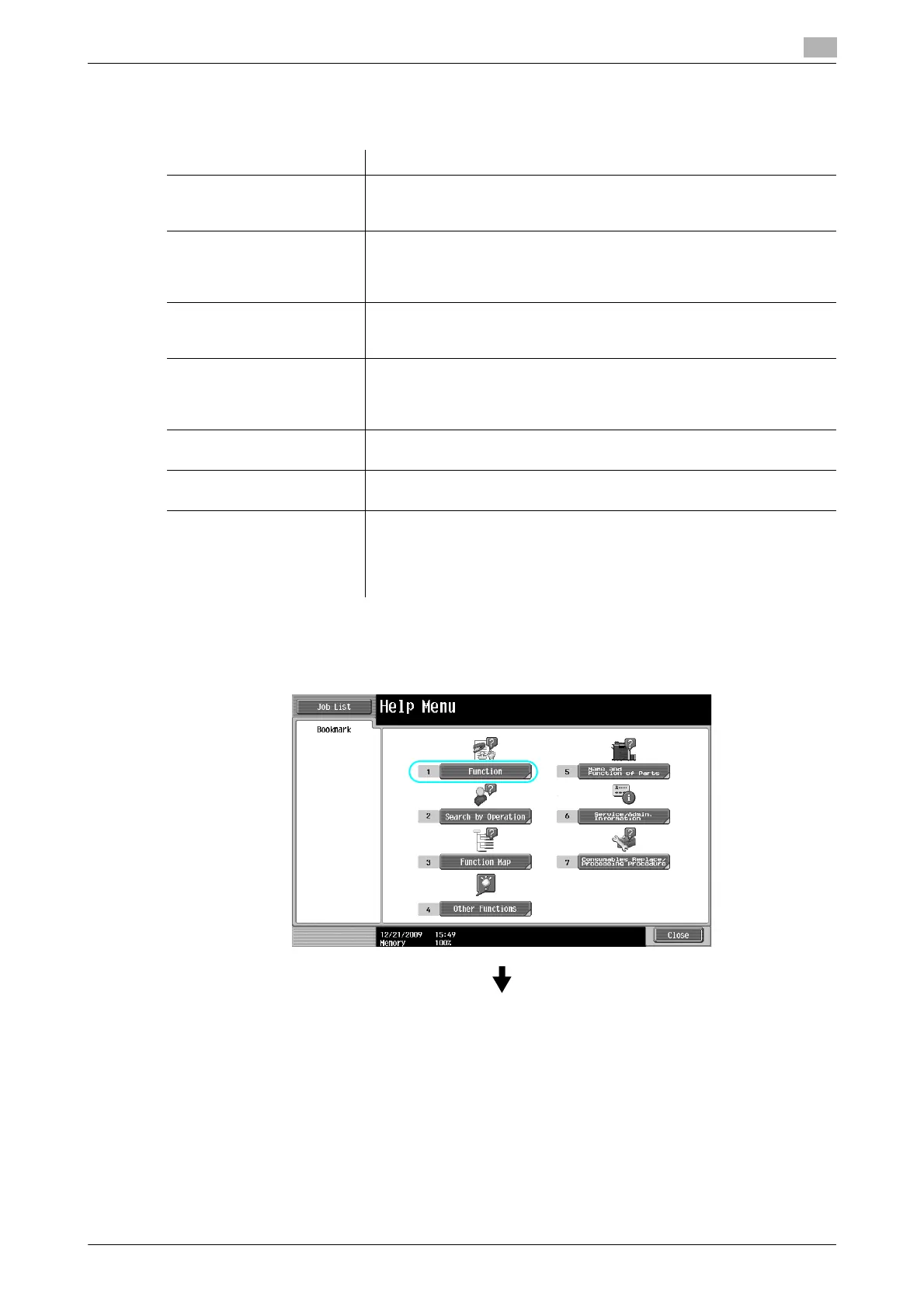
The Help Menu screen consists of the following menus. From the menu screen, you can find the target screen
based on the purpose or functional level. You can also check the level of the screen displayed on the left
panel of the Help Menu screen.
On the Guidance screen, press the button or button number displayed on the screen using the keypad, and
select the desired item.
Example: [Function] ö [Copy] ö [Paper]
Item Description
[Function] Pressing [Function] displays the Guidance menu classified according to
the function names that are to appear on the screen. It is useful for check-
ing function overview.
[Search by Operation] Pressing [Search by Operation] displays examples of operations available
on this machine and their descriptions, classified by function. In addition,
Pressing [Go to function] displays the setting screen for the currently dis-
played function.
[Function Map] Pressing [Function Map] displays the list of functions and setting items in
a hierarchical structure. This is useful for viewing the description of the
function or setting item you wish to check.
[Other Functions] Pressing [Other Functions] displays the Guidance menu for available
functions and settings that allow this machine to be used more conven-
iently. In addition, Pressing [Go to function] displays the setting screen for
the currently displayed function.
[Name and Function of
Parts]
Pressing [Name and Function of Parts] displays the hardware keys (oper-
ation buttons) and optional keys installed to check the role of each key.
[Service/Admin. Information] Pressing [Service/Admin. Information] displays the administrator’s name,
extension number and E-mail address.
[Consumables Replace/
Processing Procedure]
Pressing [Consumables Replace/Processing Procedure] utilizes an ani-
mation to display the procedure for adding staples or to empty the punch
scrap box with an animation. If [Start Guidance] is pressed, the animation
guidance will start. This function is available only when a hard disk is in-
stalled.



 To Next Page