ineo 223/283/363/423 1-49
1.17 Loading paper
1
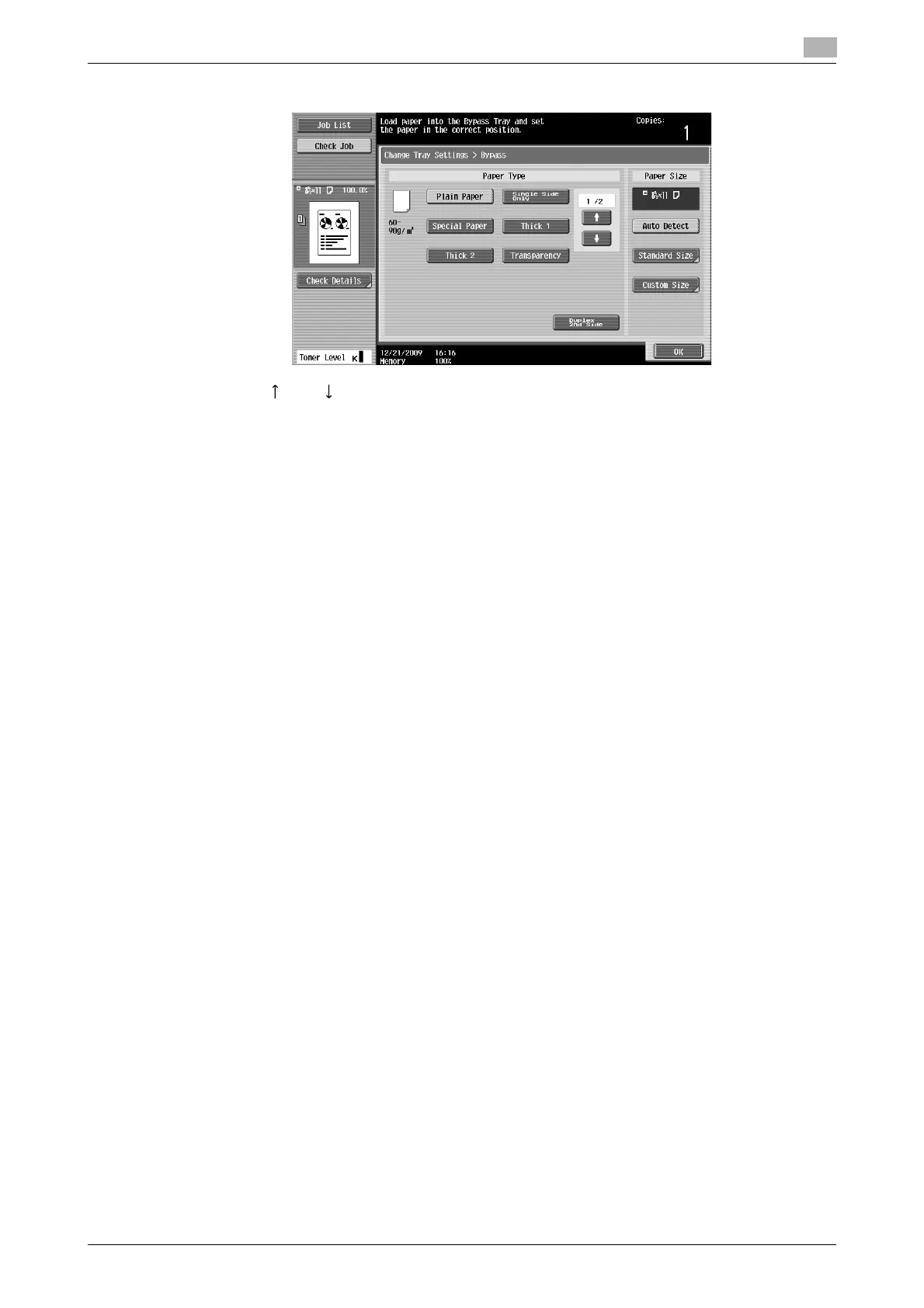
3 From the touch panel, select the paper type.
% Press [ ] and [ ] until the desired paper type appears.
% If label sheets are loaded, select [Thick 1].
% If non-standard-size paper is loaded, specify the Paper Size setting.
% For details on specifying the paper size and paper type settings, refer to chapter 5 of the [User’s
Guide Copy Operations].
% Printing on OHP transparencies is possible only in black.
Reference
- Paper of the following types and amounts can be loaded into the bypass tray.
Plain paper (15-15/16 lb to 23-15/16 lb (60 g/m
2
to 90 g/m
2
)): Up to 150 sheets
Thick paper 1 (24-3/16 lb to 39-7/8 lb (91 g/m
2
to 150 g/m
2
)): Up to 20 sheets
Thick paper 2 (40-3/16 lb to 55-7/8 lb (151 g/m
2
to 210 g/m
2
)): Up to 20 sheets
OHP transparencies: Up to 20 sheets
Envelopes: Up to 10
Label sheets: Up to 20 sheets
You can load user paper with the settings of this machine. For details, contact your service
representative.
- Paper of the following sizes can be specified for the bypass tray.
Standard-sized paper: 12-1/4 e 18 w, 12 e 18 w to 5-1/2 e 8-1/2 w/v, A3 w to B6 w, A6 w, 8 e 13 w
*
,
16K w/v, 8K w
Non-standard-sized paper: Width: 3-9/16 inches to 11-11/16 inches (90 mm to 297.0 mm);
Length: 5-1/2 inches to 17 inches (139.7 mm to 431.7 mm)
*
There are six Foolscap sizes: 8-1/2 e 13-1/2 w,8-1/2 e 13 w, 8-1/4 e 13 w, 8-1/8 e 13-1/4 w,
220 e 330 mm w and 8 e 13 w. Any one of these sizes can be selected. For details, contact your service
representative.
d Reference
For details, refer to chapter 8 of the [User’s Guide Copy Operations].



 To Next Page