16
User’s Guide - Devireg™550 Thermostat
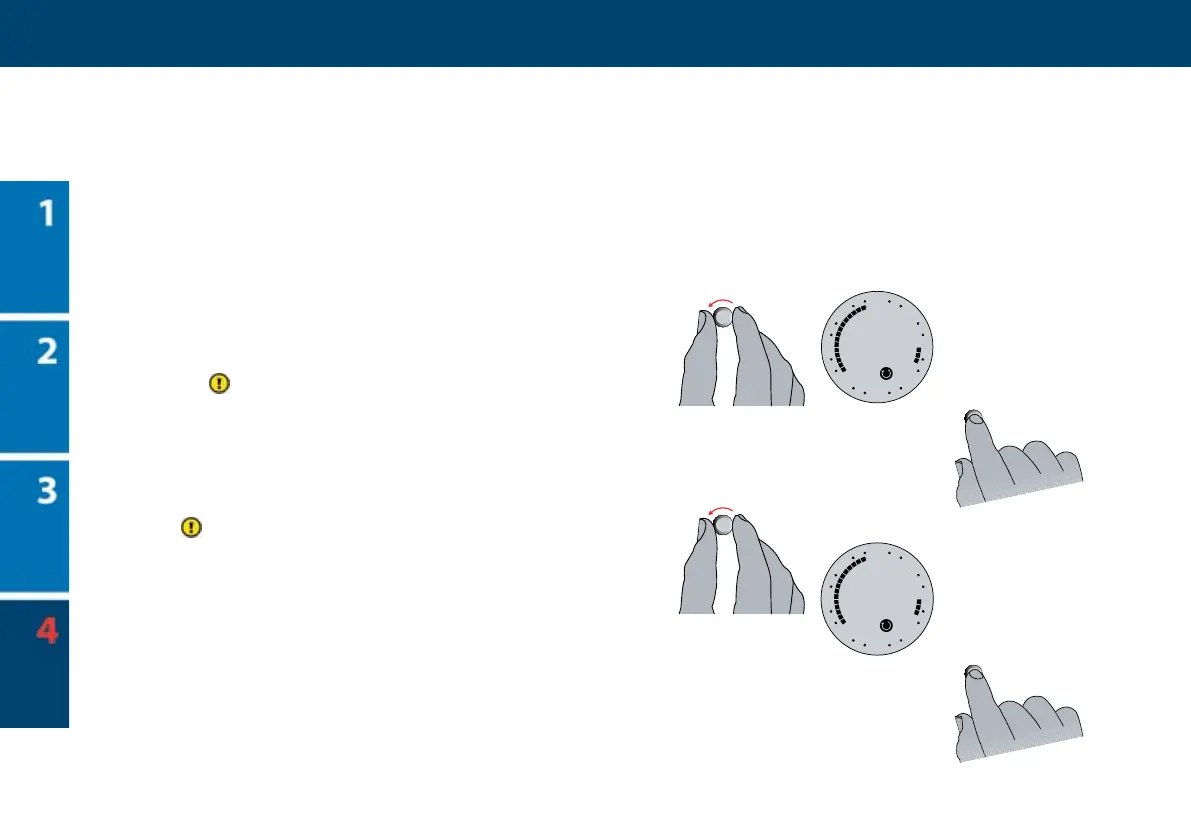
10 Turn clockwise once again to the next time
that you require a period with lowering tem-
perature to begin., e.g. 22:30.
11 Press the button.
12 Turn forward to make settings for the fol-
lowing weekday, and continue until you have
made period settings for all seven weekdays.
Every time the clock passes midnight
(00.00), it changes over to the next weekday.
13 Finally, hold the button for 3 seconds to
save your settings and nish. e display will
automatically return to normal display.
With Devireg™ 550 you only have to pro-
gramme the time when you want comfort
temperature and the time you want economy
temperature. e thermostat will do the rest. You
do not have to calculate when the heating should
start; Devireg™ 550 will do this for you.
Please note: If at any point a mistake is made,
rotate the dial anticlockwise to the rst segment
and press the button to clear the markers.
10
11
12
13



 To Next Page