15
Set periods with lowering of temperature
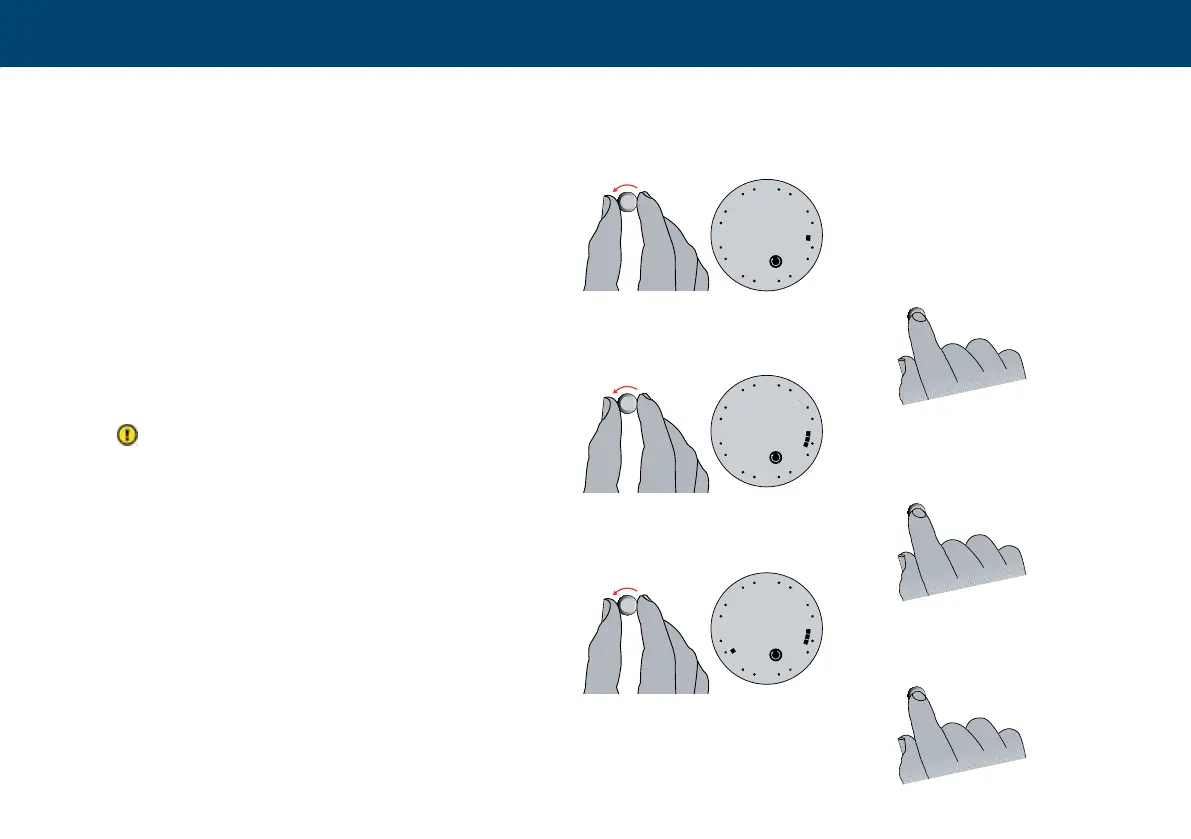
4 Turn the button clockwise to indicate the rst
time that normal temperatures are required
(comfort), e.g. 06:00. e clock uses 30-mi-
nutes intervals.
5 Press the button.
6 Turn the button clockwise to indicate the
time when the temperature should be lowe-
red again. Black segments should then be
displayed, to indicate the desired settings.
e number of degrees e.g -5°C, is the
temperature the thermostat is lowered accor-
ding to, during an economy period. is will
have already been set during conguration.
7 Press the button.
8 Turn clockwise to the period when normal
temperature is required again, e.g. 15:30.
Clear segments should now be displayed to
indicate the economy period set.
9 Press the button.
4
6
8
5
7
9



 To Next Page