6
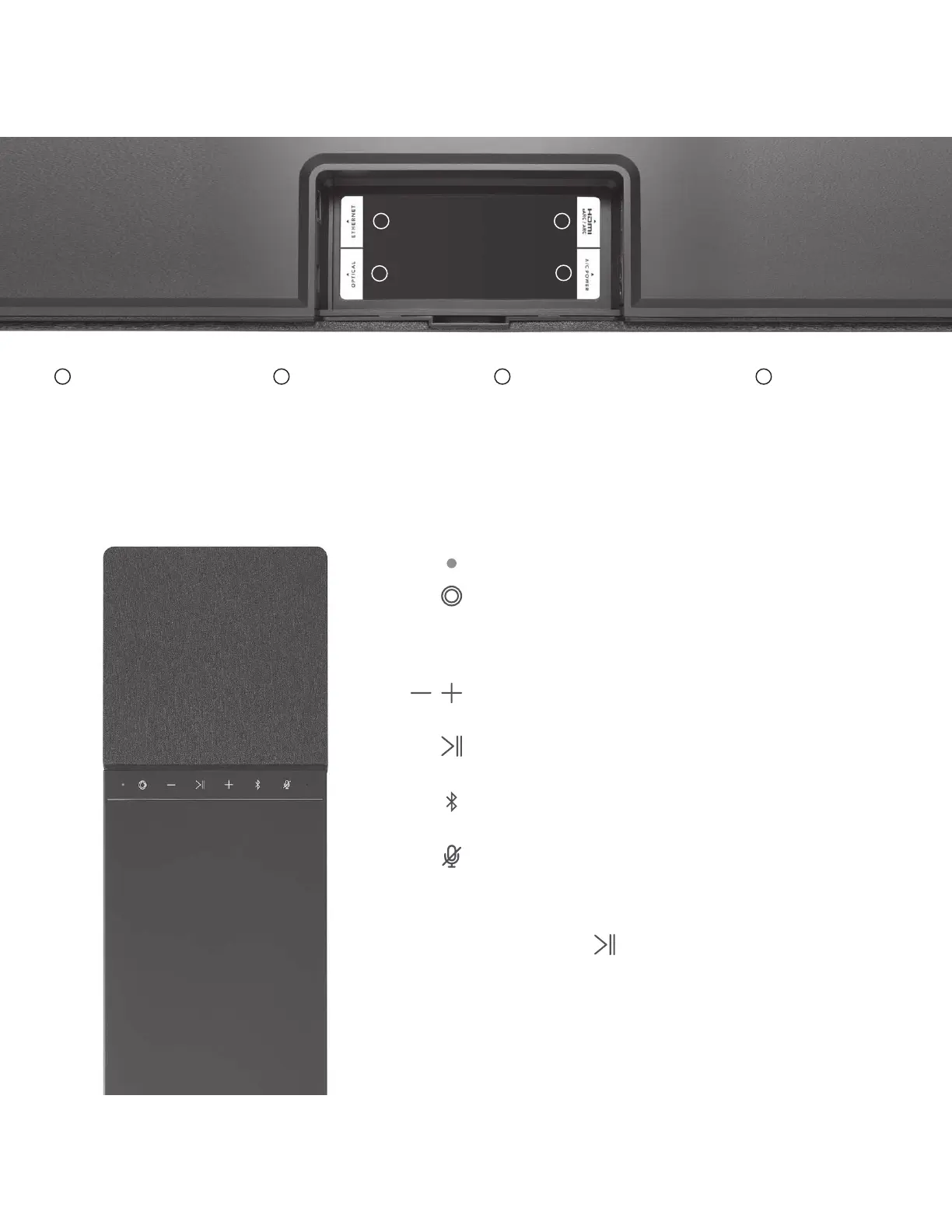
Indicator light
Devialet button
Press to switch between HDMI and Optical source
Press and hold for 7 seconds to enter standby mode
To exit standby mode, press any button on Devialet Dione
Volume
Press to lower/increase volume
Play/Pause
Press to pause or resume playback
Bluetooth
Press and hold to enable Bluetooth pairing
Disable microphone
Press to disable room calibration microphones
Reset
Press and hold for 6 seconds to reset Dione
2
4
3
1
AC power
Connect to a power
socket
Optical (TOSLINK)
Use a TOSLINK Optical cable
if your TV or Projector does not
have an HDMI eARC/ ARC port.
HDMI eARC/ARC
Connect the HDMI cable
to the HDMI port labeled
eARC/ARC on your TV
or Projector.
Ethernet
Use an Ethernet cable
for better network stability.
1 2 3 4
WE CAN HELP: help.devialet.com



 To Next Page