needed. Also use your ears to check wether the speakers are producing a distorted sound. If so, decrease
the volume level of the speakers with the mixing panel's master volume.
– Use the USB player to play music from USB devices, such as small hard disks or USB thumb drives. This
makes it possible to provide background music or playback music during performance.
– Use the USB charging connection on the panel for an USB gooseneck light. You can even charge your
phone or tablet with this connection! The USB charging connector works with almost every phone or tablet
and may also be used to charge power banks and other gadgets. The 5V USB connector has a power of
1000mA and is protected against overcharging. This means that it may be possible that your connected
device may not charge as fast as when connected to its original power adapter, directly connected to a
power outlet.
– Only use the speaker outputs for the included passive speakers. Connecting other types of speakers than
the speakers you received with this product may cause permanent damage to both systems.
If you really want to use the mixer but add or change speakers, you may use the Monitor Output signal on
the mixing panel. This line signal can be connected to powered speakers, as well as amplifiers which
provides power to passive speakers.
– If your audio source has dominant tones in it (such as high or low tones), try to decrease that particular
tone with the 2-band EQ on the input of every channel. Do not increase the opposite EQ's level, as it may
cause distortion and bad sound quality, especially when driven into the + levels. Also the speakers may not
be able to cope with this kind of audio transforming properly.
– Use the built-in reverb effect to add some extra effects to vocals and/or instrument. Experiment with the
levels needed to achieve a sound that corresponds perfectly with your preferences. Please note that the
main reverb effects level should be increased, after this you are able to set the effects level for every single
mono channel.
– The stereo input is used for most audio products with a stereo output. For example, a keyboard or
synthesizer. But it is also possible to connect larger PA-mixers, DJ controllers, DJ mixers, etcetera. It is also
possible to use the 3.5 mm (1/8 inch) TRS mini jackplug input, so you can easily connect devices such as
MP3-players, smartphones, tablets and laptops.
– Please note that it is not possible to use more than 1 input simultaneously for both the mono and stereo
input channels.
– The mono channels can be used to connect stereo audio products. For example, if you wish to connect two
keyboards at the same time, one keyboard can be connected by using the stereo channel, the other
keyboard can be connected through the line inputs of two mono channels. But please note that you lose two
mono channels for every connection of a stereo audio product to mono channels.
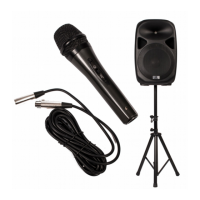
– The included microphones can be connected directly to the microphone inputs on the mixing panel. Please
ensure that the switch is turned on if you want to speak or sing into the microphone.
– When using the microphone, please hold it like you are drinking from a glass, close to your lips (but not
touching the microphone grill). This ensures optimal sound capture and provides you with a strong voice.
– Please keep the microphones away from the speakers when used. If the microphones are used too close
to the speakers, they may capture sounds from the speaker, which is amplified, which is captured by the
microphone. This causes an infinite loop and is very bad for your PA system. Therefore it is advised to inform
any speaker or vocalist about this when handing out a microphone. If this kind of audio feedback is present,
turn down the volume of the microphone immediately and inform the person holding the microphone about
how to use the microphone optimal.
– The monitor output has the same signal as the master output going to the included speakers. However, for
signal monitoring it can be practical to have this kind of connection available. Use the monitor outputs to
connect floor monitors, an extra speaker system or headphones through the 3.5 mm (1/8 inch) TRS mini jack
Any information and illustrations shown in this user manual are subject to change without further notice.
User manual version: 2.0 Creation date + author initials: 29-09-2015 RV Revision date + author initials: 18-02-2017 RV


 To Next Page
 Loading...