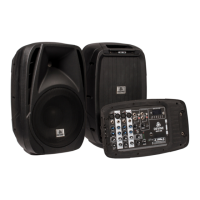
output. It is also possible to use the included speakers of Blist Live for monitoring, while another (larger)
speaker set is connected as your main PA system.
– The Bluetooth system included in the MP3-player, is a great way to send music from your wireless device
to your mixing panel. It can be used for background music, as well as live playback music. Please note
however that the sound quality may not be optimal when transferring it to your mixing panel through
Bluetooth. Also note that the connection stability is crucial and may be altered because of nearby 2.4 GHz
devices, as well as people or objects blocking the path from your Bluetooth enabled device to the mixing
panel. This may cause dropouts and loss of signal quality.
Devine recommends: If it doesn't move – use a cable!
The use of cables ensures optimal signal stability as well as audio quality. If the distance is too long or
impossible to reach with a cable, the use of wireless options can be taken into consideration.
– The USB connection of the MP3 playing module can not be used to connect audio interfaces, computers,
USB MP3-players and likewise devices. It is also not possible to connect devices such as MIDI-controllers,
USB microphones and such.
– The USB charging point only does one thing: Provide power over USB. It is compliant with USB standards
and provides 5 V 1000 mA of power. This makes it possible to charge mobile/portable devices, but it is also
possible to power USB gadgets such as USB LED lights.
– Connecting a wrong type of product to an USB port will not cause any damage. For example, if you insert
an USB thumb drive to the charging USB chassis, the LED of the thumb drive might turn on, but nothing else
will happen.
Any information and illustrations shown in this user manual are subject to change without further notice.
User manual version: 2.0 Creation date + author initials: 29-09-2015 RV Revision date + author initials: 18-02-2017 RV


 To Next Page
 Loading...