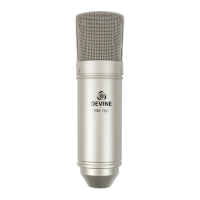
Optional:
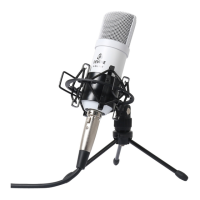
If mounted in the included shock mount, the M-Mic microphone can also be mounted on a
professional mic stand or broadcasting arm as long as they are equipped with a 3/8-inch or
5/8-inch (industry standard) screw thread. If necessary, you can use the thread adapter that
can be found on the tripod.
If you use a different stand than the included tripod, it is highly recommended to position the
audio source as close to the mic as possible for optimal results. As always, make sure the
brand and type number are facing towards the audio source. If your setup requires it, the
microphone can also be used upside-down.
Optimal sound quality
To maintain optimal audio quality, it is necessary to position the microphone as close to the
audio source as possible, unless it produces extremely high volume levels (such as a drum
kit).
For vocals or instruments, position the mic as close as possible to the audio source. When
using the included tripod, make sure it is placed on a desk or other flat, stable surface.
Position the microphone at an angle (while ensuring the brand and type number are still
visible and facing the audio source), to capture the best possible audio.
The further away an audio source is from the microphone, the less volume it produces. This
will need to be compensated either during recording or afterwards in the studio.
Every audio device (regardless of brand) generates some sound or self-noise. When used
normally and as recommended, this noise is barely audible, but the more you need to
amplify an audio fragment, the more audible this noise can become.
If an audio source is very quiet or positioned too far away, the self-noise level of the
microphone itself can become too high when the captured audio is amplified.
If you are having problems with noise or unwanted sounds, always try to adjust the position
of the microphone first. A separately-available microphone stand or broadcasting arm may
be necessary for optimal results.
In situations where an optimal setup is not possible, for example if you want to record vocals
and an instrument at the same time, it is recommended to place the microphone as
optimally as possible between the two audio sources. Experiment by making short test
recordings in various setups and compare them to finds the best possible solution.
Software, compatibility and support
A Devine M-Mic microphone is ‘class compliant’, which means that it is a generic device that
can be installed without extra drivers or software on just about any intelligent device
(otherwise known as host) such as a computer, laptop, tablet or smartphone. The host will
recognise it as a generic USB microphone.
The information in this user manual is subject to change at any time without notice.
Version:
1.0
Date of creation and author's initials:
05-07-2017 RV
Revision date and author's initials: -


 To Next Page
 Loading...