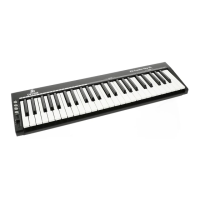
Need help?
Do you have a question about the Devine VersaKey Series and is the answer not in the manual?
Lists the items included in the package with the MIDI keyboard.
Details the included software, its features, and benefits.
Covers electric shock risks and general safety advice.
Lists important health and safety guidelines for device operation.
Details safe indoor use, environments, and operation.
Guidelines for safe storage and transportation.
Explains WEEE, CE, and indoor use symbols.
Explains VersaKey integration with Bitwig 8-Track.
Discusses using VersaKey with other software via MIDI.
Details keyboard section, pitch/mod strips, and transport buttons.
Covers LED display, rotary encoders, and drum/performance pads.
Details power input, USB port, and pedal sockets.
Describes 5-pin DIN MIDI output and power options.
Lists minimum hardware and OS specifications.
Automatic MIDI device recognition and setup.
Customizing key strike sensitivity with six presets.
Shifting keyboard pitch by octaves or semitones.
Setting MIDI channels and selecting program voices/banks.
Programming encoders, pads, and pedals.
Adjusting pitch bend and modulation effects.
Using Dual, Split, Split Point, and Mute functions.
Enabling General MIDI, Roland GS, and Yamaha XG signals.
Resetting to factory defaults and saving user settings.
Using shift buttons and general pad functions.
Adjusting pad response and assigning MIDI notes.
Adjusting pad velocity curves and LED backlight colors.
Controlling recording via MIDI transport buttons.
Understanding MIDI data for sound selection.
Overview of features and model variations.
Details ports, power, and included accessories.
Chart detailing transmitted and recognized MIDI functions.
Lists General MIDI instrument program change numbers.
Lists NRPN messages for Roland GS and Yamaha XG.
Maps MIDI notes to drum sounds.
Lists CC numbers and assignable linear controller numbers.
Lists assignable numbers for different control types.
Lists factory preset controller numbers and names.
Table for converting hexadecimal to decimal values.
 General
| Brand | Devine |
|---|---|
| Model | VersaKey Series |
| Category | Electronic Keyboard |
| Language | English |

 To Next Page