Need help?
Do you have a question about the Devine EZ-Creator Key XL and is the answer not in the manual?
Lists all items included in the EZ-Creator Key XL package.
Details the bundled Digital Audio Workstation software and its benefits for users.
Alerts users to electrical shock risks, emphasizing keeping the device away from moisture.
Provides essential guidelines for safe operation, handling, and maintenance of the device.
Specifies intended use environments and operational rules for the MIDI keyboard.
Outlines proper procedures for storing and moving the device to prevent damage.
Instructions for inspecting and maintaining the physical casing of the device.
Defines the meaning of various symbols used throughout the user manual.
Provides contact details for support and procedures for returns or repairs.
Discusses the controller's compatibility and usage with other MIDI software.
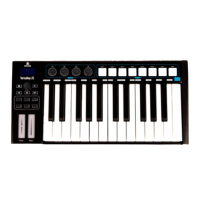
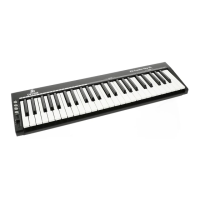
Describes the 49 velocity-sensitive keys designed for compactness and playability.
Explains the multi-functional and assignable fader for controlling volume, pitch, or modulation.
Details the function of Edit, '+', and '-' buttons for octave and transpose adjustments.
Lists and explains the available ports for MIDI output, pedal input, and USB connectivity.
Outlines the necessary computer specifications for the EZ-Creator Key XL to function correctly.
Describes how the device is automatically recognized as a MIDI input/output device via USB.
Explains its use as a standalone device or external MIDI controller via a 5-pin DIN port.
Details power options via USB connection or an external 5V DC power supply.
Clarifies that the controller generates MIDI signals, not audio, to control other devices.
Shows graphical examples of velocity curve adjustments available through the editor software.
Summarizes key physical attributes like key count, dimensions, and power consumption.
Lists all available connection types including MIDI DIN, pedal socket, and USB.
Lists the items provided with the product, such as the Bitwig voucher and USB cable.
Repeats the necessary computer specifications for compatibility with Bitwig 8-Track.
 General
| Keys | 49 |
|---|---|
| Touch Sensitivity | Yes |
| Built-in Speakers | Yes |
| MIDI Compatibility | No |
| USB Port | Yes |
| Power Source | Batteries or AC adapter |

 To Next Page