Using the Smart Life App
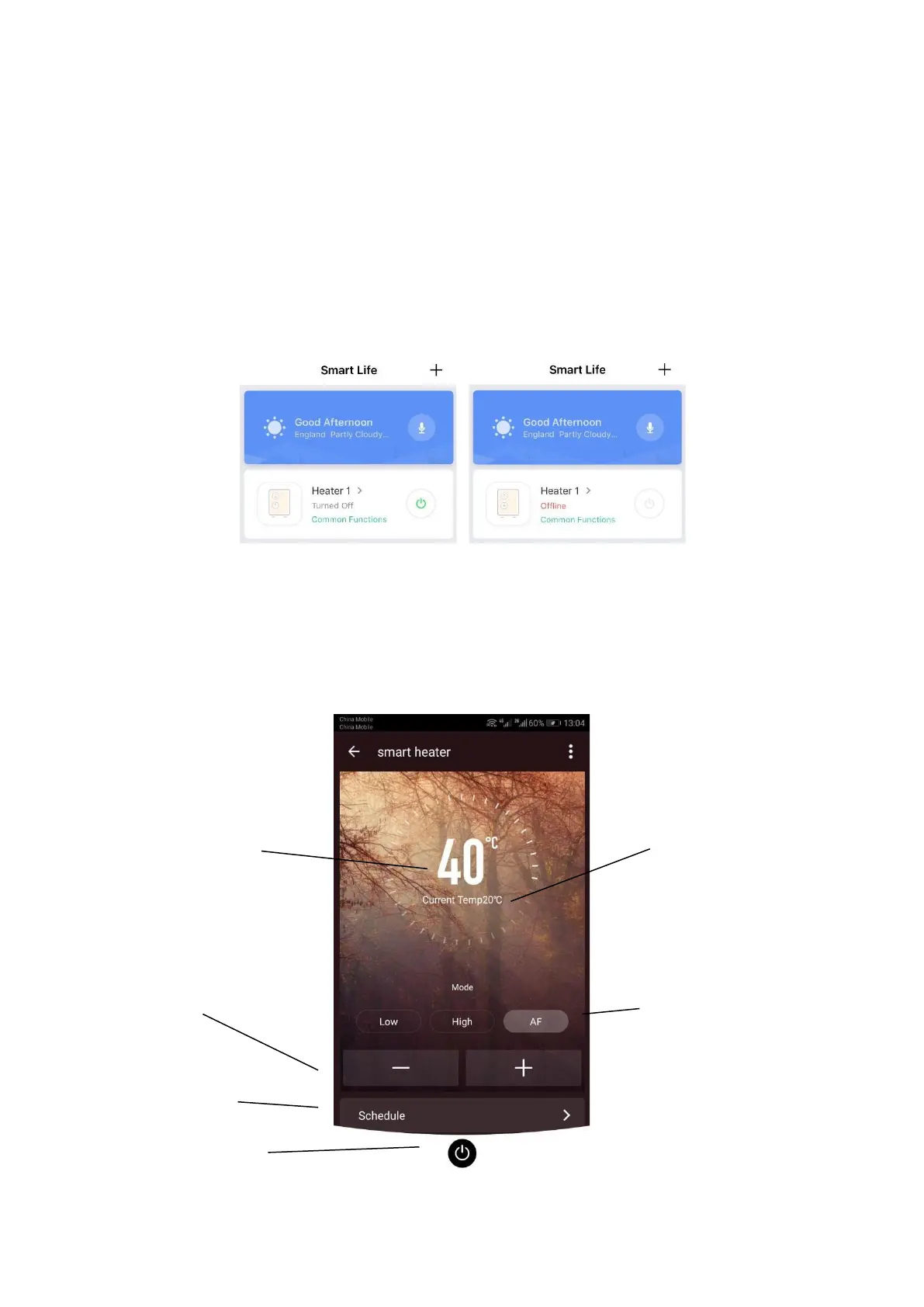
You can use the app to control multiple devices. The status of your devices is shown
on the device list:
• Offline (device is turned off at the wall)
• Turned Off (device is in standby mode)
• Turned On (device is in heating mode)
When the heater is online, tap the device name to go to the control interface. Note:
when the heater is offline, you will not be able to control it with the app.
Controlling the Heater
Set Temperature
Temperature
Adjust
Programming
ON / OFF
Current
Temperature
Select Mode



 To Next Page