dLAN pro network 19
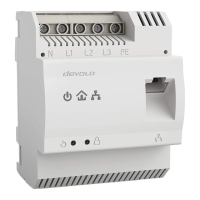
devolo dLAN pro 1200 DINrail
Removing a dLAN pro device from a network
To remove a dLAN pro 1200 DINrail or another dLAN
pro device from an existing network, press its encryp-
tion button for at least ten seconds. The device will be
assigned a new randomly generated password and will
thus no longer be able to access the network. To inte-
grate the device into a different dLAN pro network, fol-
low the steps described above, depending on whether
you are setting up a new network or adding the device
to an existing one.
4.2 dLAN AVpro manager
The dLAN AVpro manager provides advanced dLAN
functions, such as:
쎲 Management software to support the user during
configuration and monitoring
쎲 Central administration interface with beginner
and expert mode
쎲 Real time monitoring of all the dLAN pro devices
in the network
쎲 Global or individual assignment of security set-
tings for databases and devices
쎲 MDU mode for master/slave networks and peer-
to-peer networks
쎲 VLAN configuration for subnet management
For detailed descriptions and information on
configuration of your dLAN pro network please
consult the dLAN AVpro manager manual.
4.2.1 Software for Windows and Linux
To install the dLAN AVpro manager configuration soft-
ware, insert the provided CD-ROM into your comput-
er's CD drive and follow the instructions of the
installation wizard.
Then you will find the link to the configuration inter-
face as well as the installed dLAN AVpro manager in
the program group Start All Programs devolo.


 To Next Page