www.devonmedicalproducts.com • 1100 First Avenue, Suite 202 King of Prussia, PA 19406 • 866.446.0092
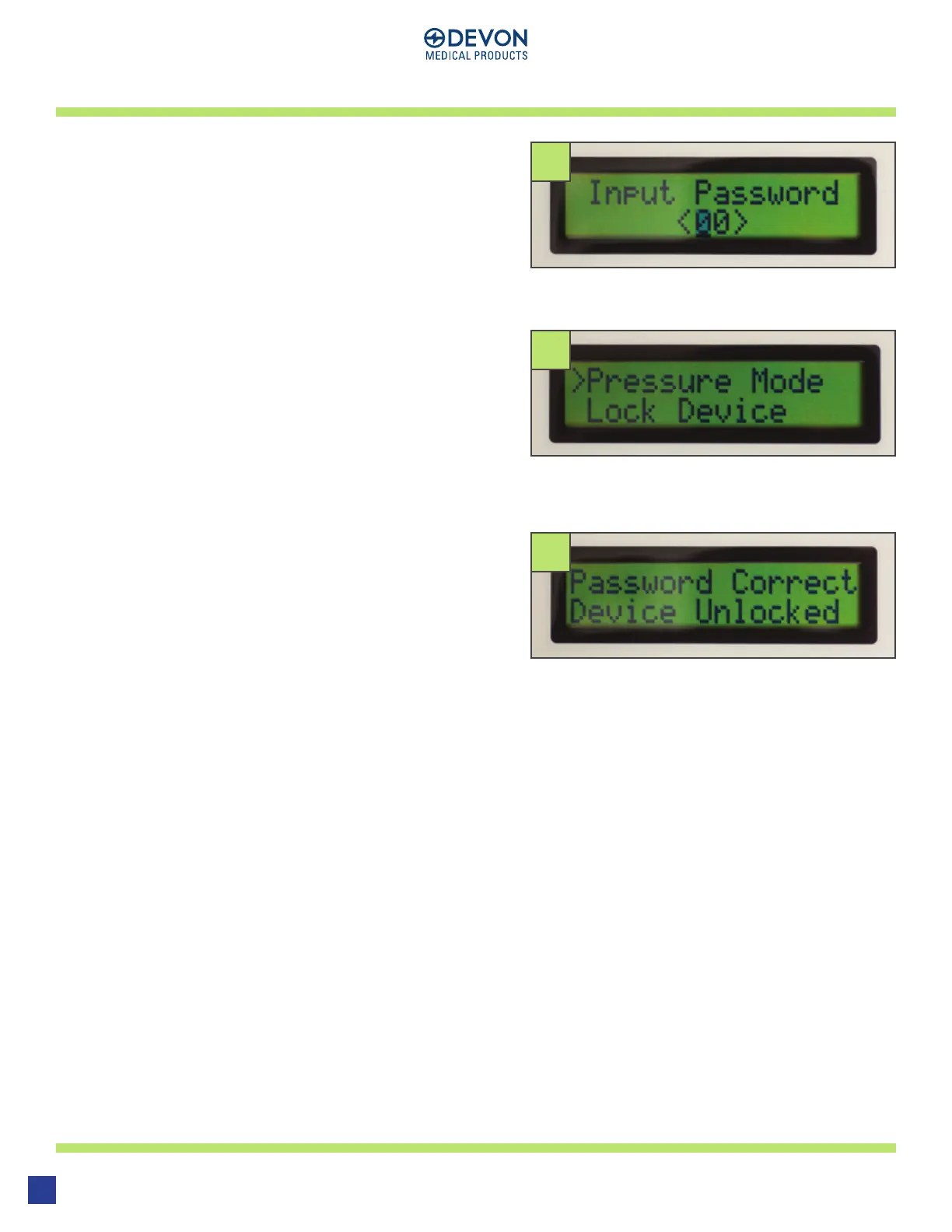
In order to unlock the device, hold down the
SHUTTLE KNOB. Instead of taking you into the
menu, a screen will appear to Input Password.
Turn the SHUTTLE KNOB to select the first char-
acter of the password, press down and select
the second character. Press down the SHUTTLE
KNOB a second time to input the password. If the
password is correct, the device will unlock and
return to the menu screen
If the password is incorrect, the device will
display a screen to notify you and return back to
the start menu.
UNLOCK DEVICE
53
54
55
53
54
55
12


 To Next Page