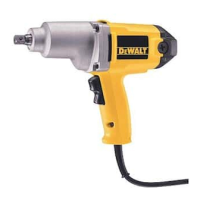
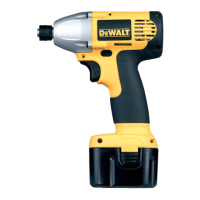
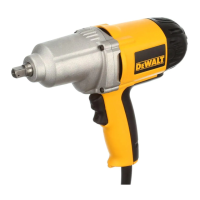
This document describes the DEWALT DCF883 3/8" (9.5 mm) 20V Max* Cordless Impact Wrench, a heavy-duty impact wrench/driver designed for professional impact screwdriving applications. Its impact function makes it particularly useful for driving fasteners in wood, metal, and concrete. The tool is not intended for use under wet conditions or in the presence of flammable liquids or gases. It is a professional power tool and should not be used by children; supervision is required for inexperienced operators.
Important Safety Guidelines:
The manual emphasizes several safety guidelines, categorized by severity:
- DANGER: Indicates an imminently hazardous situation that, if not avoided, will result in death or serious injury.
- WARNING: Indicates a potentially hazardous situation that, if not avoided, could result in death or serious injury.
- CAUTION: Indicates a potentially hazardous situation that, if not avoided, may result in minor or moderate injury.
- NOTICE: Indicates a practice not related to personal injury which, if not avoided, may result in property damage.
Users are warned to read the instruction manual to reduce the risk of injury. All safety warnings and instructions must be followed to prevent electric shock, fire, and/or serious injury. The term "power tool" refers to both mains-operated (corded) and battery-operated (cordless) power tools.
Work Area Safety:
- Keep the work area clean and well lit to prevent accidents.
- Do not operate power tools in explosive atmospheres (e.g., presence of flammable liquids, gases, or dust) as sparks can ignite them.
- Keep children and bystanders away to avoid distractions and loss of control.
Electrical Safety:
- Power tool plugs must match the outlet and should never be modified. Adapter plugs should not be used with earthed (grounded) power tools.
- Avoid body contact with earthed or grounded surfaces (pipes, radiators, ranges, refrigerators) to reduce the risk of electric shock.
- Do not expose power tools to rain or wet conditions, as water increases the risk of electric shock.
- Do not abuse the cord; never use it for carrying, pulling, or unplugging the power tool. Keep the cord away from heat, oil, sharp edges, or moving parts.
- When operating outdoors, use an extension cord suitable for outdoor use.
- If operating in a damp location is unavoidable, use a ground fault circuit interrupter (GFCI) protected supply.
Personal Safety:
- Stay alert, watch what you are doing, and use common sense. Do not operate the tool when tired or under the influence of drugs, alcohol, or medication.
- Use personal protective equipment, including eye protection, dust masks, non-skid safety shoes, hard hats, or hearing protection, as appropriate.
- Prevent unintentional starting by ensuring the switch is in the off position before connecting to the power source/battery pack or picking up/carrying the tool.
- Remove any adjusting key or wrench before turning the power tool on.
- Do not overreach; maintain proper footing and balance.
- Dress properly: avoid loose clothing, jewelry, long hair, and gloves near moving parts.
- If dust extraction/collection devices are provided, ensure they are connected and properly used to reduce dust-related hazards.
- Do not force the power tool; use the correct tool for the application.
- Do not use the power tool if the switch does not turn it on and off; it must be repaired.
- Disconnect the plug from the power source and/or battery pack before making adjustments, changing accessories, or storing the tool.
- Store idle power tools out of reach of children and unfamiliar persons.
- Maintain power tools by checking for misalignment, binding, breakage, or other conditions affecting operation. Repair damaged tools before use.
- Keep cutting tools sharp and clean.
- Use the power tool, accessories, and tool bits according to instructions, considering working conditions and the task.
- Recharge only with the manufacturer-specified charger. Using an unsuitable charger can create a fire risk.
- Use power tools only with specifically designated battery packs.
- When not in use, keep the battery pack away from other metal objects that could short the terminals, causing burns or fire.
- Under abusive conditions, liquid may be ejected from the battery. Avoid contact; if contact occurs, flush with water and seek medical help if it gets into eyes.
Service:
- Have the power tool serviced by a qualified repair person using only identical replacement parts to maintain safety.
Additional Specific Safety Rules:
- Hold the power tool by insulated gripping surfaces when performing operations where the fastener may contact hidden wiring to prevent electric shock.
- Use clamps or other practical means to secure and support the workpiece.
- Wear safety goggles or other eye protection, as hammering and drilling operations can cause flying chips and permanent eye damage.
- Bits, sockets, and tools get hot during operation; wear gloves when touching them.
- Avoid air vents covering moving parts, as loose clothing, jewelry, or long hair can get caught.
- Do not operate the tool for long periods to avoid vibration-related harm to hands and arms. Use gloves and take frequent rest periods.
WARNINGS regarding dust and noise:
- ALWAYS use safety glasses (ANSI Z87.1 eye protection, CAN/CSA Z94.3). Use a face or dust mask if cutting operations are dusty.
- ALWAYS WEAR CERTIFIED SAFETY EQUIPMENT, including ANSI S12.6 (S3.19) hearing protection and NIOSH/OSHA/MSHA respiratory protection.
- Some dust created by power sanding, sawing, grinding, drilling, and other construction activities contains chemicals known to cause cancer, birth defects, or other reproductive harm (e.g., lead, crystalline silica, arsenic, chromium). Work in well-ventilated areas and use approved safety equipment.
- Avoid prolonged contact with dust. Wear protective clothing and wash exposed areas with soap and water.
- Use of this tool can generate and/or disburse dust, which may cause serious and permanent respiratory or other injury. Always use NIOSH/OSHA approved respiratory protection.
- ALWAYS wear proper personal hearing protection (ANSI S12.6 (S3.19)) during use, as noise may contribute to hearing loss.
CAUTION: When not in use, place the tool on its side on a stable surface to prevent tripping or falling.
- V: Volts
- Hz: Hertz
- A: Amperes
- W: Watts
- min: Minutes
- ~: Alternating current
- : Direct current
- ~: Alternating or direct current
- : Class I Construction (grounded)
- : No load speed
- : Class II Construction (double insulated)
- : Earthing terminal
- : Safety alert symbol
- .../min: Per minute
- BPM: Beats per minute
- RPM: Revolutions per minute
- IPM: Impacts per minute
- sfpm: Surface feet per minute
Important Safety Instructions for All Battery Packs:
- When ordering replacement battery packs, include the catalog number and voltage.
- Battery packs are not fully charged out of the carton; read safety instructions and charging procedures before use.
- Do not charge or use the battery pack in explosive atmospheres.
- Never force the battery pack into the charger or modify it to fit a non-compatible charger.
- Charge battery packs only in designated DEWALT chargers.
- Do not splash or immerse in water or other liquids.
- Do not store or use the tool and battery pack in locations where the temperature may reach or exceed 105 °F (40 °C). Store in a cool, dry location for best life.
- Do not store battery packs in a tool with the trigger switch locked on.
- WARNING: Fire hazard. Never attempt to open the battery pack. If the case is cracked or damaged, do not insert it into the charger. Do not crush, drop, or damage the battery pack.
- Damaged battery packs should be returned to a service center for recycling.
- WARNING: Fire hazard. Do not store or carry the battery pack so that metal objects can contact exposed battery terminals. Transporting batteries can cause fires if terminals inadvertently contact conductive materials. The US Department of Transportation Hazardous Material Regulations (HMR) prohibit transporting unprotected batteries.
Specific Safety Instructions for Lithium Ion (Li-Ion) Batteries:
- Do not incinerate the battery pack, even if severely damaged or worn out, as it can explode and create toxic fumes.
- If battery contents contact skin, wash immediately with mild soap and water. If liquid gets into eyes, rinse with water for 15 minutes and seek medical help. Battery electrolyte is a mixture of liquid organic carbonates and lithium salts.
- Contents of opened battery cells may cause respiratory irritation. Provide fresh air; seek medical attention if symptoms persist.
- WARNING: Burn hazard. Battery liquid may be flammable if exposed to spark or flame.
The RBRC™ Seal:
The RBRC™ (Rechargeable Battery Recycling Corporation) Seal on nickel cadmium, nickel metal hydride, or lithium ion batteries indicates that DEWALT has paid for recycling costs. The RBRC program provides an environmentally conscious alternative for disposing of spent batteries. Users are encouraged to return spent batteries to authorized DEWALT service centers or local retailers for recycling.
Important Safety Instructions for All Battery Chargers:
- Read all instructions and cautionary markings on the charger, battery pack, and product before use.
- WARNING: Shock hazard. Do not allow liquid to get inside the charger.
- CAUTION: Burn hazard. Charge only DEWALT rechargeable battery packs. Other types of batteries may overheat and burst.
- NOTICE: Keep foreign conductive materials (grinding dust, metal chips, steel wool, aluminum foil) away from charger cavities. Unplug the charger from the power supply when no battery pack is in the cavity and before cleaning.
- Do not attempt to charge the battery pack with any chargers other than those in this manual.
- These chargers are not intended for any uses other than charging DEWALT rechargeable batteries.
- Do not expose the charger to rain or snow.
- Pull by the plug, not the cord, when disconnecting the charger.
- Ensure the cord is located to prevent stepping on, tripping over, or damage.
- Do not use an extension cord unless absolutely necessary.
- When operating a charger outdoors, provide a dry location and use an extension cord suitable for outdoor use.
- An extension cord must have adequate wire size (AWG or American Wire Gauge) for safety. An undersized cord can cause a drop in line voltage, loss of power, and overheating. The manual provides a table for minimum gauge for cord sets based on voltage and total length.
- Do not place any object on top of the charger or place it on a soft surface that might block ventilation slots. Place the charger away from heat sources.
- Do not operate the charger with a damaged cord or plug.
Chargers:
The tool uses a DEWALT charger. Users should read all safety instructions for their charger and consult the compatibility chart.
Charging Procedure (Fig. 1):
- Plug the charger into an appropriate outlet.
- Insert the battery pack (F) into the charger, ensuring it is fully seated. The red (charging) light will blink continuously, indicating charging has started.
- Completion of charge is indicated by the red light remaining ON continuously. The pack is fully charged and can be used or left in the charger.
Indicator Light Operation:
- PACK CHARGING: Blinking red light.
- PACK CHARGED: Solid red light.
- HOT/COLD DELAY: Long then short flashes.
- PROBLEM PACK OR CHARGER: Fast blinking red light.
- PROBLEM POWERLINE: Two fast blinks followed by a pause.
Charge Indicators:
The charger detects problems indicated by fast red light flashing. If this occurs, re-insert the battery pack. If the problem persists, try a different battery pack. If the new pack charges correctly, the original pack is defective and should be returned for recycling. If the new pack also shows trouble, the charger and battery pack should be tested at an authorized service center.
Hot/Cold Delay:
The charger has a hot/cold delay feature. If a hot battery is detected, charging is suspended until it cools, then automatically switches to pack charging mode to ensure maximum battery life.
Leaving the Battery Pack in the Charger:
The charger and battery pack can be left connected with the charge indicator showing "Pack Charged."
Weak Battery Packs:
Weak batteries will continue to function but will not perform as much work.
Faulty Battery Packs:
The charger will not charge a faulty battery pack, indicating it by refusing to light or displaying "problem pack or charger." This could also indicate a charger problem.
Problem Powerline:
Some chargers have a problem powerline indicator. When used with portable power sources (generators, DC to AC converters), the charger may temporarily suspend operation, flashing the red light with two fast blinks followed by a pause, indicating the power source is out of limits.
Important Charging Notes:
- For longest life and best performance, charge the battery pack when the air temperature is between 65 °F and 75 °F (18 °C–24 °C). Do NOT charge below +40 °F (+4.5 °C) or above +105 °F (+40.5 °C) to prevent serious damage.
- The charger and battery pack may become warm during charging, which is normal. To facilitate cooling, avoid placing them in a warm environment.
- A cold battery pack will charge at about half the rate of a warm pack and will not return to maximum charge rate even if it warms.
- If the battery pack does not charge properly:
- Check the receptacle with another appliance.
- Check if the receptacle is connected to a light switch.
- Move the charger and battery pack to a location with an ambient temperature of approximately 65 °F–75 °F (18 °C–24 °C).
- If problems persist, take the tool, battery pack, and charger to a local service center.
- Recharge the battery pack when it fails to produce sufficient power. Do NOT continue to use under these conditions. Partially used packs can be charged without adverse effect.
- Keep foreign conductive materials away from charger cavities. Unplug the charger from the power supply before cleaning.
- Do not freeze or immerse the charger in water or any other liquid.
- WARNING: Shock hazard. Don't allow liquid inside the charger.
- WARNING: Burn hazard. Do not submerge the battery pack in any liquid or allow liquid to enter it. Never attempt to open the battery pack. If the plastic housing breaks or cracks, return it to a service center for recycling.
Storage Recommendations:
- Store in a cool, dry place, away from direct sunlight and excess heat or cold.
- For long storage, store a fully charged battery pack in a cool, dry place out of the charger.
- NOTE: Battery packs should not be stored completely depleted of charge. They will need to be recharged before use.
Components (Fig. 2):
- A. Trigger switch
- B. Forward/reverse button
- C. Chuck collar
- D. 1/4" (6.35 mm) hex quick-release chuck
- E. Battery release button
- F. Battery pack
- G. Worklight
- H. Belt hook (optional accessory)
- I. Screw
- J. Anvil
- K. Hog ring
Belt Hook (Optional Accessory) (Fig. 2):
- WARNING: To reduce the risk of serious personal injury, place the forward/reverse button in the lock-off position or turn tool off and disconnect battery pack before making any adjustments or removing/installing attachments or accessories.
- WARNING: To reduce the risk of serious personal injury, DO NOT suspend tool overhead or suspend objects from the belt hook. ONLY hang the tool's belt hook from a work belt.
- WARNING: To reduce the risk of serious personal injury, ensure the screw holding the belt hook is secure.
- IMPORTANT: Use only the provided screw (I) when attaching or replacing the belt hook.
- The belt hook (H) can be attached to either side of the tool to accommodate left- or right-handed users. It can be removed if not desired.
Operation:
- WARNING: To reduce the risk of serious personal injury, place the forward/reverse button in the lock-off position or turn tool off and disconnect battery pack before making any adjustments or removing/installing attachments or accessories.
Installing and Removing the Battery Pack (Fig. 3):
- NOTE: For best results, ensure the battery pack is fully charged.
- To install: Align the battery pack (F) with the rails inside the tool's handle and slide it in until firmly seated.
- To remove: Press the release button (E) and firmly pull the battery pack out.
Fuel Gauge Battery Packs (Fig. 4):
- Some DEWALT battery packs include a fuel gauge with three green LED lights indicating the remaining charge level.
- To actuate: Press and hold the fuel gauge button (L).
- The lights illuminate to show the charge level. If the charge is below the usable limit, the fuel gauge will not illuminate, and the battery needs recharging.
- NOTE: The fuel gauge is an indication of charge level, not tool functionality, and is subject to variation based on product components, temperature, and end-user application.
Variable Speed Trigger Switch (Fig. 2):
- To turn on: Squeeze the trigger switch (A).
- To turn off: Release the trigger switch. The tool is equipped with a brake.
- The variable speed switch allows selecting the best speed for a particular application; squeezing the trigger further increases speed.
- For maximum tool life, use variable speed only for starting holes or fasteners.
- NOTE: Continuous use in the variable speed range is not recommended as it may damage the switch.
- The forward/reverse control button (B) determines the direction of the tool and serves as a lock-off button.
- For forward rotation: Release the trigger switch and depress the forward/reverse control button on the right side of the tool.
- For reverse rotation: Release the trigger switch and depress the forward/reverse control button on the left side of the tool.
- The center position locks the tool in the OFF position. Ensure the trigger is released when changing the button's position.
- NOTE: A click may be heard on startup the first time the tool runs after changing direction, which is normal.
Worklights (Fig. 2):
- Three worklights (G) are located around the chuck collar (C).
- They activate when the trigger switch is depressed and turn off 20 seconds after the trigger switch is released. If the trigger switch remains depressed, the worklights stay on.
- NOTE: The worklights are for lighting the immediate work surface, not intended as a flashlight.
Quick-Release Chuck (Fig. 2, 5, 6):
- NOTE: The chuck accepts 1/4" (6.35 mm) hex accessories and 1" (25.4 mm) bit tips only.
- Place the forward/reverse button (B) in the lock-off (center) position or remove the battery pack before changing accessories.
- To install an accessory: Fully insert the accessory until it locks into place (Fig. 5).
- To remove an accessory: Pull the chuck collar (C) away from the front of the tool and remove the accessory (Fig. 6).
Anvils:
- CAUTION: Use only impact sockets. Non-impact sockets may break and cause a hazardous condition. Inspect sockets for cracks before use.
- Place the switch in the locked off (center) position or remove the battery pack before changing accessories.
Anvil with Hog Ring (Fig. 2, DCF883):
- To install a socket: Firmly push the socket onto the anvil (J). The hog ring (K) compresses to allow the socket to slide on. Once installed, the hog ring applies pressure for socket retention.
- To remove a socket: Grasp the socket and firmly pull it off.
Usage:
The impact tool can generate the following maximum torque:
- DCF883: 130 Ft.-Lbs. (1560 In.-Lbs., 176 Nm)
- DCF885: 117 Ft.-Lbs. (1400 In.-Lbs., 155 Nm)
- CAUTION: Ensure the fastener and/or system will withstand the torque generated by the tool to prevent breakage and personal injury.
- Place the socket on the fastener head, keeping the tool pointed straight.
- Press the switch to start operation, release to stop.
- Always check torque with a torque wrench, as fastening torque is affected by:
- Voltage: Low voltage (nearly discharged battery) reduces fastening torque.
- Socket size: Incorrect socket size reduces fastening torque.
- Bolt size: Larger bolt diameters generally require higher fastening torque. Torque also varies by length, grade, and torque coefficient.
- Bolt: Threads must be free of rust and debris for proper fastening torque.
- Material: Type and surface finish of the material affect fastening torque.
- Fastening time: Longer fastening time increases fastening torque. Excessive fastening time can overstress, strip, or damage fasteners.
Maintenance:
- WARNING: To reduce the risk of serious personal injury, place the forward/reverse button in the lock-off position or turn tool off and disconnect the battery pack before making any adjustments or removing/installing attachments or accessories.
Cleaning:
- WARNING: Blow dirt and dust out of all air vents with clean, dry air at least once a week. Always wear ANSI Z87.1 approved eye protection.
- WARNING: Never use solvents or harsh chemicals for cleaning non-metallic parts, as they can weaken plastic materials. Use a cloth dampened only with water and mild soap. Never let liquid get inside the tool or immerse any part of it.
Charger Cleaning Instructions:
- WARNING: Shock hazard. Disconnect the charger from the AC outlet before cleaning. Dirt and grease can be removed from the exterior with a cloth or soft non-metallic brush. Do not use water or cleaning solutions.
Accessories:
- WARNING: Use of accessories not offered by DEWALT has not been tested and could be hazardous. Only DEWALT recommended accessories should be used.
- Recommended accessories are available at extra cost from local service centers.
Repairs:
- The charger and battery pack are not serviceable; there are no serviceable parts inside.
- To assure product SAFETY and RELIABILITY, repairs, maintenance, and adjustments (including brush inspection and replacement) should be performed by a DEWALT factory service center, an authorized service center, or other qualified personnel. Always use identical replacement parts.

 Need help?
 General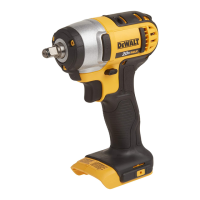

 To Next Page