EasyManua.ls Logo

DeWalt DWV012 - User Manual

DeWalt DWV012
44 pages
Print Icon
To Next Page IconTo Next Page
Loading...
DWV012
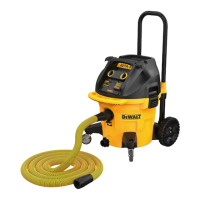
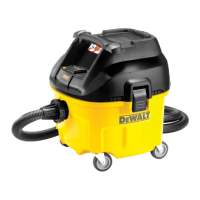
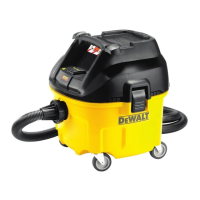
Heavy-Duty Dust Extractor Vacuum
Extracteur industriel de poussière
Aspiradora para trabajo pesado de extracción de polvo
INSTRUCTION MANUAL
GUIDE D'UTILISATION
MANUAL DE INSTRUCCIONES
INSTRUCTIVO DE OPERACIÓN, CENTROS DE SERVICIO Y PÓLIZA DE
GARANTÍA. ADVERTENCIA: LÉASE ESTE INSTRUCTIVO ANTES DE
USAR EL PRODUCTO.
If you have questions or comments, contact us.
Pour toute question ou tout commentaire, nous contacter.
Si tiene dudas o comentarios, contáctenos.
1-800-4-DEWALT • www.dewalt.com

Questions and Answers

  • D
    davisteresaAug 19, 2025
    What to do if dust comes out while vacuuming with my DeWalt DWV012?
    • B
      Brandon SilvaAug 19, 2025
      If dust is escaping while vacuuming with your DeWalt Vacuum Cleaner: * Check that the filters are installed correctly. * Make sure the filters aren't damaged; replace them if needed. * Ensure the filter seals are in place and secure.
  • B
    Brian HallAug 21, 2025
    How to check automatic filter cleaning on DeWalt DWV012 Vacuum Cleaner?
    • T
      Tiffany CohenAug 21, 2025
      To check the automatic filter cleaning function on your DeWalt Vacuum Cleaner, listen for the solenoid clicking. This indicates that the filter cleaning mechanism is working.
  • M
    Michael ChangAug 23, 2025
    What to do if the power tool does not turn on with DeWalt Vacuum Cleaner?
    • K
      Kristin LeeAug 25, 2025
      If your power tool does not turn on when connected to the DeWalt Vacuum Cleaner, ensure that the on/off/tool control switch is in the ACTIVATION position.
  • J
    julieandersonAug 26, 2025
    What to do if the motor of my DeWalt Vacuum Cleaner does not run?
    • C
      Christian AnthonyAug 26, 2025
      If the motor of your DeWalt Vacuum Cleaner isn't running, begin by inspecting the power cord, plugs, and outlet to ensure they are functioning correctly. Also, make sure that the on/off/tool control switch is in the ON position.
  • R
    Rebecca ParksAug 28, 2025
    How to prevent dust from coming out of my DeWalt Vacuum Cleaner while vacuuming?
    • A
      Aaron CoxAug 28, 2025
      To prevent dust from escaping your DeWalt Vacuum Cleaner during use, check that the filters are installed correctly and are not damaged. Replace them if necessary. Also, ensure that the filter seals are in place and secure.
  • D
    Daryl WilliamsAug 29, 2025
    What to do if my DeWalt DWV012 stops running?
    • J
      Jennifer EvansAug 30, 2025
      If your DeWalt Vacuum Cleaner stops running, it's possible the thermal overload has been tripped. Turn the vacuum off and disconnect it from the power source. Empty the canister if needed, and allow the unit to cool down. After cooling, plug the power cord into an appropriate outlet and turn the on/off/tool control switch to the ON position to test.
  • A
    Ashley FrazierSep 1, 2025
    Why does my DeWalt DWV012 Vacuum Cleaner stop running?
    • M
      matthew09Sep 1, 2025
      Your DeWalt Vacuum Cleaner might stop running due to a tripped thermal overload. To resolve this: 1. Turn off the vacuum and disconnect it from the power source. 2. Empty the canister, if needed. 3. Allow the unit to cool down completely. 4. Plug the power cord into an appropriate outlet and turn the on/off/tool control switch to the ON position to test. If the vacuum still doesn't restart, call 1-800-4-DEWALT (1-800-433-9258).
  • K
    Kyle AllenSep 3, 2025
    Why is my DeWalt DWV012 losing suction?
    • K
      Kimberly GreenSep 3, 2025
      Decreased suction capacity in your DeWalt Vacuum Cleaner can be caused by several factors: * Check for and remove any blockages in the suction nozzle, tube, hose, or filters. * Replace the paper or fleece bag if it’s full. * Ensure the filters are installed correctly. * Clean or replace the filters if they are dirty. * Empty the canister.
  • B
    bryantleeSep 5, 2025
    What to do if my DeWalt DWV012 motor does not run?
    • R
      Roger MerrittSep 5, 2025
      If the motor of your DeWalt Vacuum Cleaner isn't running, start by checking the power cord, plugs, and outlet to ensure they are working correctly. Also, make sure the on/off/tool control switch is in the ON position.
  • T
    Tina RiveraSep 7, 2025
    What to do if my power tool does not turn on with DeWalt DWV012?
    • N
      Nicole CoxSep 7, 2025
      If your power tool isn't turning on when connected to the DeWalt Vacuum Cleaner, ensure that the on/off/tool control switch is in the ACTIVATION position.

Summary

Safety Guidelines and Definitions

Safety Definitions

Defines signal words used to describe hazard levels and potential injury.

Important Safety Instructions

Basic safety precautions to reduce risk of fire, electric shock, and personal injury.

Additional Safety Rules

Specific guidelines for safe operation, including grounding and extension cord usage.

Grounding Instructions

Ensures proper grounding of the appliance to reduce electric shock risk.

Product Overview and Operation

Product Components

Identifies all parts of the dust extractor vacuum with corresponding figure references.

Intended Use

Describes the specific applications and materials the vacuum is designed for.

Assembly Instructions

Step-by-step guide for assembling the dust extractor vacuum.

Operating the Vacuum

Instructions for turning on, setting suction, and general operation of the tool.

Connecting to Power Tools

How to connect the vacuum to power tools for automatic operation.

Automatic Filter Cleaning System

Details the system that cleans filters automatically during operation.

Wet Pickup Applications

Specific instructions and warnings for using the vacuum for wet pickup.

Telescoping Handle and Shutdown

Instructions for adjusting the handle and safely shutting down the unit.

Maintenance, Storage, and Accessories

Maintenance and Filter Care

Guidelines for inspecting, cleaning, and replacing the vacuum filters.

Cleaning the Unit

Procedure for cleaning the exterior and air vents of the vacuum.

Storage Instructions

Proper methods for storing the vacuum when not in use.

Available Accessories

Information on optional accessories and where to purchase them.

Warranty, Repairs, and Troubleshooting

Product Repairs

Information on authorized service centers and proper repair procedures.

Three Year Limited Warranty

Details the warranty coverage period and terms for the product.

Troubleshooting Guide

Common problems and their solutions for the dust extractor vacuum.

Technical Specifications

Provides key technical data such as voltage, current, capacity, and weight.

Compliance Certificate

Certifies the vacuum's compliance with safety and regulatory standards.

DeWalt DWV012 Specifications

General IconGeneral
BrandDeWalt
ModelDWV012
CategoryVacuum Cleaner
LanguageEnglish

Related product manuals