EasyManua.ls Logo

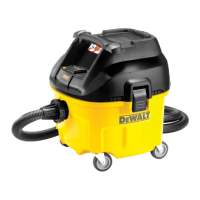
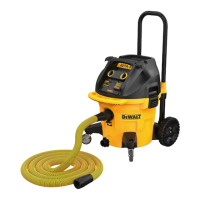
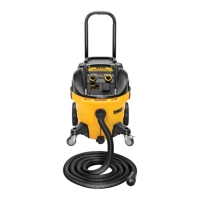
DeWalt DWV902M - User Manual

DeWalt DWV902M
16 pages
Print Icon
To Next Page IconTo Next Page
Loading...
DWV902L
DWV902M
DWV902MT
Final Page size: A5 (148mm x 210mm)

Other manuals for DeWalt DWV902M

Questions and Answers

  • N
    Noah DrakeJul 28, 2025
    Why is the suction capacity decreasing in my DeWalt Dust Collector?
    • M
      Michael VangJul 29, 2025
      Several factors can cause decreased suction capacity in your DeWalt Dust Collector. You should: - Remove any blockages in the suction nozzle, tube, or hose, and filters. - Replace the paper or fleece bag. - Check that the filters are installed correctly and are not damaged; replace them if needed. - Ensure the filter seals are correctly placed and secure. - Empty the canister.
  • A
    Anna TaylorAug 3, 2025
    What to do if my DeWalt Dust Collector motor does not run?
    • M
      Melissa DavisAug 3, 2025
      If the motor of your DeWalt Dust Collector isn't running, first check the power cord, plugs, and outlet to ensure they are working correctly. Also, make sure the on/off/tool control switch is in the ON position.
  • M
    mjohnsonAug 8, 2025
    What to do if my DeWalt Dust Collector stops running?
    • M
      Matthew LewisAug 8, 2025
      If your DeWalt Dust Collector stops running, it could be due to a tripped thermal overload. To resolve this: 1. Turn off the vacuum and disconnect it from the power source. 2. Empty the canister, if necessary. 3. Allow the unit to cool down. 4. Plug the power cord into an appropriate outlet and turn the on/off/tool control switch to the ON position to test.
  • R
    Ricky MillerAug 12, 2025
    What to do if dust comes out while vacuuming with my DeWalt Dust Collector?
    • R
      raymondwellsAug 12, 2025
      If dust is coming out of your DeWalt Dust Collector while vacuuming, check that the filters are installed correctly, are not damaged, and that the filter seals are in place and secure. Replace the filters if they are damaged.
  • B
    Benjamin SimmonsAug 23, 2025
    Why does my DeWalt Dust Collector vacuum stop running?
    • E
      edward08Aug 23, 2025
      If your DeWalt Dust Collector stops running, it might be due to a tripped thermal overload. Here’s what to do: 1. Turn off the vacuum and disconnect it from the power source. 2. Empty the canister if it’s full. 3. Let the unit cool down completely. 4. Plug the power cord into a suitable outlet and switch the on/off/tool control to the ON position to test. If it still won't restart, contact your seller.
  • O
    owestNov 17, 2025
    What to do if the DeWalt Scrubber suction capacity decreases?
    • A
      ann72Nov 17, 2025
      If the suction capacity of your DeWalt Scrubber decreases, try the following: 1. Remove any blockages from the suction nozzle, tube, hose, or filters. 2. Replace the paper or fleece bag. 3. Check and ensure proper installation of the filters. 4. Clean or replace the filters. 5. Empty the canister. 6. Ensure filters are not damaged; replace if necessary. 7. Ensure filter seals are in place and are secure. 8. Listen for the solenoid clicking to ensure the filter cleaning mechanism is working. 9. Ensure the on/off/tool control switch is in the ACTIVATION position. Also, the thermal overload may have been tripped. To resolve this: 1. Turn off the vacuum and disconnect it from the power source. 2. Empty the canister, if needed. 3. Allow the unit to cool. 4. Plug the power cord in...

Summary

Technical Data

EC-Declaration of Conformity

Machinery Directive

Specific directive related to machinery safety and conformity.

Definitions: Safety Guidelines

Safety Instructions and Precautions

General Safety Warnings

Critical warnings, cautions, and notices for safe appliance operation.

Electrical Safety

Guidelines for safe use concerning electrical power supply and connections.

Mains Plug Replacement (UK & Ireland)

Step-by-step guide for replacing the mains plug.

Using an Extension Cable

Package Contents

Markings on Dust Extractor

Intended Use

Assembly and Adjustments

Operation

Flow Alarm Adjustment

How to set the flow alarm for Class M models.

Connecting to Power Tools

Instructions for connecting the dust extractor to power tools.

Automatic Filter Cleaning System

Parking Brake

Dust Collection Bag Management

Remove; Change Used Dust Collection Bag

Procedure for safely replacing the dust collection bag.

Wet Pick Up and Conversion

Wet Pick Up Applications

Guidelines and precautions for using the vacuum for wet pick-up.

Emptying and Dry Conversion

Steps to empty the canister and convert back to dry operation.

Telescoping Handle and Shut Down

Telescoping Handle

Instructions for adjusting the telescoping handle.

Shut Down;Transportation

Steps for safely shutting down and transporting the unit.

Maintenance

Filter Care

Guidelines for inspecting, cleaning, and replacing filters.

Cleaning

Instructions for cleaning the exterior and interior of the appliance.

Storage

Proper procedures for storing the dust extractor.

Optional Accessories

Troubleshooting

Protecting the Environment

DeWalt DWV902M Specifications

General IconGeneral
Input power1400 W
Airflow68 l/s
Capacity35 L
Noise level73 dB
Number of wheels4 wheel(s)
Product colorBlack, Yellow
Weight and Dimensions IconWeight and Dimensions
Weight15000 g

Related product manuals