EasyManua.ls Logo

DeWalt DXF2490 - User Manual

DeWalt DXF2490
20 pages
Print Icon
To Next Page IconTo Next Page
Loading...
If you have questions or comments, contact us.
Pour toute question ou tout commentaire, nous contacter.
Si tiene dudas o comentarios, contáctenos.
1-888-899-0146
Instruction Manual
Guide Dutilisation
Manual de instrucciones
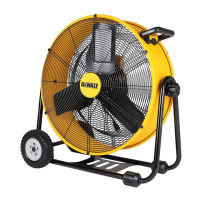
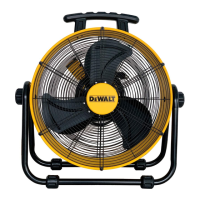
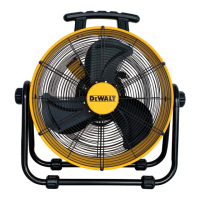
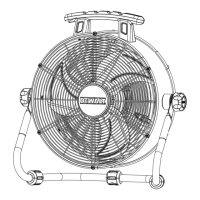
DXF2490
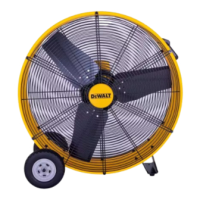
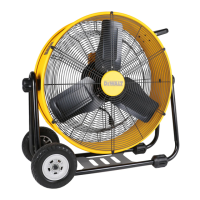
24” DRUM FAN
VENTILATDOR DE TAMBOR DE 24”
VENTILATEUR DE TAMBOUR 24”

Questions and Answers

  • J
    joelcannonJul 29, 2025
    How to troubleshoot DeWalt DXF2490 Fan that will not turn on?
    • T
      Tammy BurnettJul 29, 2025
      If your DeWalt Fan won't run, there could be a couple of reasons: * First, make sure the unit is properly plugged into a working power outlet. * Second, check that the power switch is in the "ON" position.
  • M
    Michele CervantesAug 5, 2025
    What to do if DeWalt DXF2490 Fan is not rotating?
    • K
      Karen AllisonAug 5, 2025
      If your DeWalt Fan is not rotating, it is likely that something is obstructing the fan blades. To resolve this: 1. Turn the fan off. 2. Unplug it from the power outlet. 3. Carefully remove any obstructions that you find. 4. Plug the fan back in and turn it on.
  • B
    briancastroAug 13, 2025
    Why does my DeWalt DXF2490 Fan vibrate so much?
    • D
      Dana ObrienAug 13, 2025
      If your DeWalt Fan runs but vibrates excessively, the manual suggests contacting customer service. This could be due to dirt buildup on the fan blade or a bent motor shaft.
  • F
    Frank BoothAug 20, 2025
    What to do if DeWalt Fan is making a loud scraping noise?
    • S
      scott98Aug 20, 2025
      If your DeWalt Fan is making a loud scraping noise while running, the manual suggests contacting customer service. This might be happening because the fan blade is rubbing against the housing, or the housing has deformed, possibly due to the unit being severely jolted.

Summary

Definitions: Safety Guidelines

Important Instructions

General Safety Precautions

Outlines essential safety measures to reduce risks of shock, fire, or injury during fan operation.

Proposition 65 Warning

Product Specifications

Read & Save Instructions

Specific Safety Warnings

Highlights critical warnings regarding shock, hot surfaces, and fire hazards during fan use.

Grounding Instructions

Extension Cord Usage

Fan Operation

Tools and Assembly

Lists necessary tools and guides for assembling the fan cradle and components.

Usage and Placement

Advises on correct fan operation, tilting, and optimal location for air circulation.

Optional Accessories

Troubleshooting

Exploded View and Parts List

DeWalt DXF2490 Specifications

General IconGeneral
BrandDeWalt
ModelDXF2490
CategoryFan
LanguageEnglish

Related product manuals