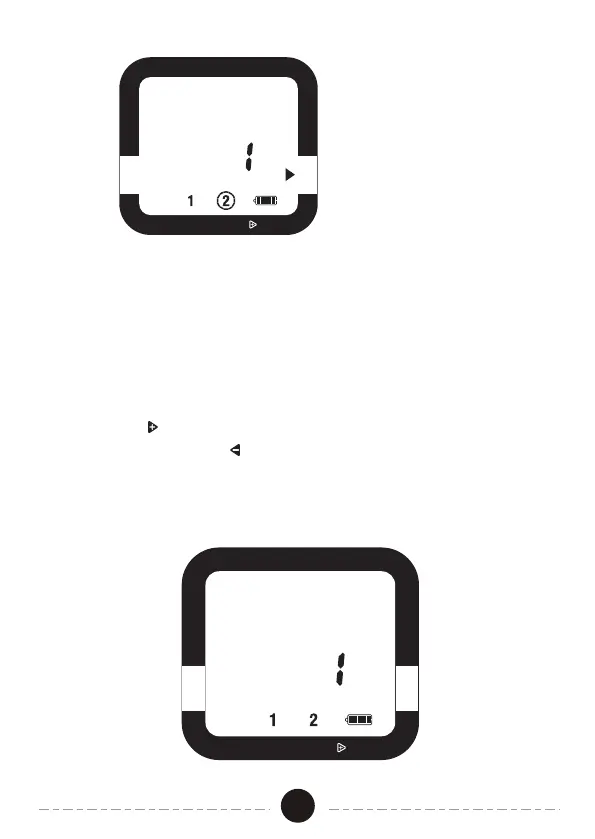
1. If there is rain in the forecast and you wish to temporarily stop watering,
you can use Rain Delay.
2. Rain Delay Mode will stop all watering for up to 7 days.
3. After the delay period, the watering program will begin running automatically.
4. To activate Rain Delay Mode, make certain the arrow is pointing to AUTO.
Hold the key for 3 secs, then select the delay period. You can reduce
the delay period with the key.
5. In Rain Delay Mode , the screen will toggle between the current TIME
and the remaining DELAY time. If the delay is greater than 12 hours,
the DELAY will be shown in DAYS.
Rain Delay Mode
RAIN DELAY, HOLD
OFF
START WATER HOW LONG
HOW OFTEN AUTO
SET CLOCK
RAIN DELAY, HOLD
OFF
START WATER HOW LONG
HOW OF TEN AUTO
SET CLOCK
ZONE
NEXT START TIME
DAY
DELAY
ZONE
DAY
07


 To Next Page