Note:
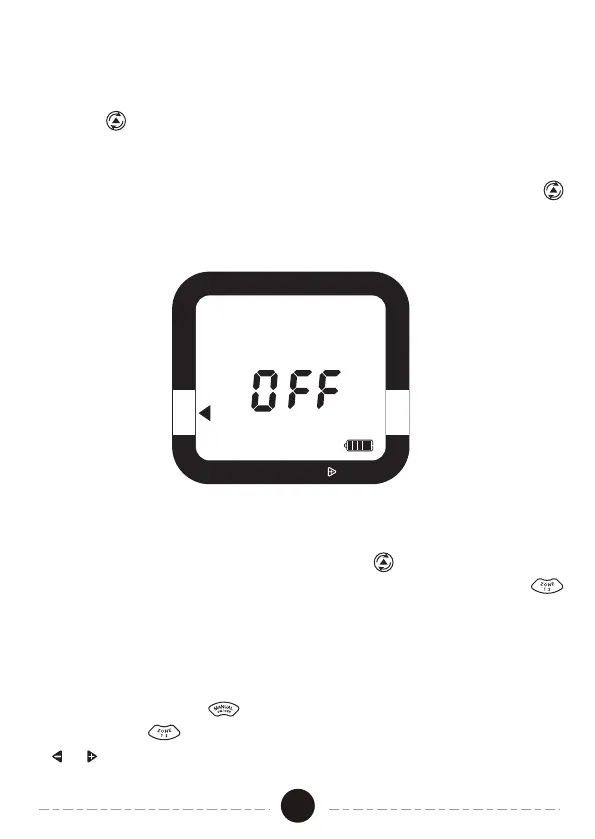
Setting the timer to OFF disables all watering zones. In order to disable a
specific zone (or zones), use the Cursor Button to move to HOW LONG.
Ensure you are adjusting the desired watering zone by using the ZONE
button. Adjust the HOW LONG setting to “0”. To reactivate the zone, adjust
the HOW LONG setting back to the desired watering duration.
1. If you wish to stop watering for an extended period, push the Cursor
Button until the arrow is pointing to OFF. The timer will not water
automatically while in this mode. The screen will display the word OFF
in large letters.
2. To start watering automatically again, simply press the Cursor Button
until the arrow is pointing to AUTO. The program will begin watering at
the next available Start Time.
Off Mode
RAIN DELAY, HOLD
OFF
START WATER HOW LONG
HOW OF TEN AUTO
SET CLOCK
1. Press Manual On/Off , then the manual mode will start.
2. Press ZONE to select the zone you want to open. Then press the
or button to adjust the amount of time you want the valve to be open.
Manual Watering
08


 To Next Page