12
Before You Start to Play
Turning the Power On
Once everything is properly connected, be sure to follow the procedure
below to turn on their power.
1. Rotate the [VOLUME] knob toward the left position to
minimize the volume.
NOTE
Before turning the CLASSICO L3 on/o, always be sure to turn
the volume down. Even with the volume turned down, you
might hear some sound when switching the CLASSICO L3 on/o.
However, this is normal and does not indicate a malfunction.
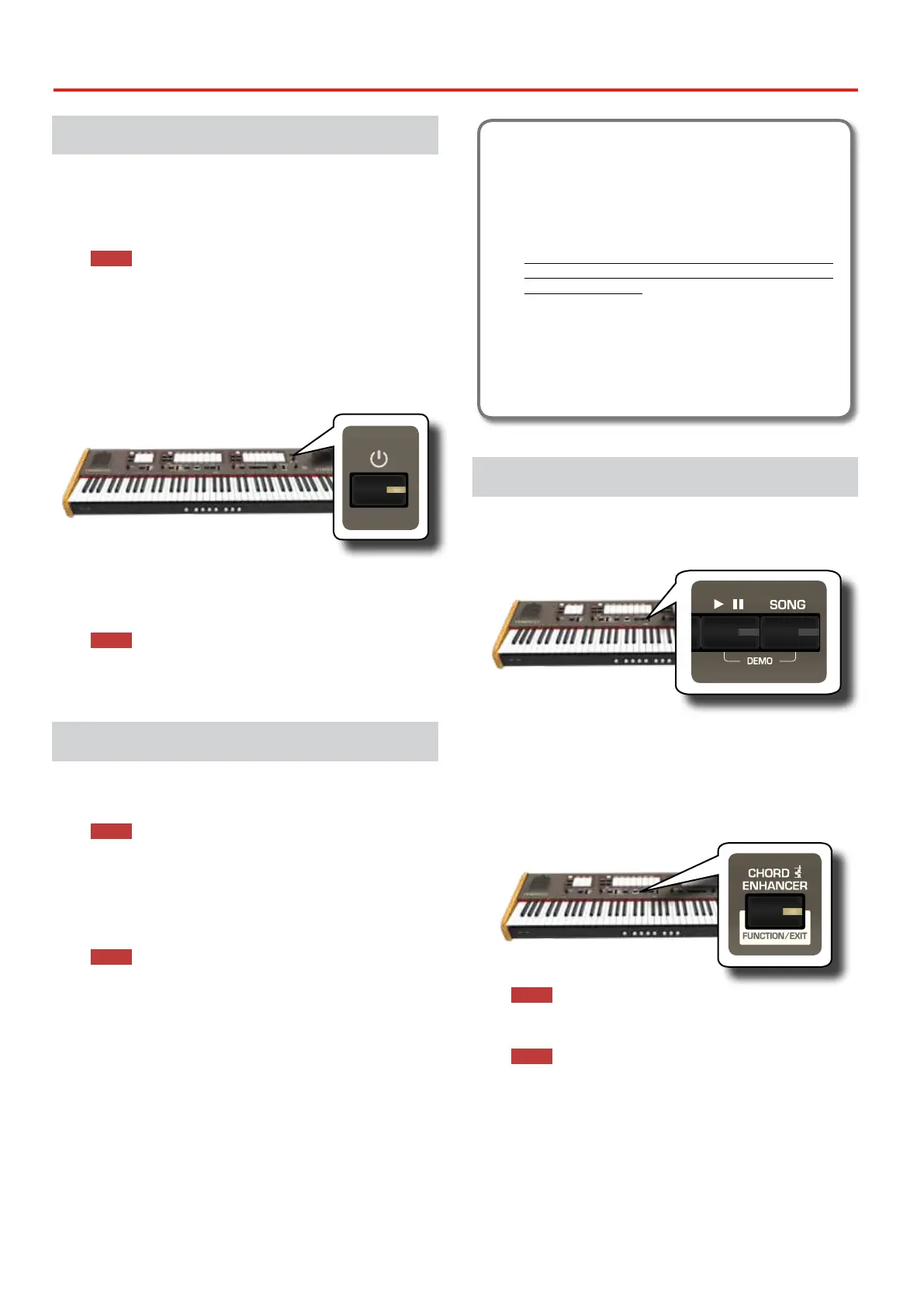
2. Press the CLASSICO L3’s [ " ] button located on the right
panel to switch it on.
VOLUME
PEDAL
POWER PORT
5 VOLT
The power will turn on, the tilt tab indicators light in sequence.
After a brief interval, CLASSICO L3 will be ready to produce sound.
3. Use the [VOLUME] knob to adjust the volume.
NOTE
This unit is equipped with a protection circuit. A brief interval
(a few seconds) after power up is required before the unit will
operate normally.
Turning the Power O
1. Rotate the [VOLUME] knob toward the left position to
minimize the volume.
NOTE
To avoid malfunctions, never disconnect the AC/DC adapter
while the instrument is turned on.
2. Press and hold for a while the CLASSICO L3’s [ " ] switch.
All indicators go dark and the LED meter of TRANSPOSE ashes to
indicate that the unit will turn o after few seconds.
NOTE
If you need to turn o the power completely, rst turn o the
[POWER] switch, then unplug the power cord from the power
outlet. Refer to "Connecting the AC Adaptor" (p. 11).
If you do not operate the unit for a certain period
of time while the power is on, this unit turns o
automatically.
If you don’t want the power to turn o automatically,
turn the “AUTO OFF” setting o !
With the factory settings, the unit’s power will automati-
cally be switched o 120 minutes after you stop playing
or operating the unit.
Shortly before the CLASSICO L3 shuts down automatically,
the indicators go dark and the tilt tab indicator light in
sequence. If you want to keep using the CLASSICO L3 at this
stage, press any button.
If you don’t want the power to turn o automatically,
change the “AUTO OFF” setting to “OFF”. Please refer to the
owner's manual.
Demo of the CLASSICO L3
Your CLASSICO L3 contains a demo that introduces all the best of its tones.
1. To start playback of all demo songs simultaneously press
the [*-,] and [SONG] buttons.
/
VALUE/REV TYPE
OBOE TRUMPET
FLUTE VIOLIN
REVERB
PLAYER
The rst tilt tab ashes and playback of all songs starts
automatically in sequence.
2. Press the tilt tab that is assigned to the desired demo
song to start playback of that song.
3. Press the [FUNCTION/EXIT] button to leave the demo
function.
PIANO
HARPSICHORD
TUNING TEMPERAMENT TRANSPOSE
NOTE
No data of the music that is played back will be out putted from
MIDI OUT.
NOTE
All rights reserved. Unauthorized use of this material for
purposes other than private, personal enjoyment is a violation
of applicable laws.



 To Next Page