DSM2500C IP to Analog Modulator User Manual
8
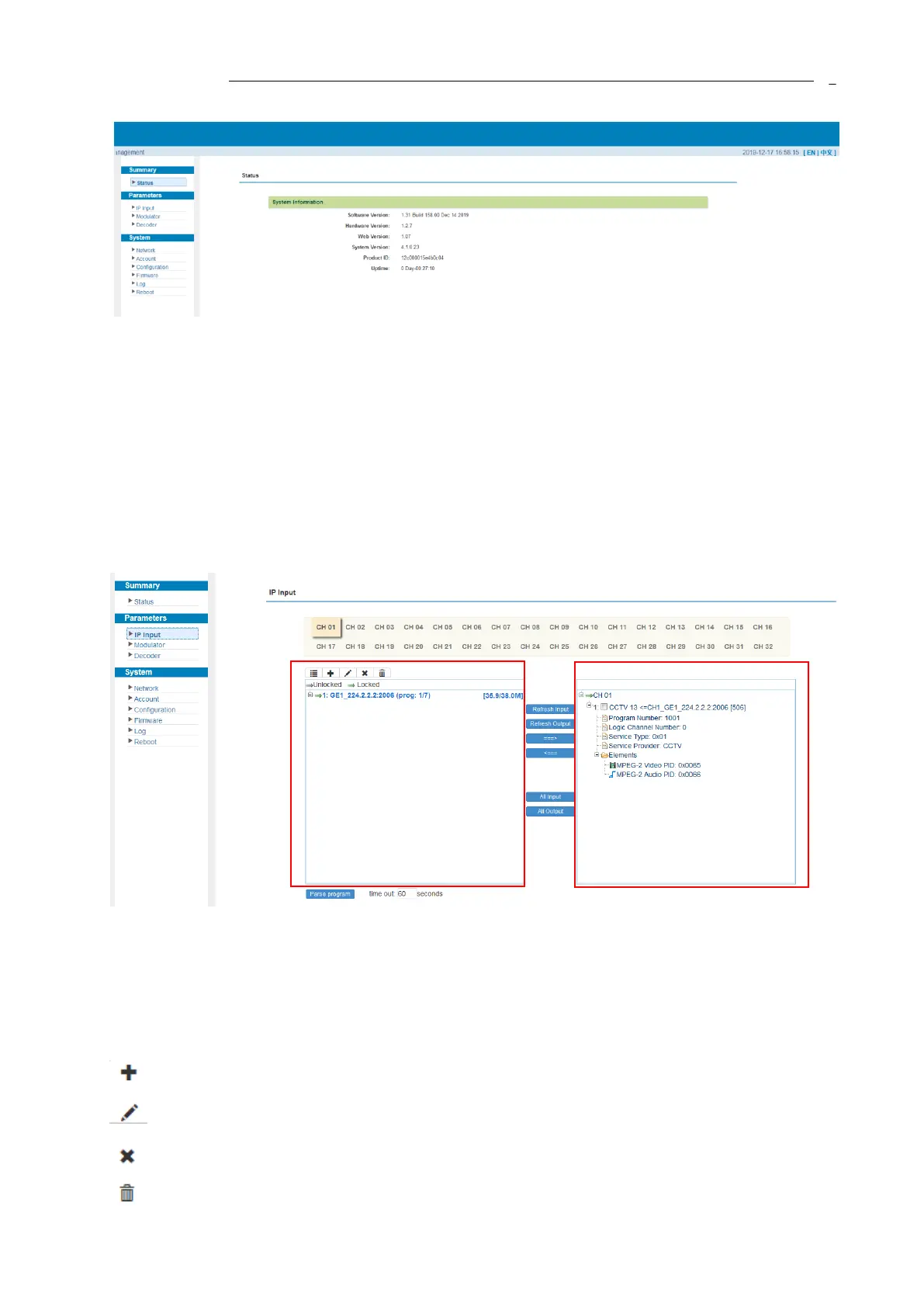
Figure-2
3.2.2 Parameters
Parameters → IP Input:
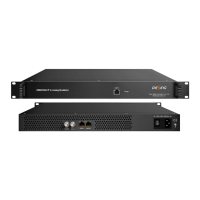
Click “IP Input”, it displays the interface as Figure-3. Users can select the output TS channels.
Click “+” to add IP input, and then select one channel to parse. It will display the interface where
users can choose the programs to output.
Figure-3
Configure ‘Input Area’ and ‘Output Area’ with buttons in ‘Operation Area’. Instructions are as
below:
: To add input channel which come from Data1 or Data 2 or Data Module (front panel)
: To edit the input channel
: To delete the input channel
: To delete all inputs channel


 To Next Page