NDS3508B Tuner to IP Gateway User’s Manual
10
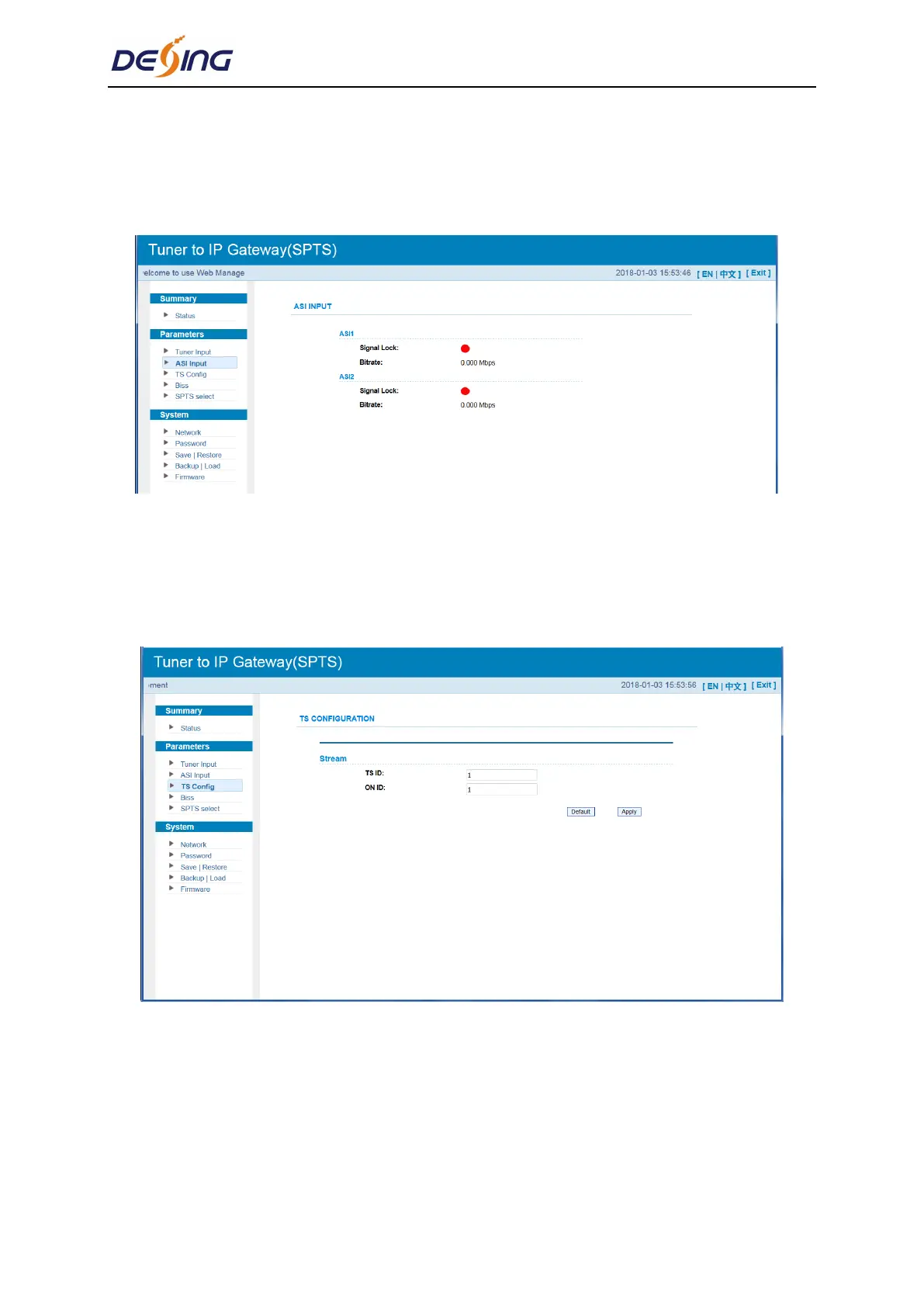
Parameter→ ASI input
From the menu on top side of the webpage, click “ASI Input”, it displays the interface where
users can check the 2 channels of ASI input status. (Figure-5)
Figure-5
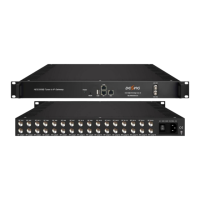
Parameter→ TS Config
Clicking “TS Config”, it displays the interface where users can set the output TS and
configure TS ID and ON ID (Figure-6).
Figure-6
Parameter→ BISS
From the menu on left side of the webpage, clicking “BISS”, it displays the interface where
users can configure BISS and descramble the input channels (Figure-7).


 To Next Page